Upgrading Gmail and Email App Versions Using Boost.spaceA platform that centralizes and synchronizes company data from internal and external sources, offering a suite of modules and addons for project management, CRM, data visualization, and more. Has many features to optimize your workflow! IntegratorPart of the Boost.space system, where you can create your connections and automate your processes. DevTool
This article describes the upgrading of the Gmail app to the latest version using Boost.space Integrator DevTool. The same upgrade process can be applied to the Email app.
![[Warning]](https://docs.boost.space/wp-content/themes/bsdocs/docs-parser/HTML/css/image/warning.png) |
Warning |
|---|---|
| Do not use Boost.space Integrator DevTool’s Swap App tool unless you know what you are doing! |
Prerequisites:
Existing legacy Gmail or Email app versions in your scenarioA specific connection between applications in which data can be transferred. Two types of scenarios: active/inactive..
Upgrading Gmail Modulesa module is an application or tool designed to handle specific business functions, such as CRM, project management, or inventory. The system's modular architecture allows you to activate only the modules you need, enabling customization and scalability as your business requirements evolve. to the Latest Version:
- Open the scenario that contains the legacy Gmail app version.
- Press Control+Shift+I or F12 (Windows) or Command+Option+I (Mac) on your keyboard to open Chrome Developer Tools.
- Open the Boost.space Integrator tab.
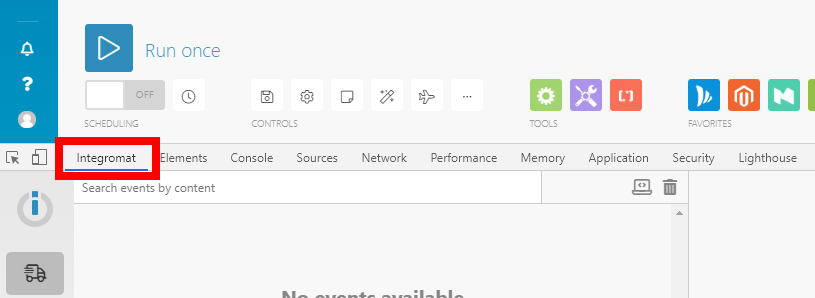
- Go to Tools > Swap App.
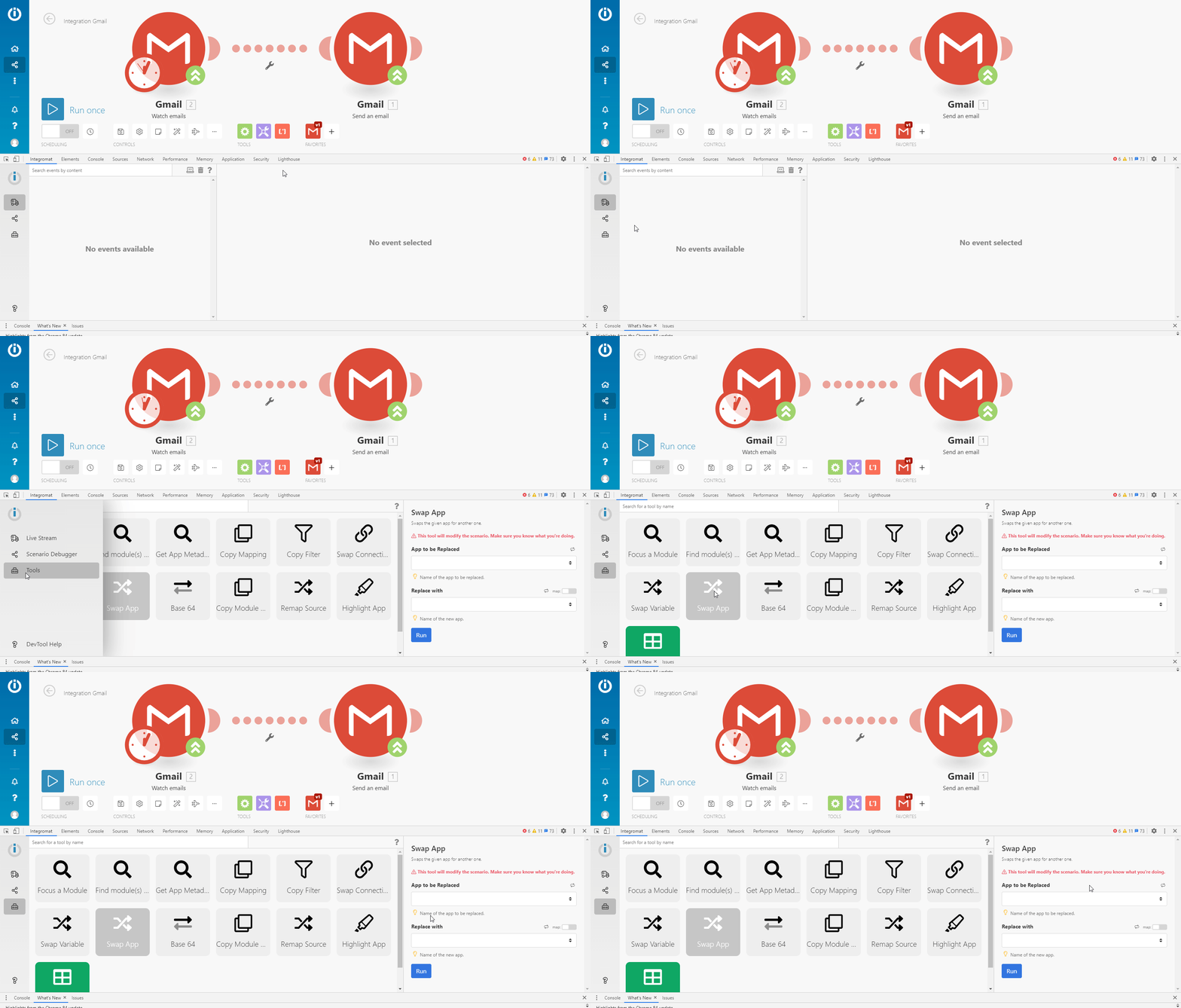
- In the tool’s pane fill the fields as follows:
App to be Replaced Select the legacy Gmail app you want to replace. Version Select the legacy version of the Gmail app you want to replace. Replace with Select the Gmail app you want to replace the legacy modules with. Version Select the latest version of the Gmail app you want to upgrade the app’s modules to. - When the source and target app versions are specified, click the Run button
 in the Swap App tool’s pane to perform the Swap App action.
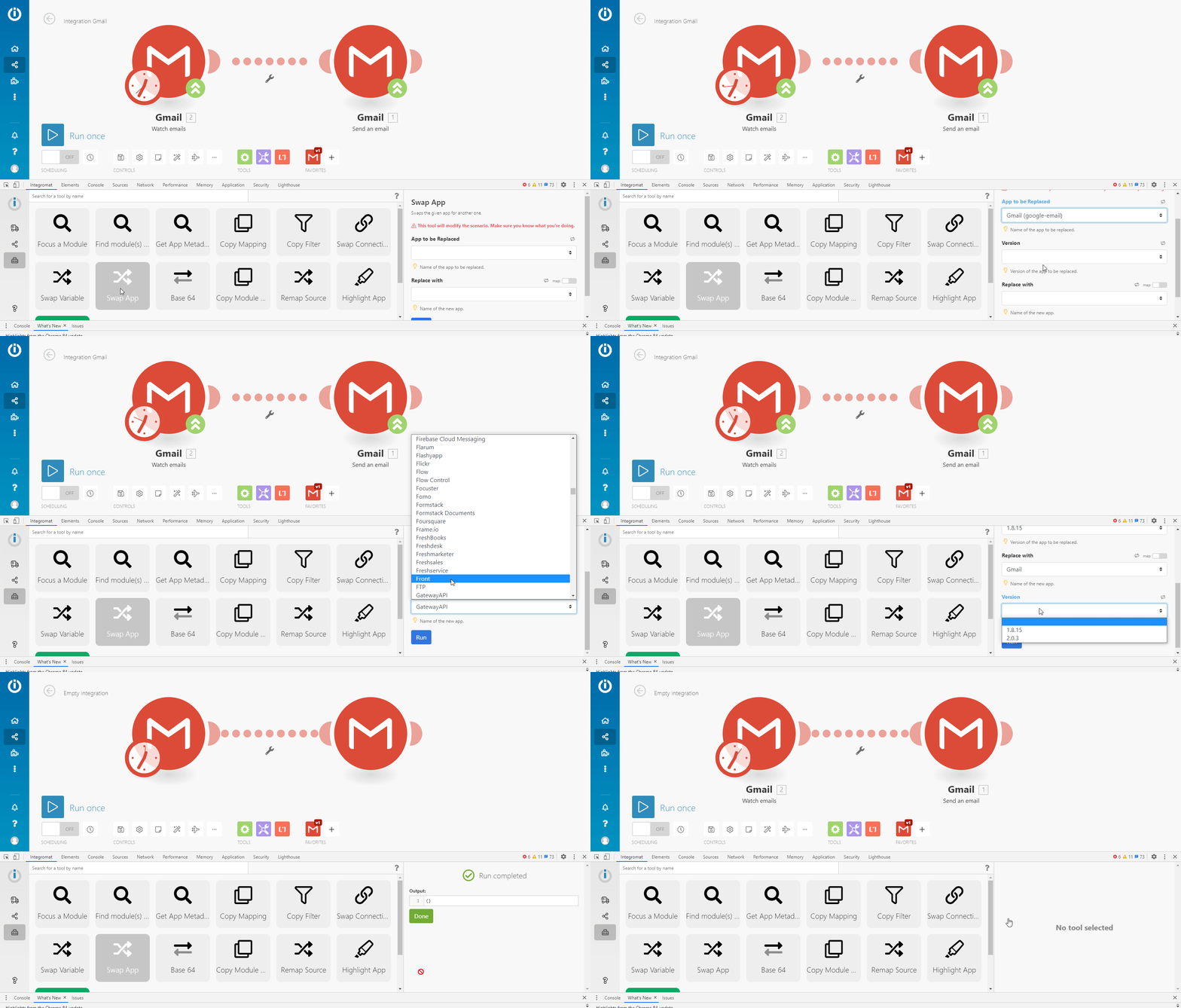
All modules of the legacy Gmail app version in your scenario are now upgraded to the desired version.