![[Note]](https://docs.boost.space/wp-content/themes/bsdocs/docs-parser/HTML/css/image/note.png) |
Note |
|---|---|
| This article describes alternatives and workarounds to the ConvergerA converger is the counterpart to the router module and merges several routes into one route. There is no converger module available in Boost.space Integrator, but there is a workaround, that allows you to reduce the duplication of modules in different routes. modulea module is an application or tool designed to handle specific business functions, such as CRM, project management, or inventory. The system's modular architecture allows you to activate only the modules you need, enabling customization and scalability as your business requirements evolve., often requested by our customers. |
Please note that there is no Converger module available in Boost.spaceA platform that centralizes and synchronizes company data from internal and external sources, offering a suite of modules and addons for project management, CRM, data visualization, and more. Has many features to optimize your workflow! IntegratorPart of the Boost.space system, where you can create your connections and automate your processes.. At the moment, it is just a concept that provides a counterpart to the RouterA router allows you to add new routes to a scenario so you can branch your flow into several routes and process the data within each route differently. module, allowing you to reduce duplication of modulesa module is an application or tool designed to handle specific business functions, such as CRM, project management, or inventory. The system's modular architecture allows you to activate only the modules you need, enabling customization and scalability as your business requirements evolve. in different routes.
To implement the Converger concept, use one of the following workarounds to avoid the duplication of the common sequence.
- Add an extra filter-free route to the Router to connect the common sequence (the one you would put after a Converger module).
- Add Data store > Add/replace a recordIn Boost.space, a record is a single data entry within a module, like a row in a database. For example, a contact in the Contacts module or a task in the Tasks module. modules at the end of each Router’s route (except the new extra route) to store the data outputted by the modules on the route that should be passed to the common sequence. The Data storeA data store is a built-in database in Boost.space Integrator. You can use data stores to store data from scenarios or transfer data between individual scenarios or scenario runs. Your account includes data stores, so you do not have to register at a third-party service. would contain just one record, the record’s key can be e.g. “MyKey”.
- Add Data store > Get a record module at the beginning of the common sequence to obtain the previously stored data.
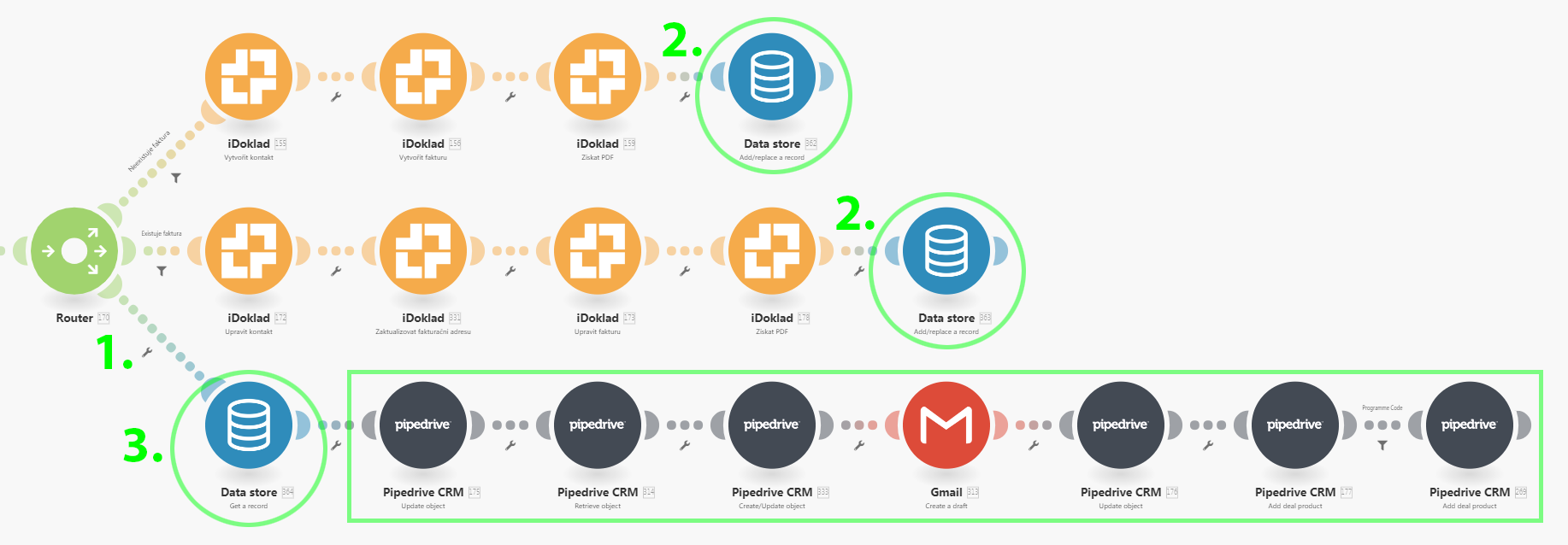
If you wish to avoid the use of the Data store you can:
- Instead of the Data store > Get a record module use JSON > Create JSON module followed by Tools > Set variable to store the resulting JSON in a variable (e.g. “MyBundle”).
- Instead of the Data store > Get a record module use Tools > Get variable to obtain the previously stored variable followed by JSON > Parse JSON.
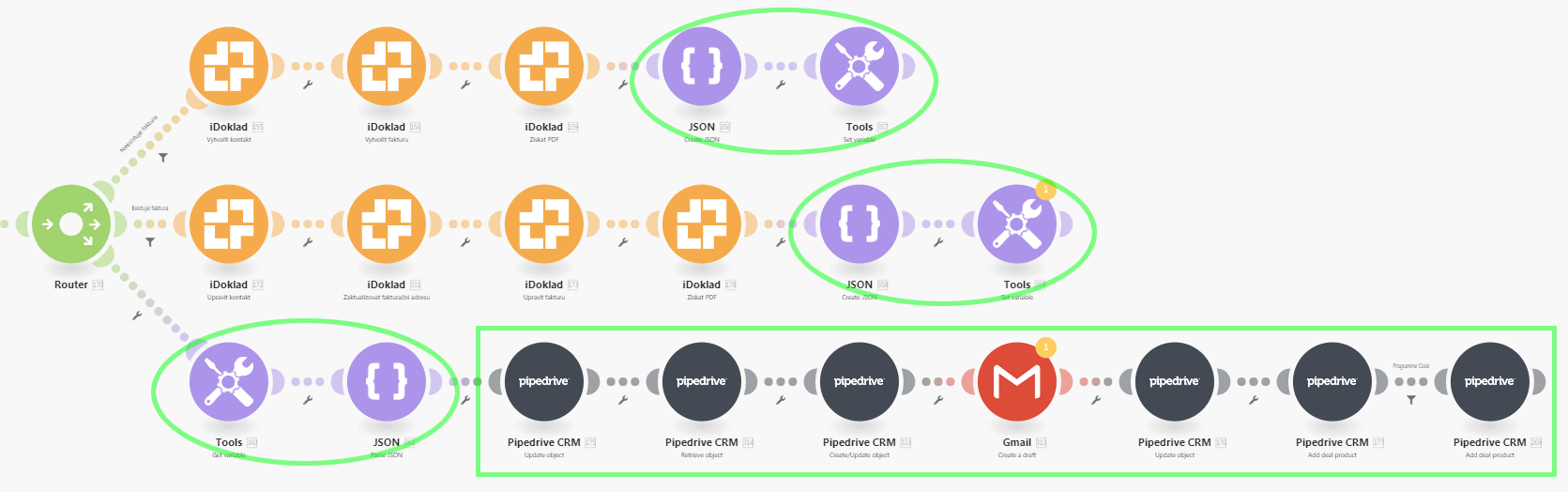
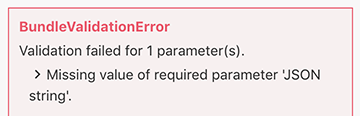
Please note that if no route is executed, the JSON > Parse JSON will throw the following errorService is unavailable due to a failure, a service responds with unexpected data or the validation of input data fails.:
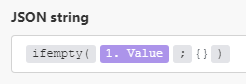
To avoid this, you may employ the ifemtpy() functionFunctions you can use in Boost.space Integrator - create, update, delete, get, search. as show below:
If it is just a single value that you need to pass to the common sequence (e.g. ID), you can employ only theTools > Set variable and Get variable modules.
Boost.space Integrator also allows you to use the Set multiple variables module.
A separate new scenarioA specific connection between applications in which data can be transferred. Two types of scenarios: active/inactive.
You may also place the common sequence to a separate new scenario and then:
- Employ HTTP > Make a request module at the end of each route to pass the data to the new scenario.
- Employ Webhooks > Custom webhookA webhook is a way for an app to send real-time information to a specific URL in response to certain events or triggers. module at the beginning of the new scenario to receive the data.