When mapping items, you can use functionsFunctions you can use in Boost.space Integrator - create, update, delete, get, search. to create complex formulas. The functions available in Boost.spaceA platform that centralizes and synchronizes company data from internal and external sources, offering a suite of modules and addons for project management, CRM, data visualization, and more. Has many features to optimize your workflow! IntegratorPart of the Boost.space system, where you can create your connections and automate your processes. are similar to functions in Excel or those in other programming languages. The functions let you perform various transformations of itemItems are rows in records (order/request/invoice/purchase...) values, such as converting a text to uppercase, trimming a text, converting a date into a different format, and many others.
Functions can be inserted into fields the same way as itemsItems are rows in records (order/request/invoice/purchase...). If you click into a field, the mappingMapping links the modules in your scenario. When you map an item, you connected the data retrieved by one module to another module to perform the desired action. For example, you can map the email address and subject lines from the Email > Watch emails module to Google Sheets > Add a row and create a spreadsheet of email addresses... panel pops up.
The mapping panel contains several tabs:
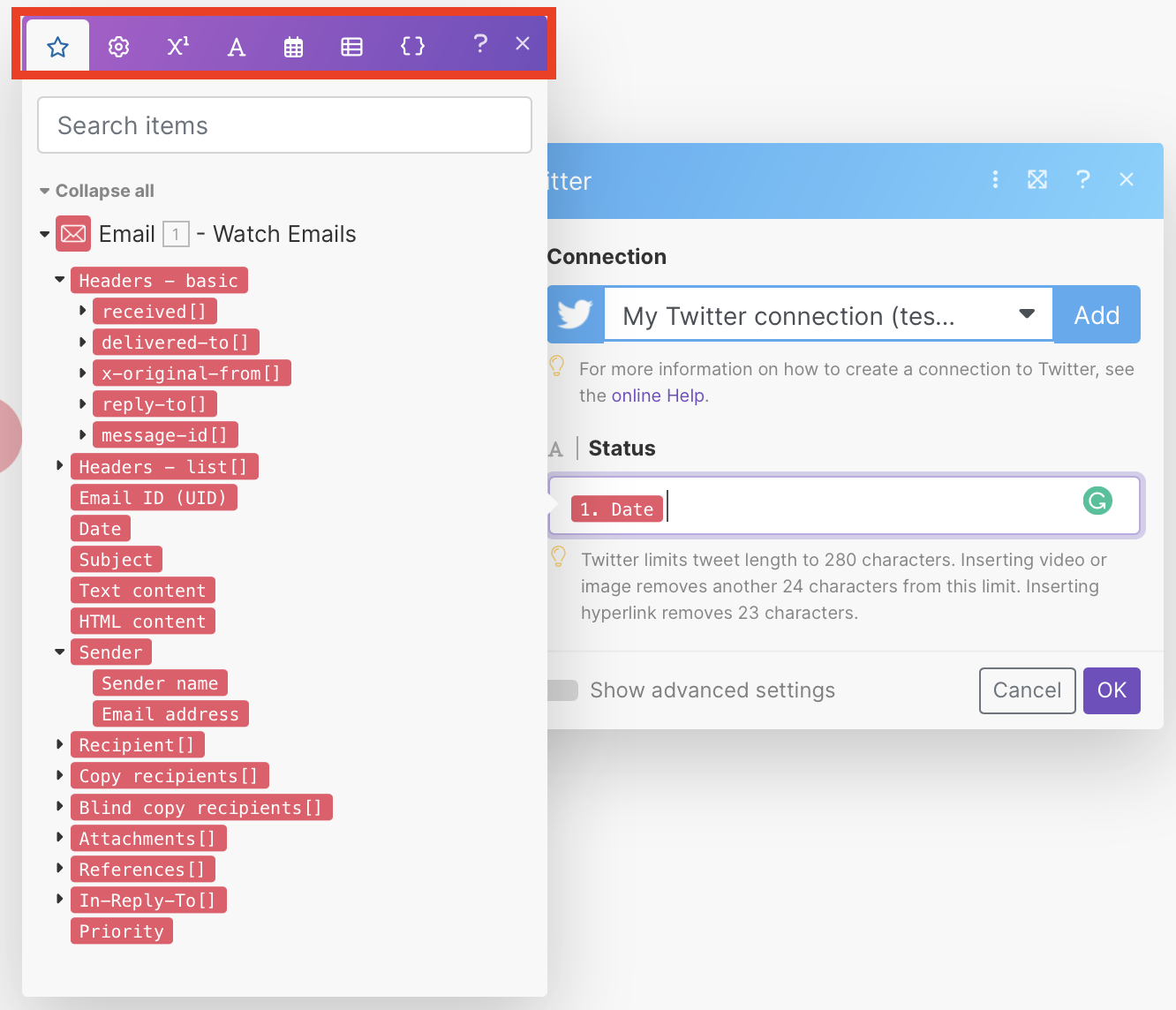
- The first tab (shown upon opening the panel) displays the items that you can map from other modulesa module is an application or tool designed to handle specific business functions, such as CRM, project management, or inventory. The system's modular architecture allows you to activate only the modules you need, enabling customization and scalability as your business requirements evolve..
- The other tabs contain various functions:
- General functions – see General functions
- Math functions – see Math functions
- Text and binary functions – see String functions
- Date and time – see Date & time functions
- Functions for working with arrays – see Array functions
- Custom and system variables
To insert a functionFunctions you can use in Boost.space Integrator - create, update, delete, get, search. into a field, click the function name or drag it to the field.