Summary:
Use the JSON Generator in the ‘Create JSON’ modulea module is an application or tool designed to handle specific business functions, such as CRM, project management, or inventory. The system's modular architecture allows you to activate only the modules you need, enabling customization and scalability as your business requirements evolve. to automatically add a data structureWhen you create a data store, you need to create a data structure that formats your data store in Boost.space Integrator. Think of the data store as a spreadsheet and the data structure as the headers. The data structure defines the kind of data (i.e. text, numeric, etc.) that the data store records. You can view and manage your data... using a sample JSON. Learn how to modify it and make an HTTP request using an API key to connect to a third-party service. In this tutorial, we have used SendGrid and have shown how to do the following:
- Connect to SendGrid over HTTP
- Send an email using SendGrid directly from the HTTP module on Boost.spaceA platform that centralizes and synchronizes company data from internal and external sources, offering a suite of modules and addons for project management, CRM, data visualization, and more. Has many features to optimize your workflow! IntegratorPart of the Boost.space system, where you can create your connections and automate your processes.
- Send an email using a template on SendGrid
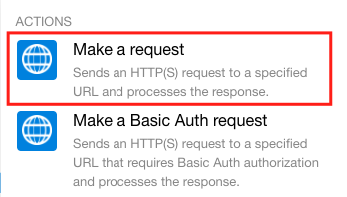
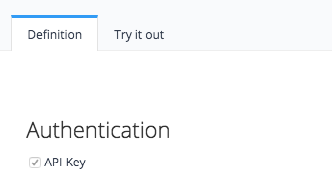
- SendGrid’s authentication takes place using an API Key. Hence we use the ‘Make a request’ HTTP module on Boost.space Integrator.
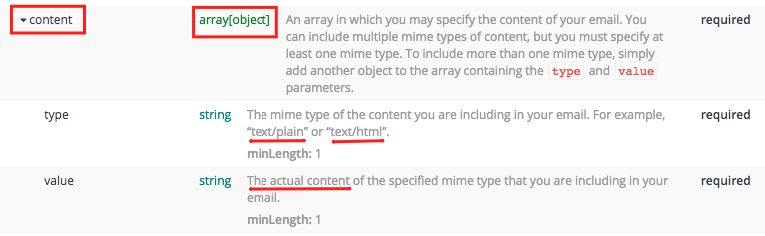
- To send an email directly from the HTTP module, add the ‘content’ parameter to your JSON data structure. As you can see below, ‘content’ is an arrayWithin a bundle, data items of the same type are sometimes in an array. You can find an array by looking at the details of a bundle. Depending on the details of your scenario, you can map other modules to a specific item in an array or use iterators and aggregators to manipulate your data into other formats. When mapping,... of collections; ‘type’ and ‘value’ are where you need to define the content type and the actual content respectively. Also, it is a required parameter and will result in an errorService is unavailable due to a failure, a service responds with unexpected data or the validation of input data fails. if left blank.
- To send an email using a template, you need to add the ‘template_id’ parameter. As you can see in the image below, ‘template_id’ is a simple string and is an optional parameter and hence why it can be left blank.

Note: if the video is not working for you, open it directly in YouTube.
Here’s the link to the template used in this scenarioA specific connection between applications in which data can be transferred. Two types of scenarios: active/inactive. and you can refer to the SendGrid API Docs here.
Please note that Boost.space Integrator only supports V3 of the SendGrid API.