ScenarioA specific connection between applications in which data can be transferred. Two types of scenarios: active/inactive. execution history
Clicking the History button in the scenario detail displays information about all scenario runs.
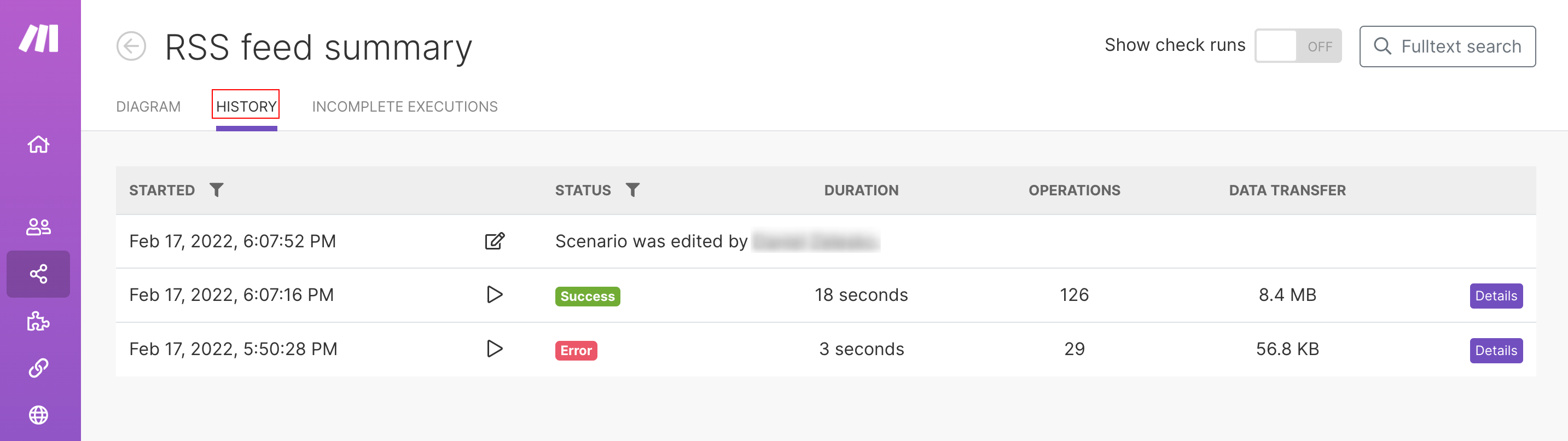
The following details are shown for every run:
- run date
- statusIn Boost.space, statuses are indicators assigned to records within modules to represent their current state or progress. They can be system-defined, such as "Active" or "Done," or custom-created to fit specific workflows. Statuses help track and manage tasks, projects, and processes efficiently. (success or failed)
- run duration
- number of operationsOperations are tasks in integration scenarios, similar to "operations" in Make.com. Each action, like reading or updating a record, counts as one operation. They’re essential for data syncing between apps and reset monthly. Going over the limit pauses syncing until you add more or upgrade your plan.
- size of transferred data
- link to detailed information
For detailed information about a selected scenario run, including which bundles were processed, click the Details link.
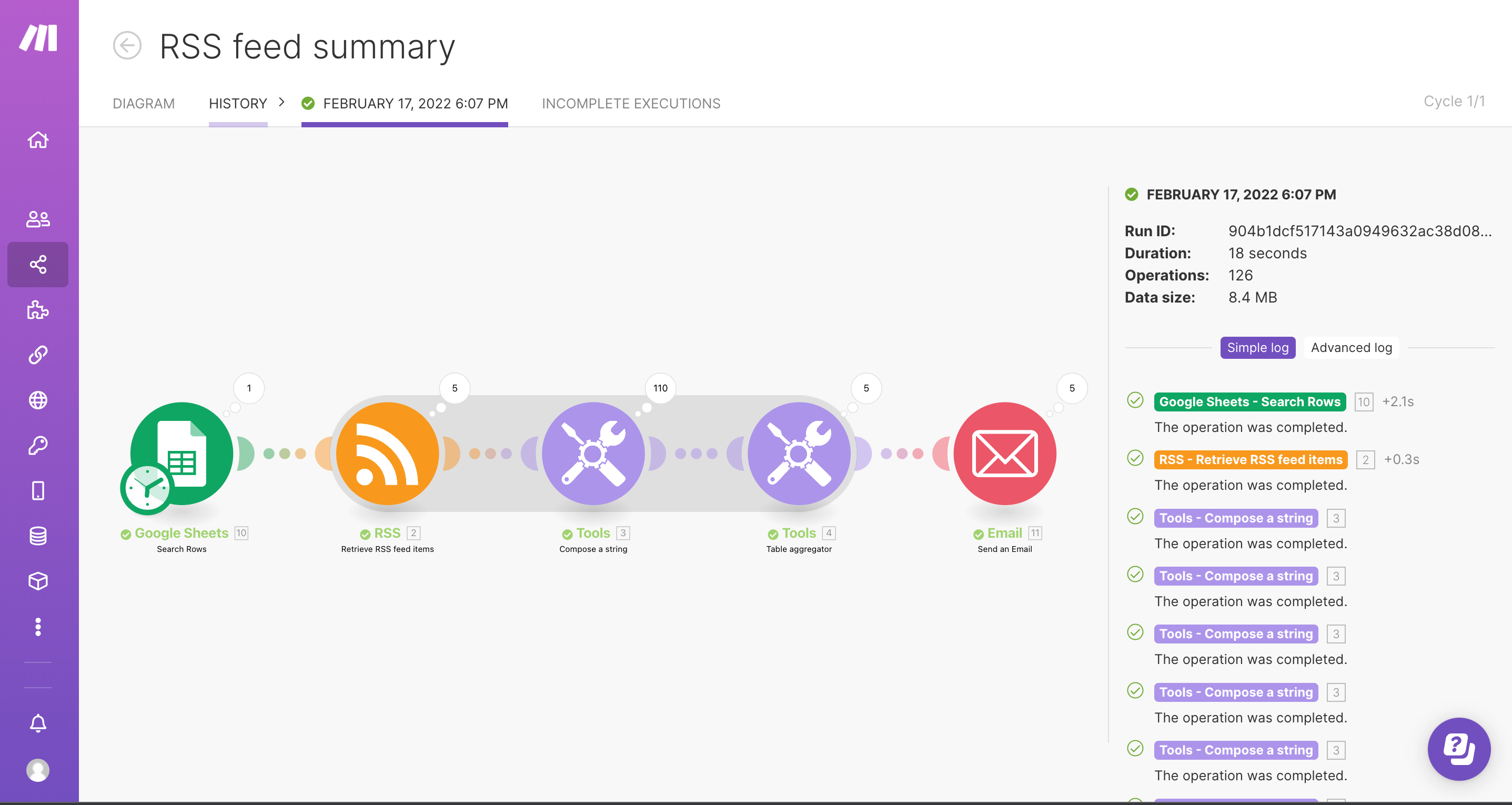
With Boost.spaceA platform that centralizes and synchronizes company data from internal and external sources, offering a suite of modules and addons for project management, CRM, data visualization, and more. Has many features to optimize your workflow! IntegratorPart of the Boost.space system, where you can create your connections and automate your processes. DevTool you can also inspect HTTP requests and responses made during a modulea module is an application or tool designed to handle specific business functions, such as CRM, project management, or inventory. The system's modular architecture allows you to activate only the modules you need, enabling customization and scalability as your business requirements evolve. operationOperations are tasks in integration scenarios, similar to "operations" in Make.com. Each action, like reading or updating a record, counts as one operation. They’re essential for data syncing between apps and reset monthly. Going over the limit pauses syncing until you add more or upgrade your plan.. These are logged for:
- manual scenario executions for all modulesa module is an application or tool designed to handle specific business functions, such as CRM, project management, or inventory. The system's modular architecture allows you to activate only the modules you need, enabling customization and scalability as your business requirements evolve.
- scheduled executions if an errorService is unavailable due to a failure, a service responds with unexpected data or the validation of input data fails. occurs during the execution for the module that threw the error