Chat with an agent
Every agent has its own chat. Use it when you know who should do the job, to work with one agent over a longer task, or to teach it something. Boosty is not in between: you talk to the agent itself.
How do I open an agent's chat?
- Click Chat in the left rail and pick the agent under Agents.
- On Home, click the speech bubble on the agent's card, Ask <name> to do something.
- On the agent's page, click Message.
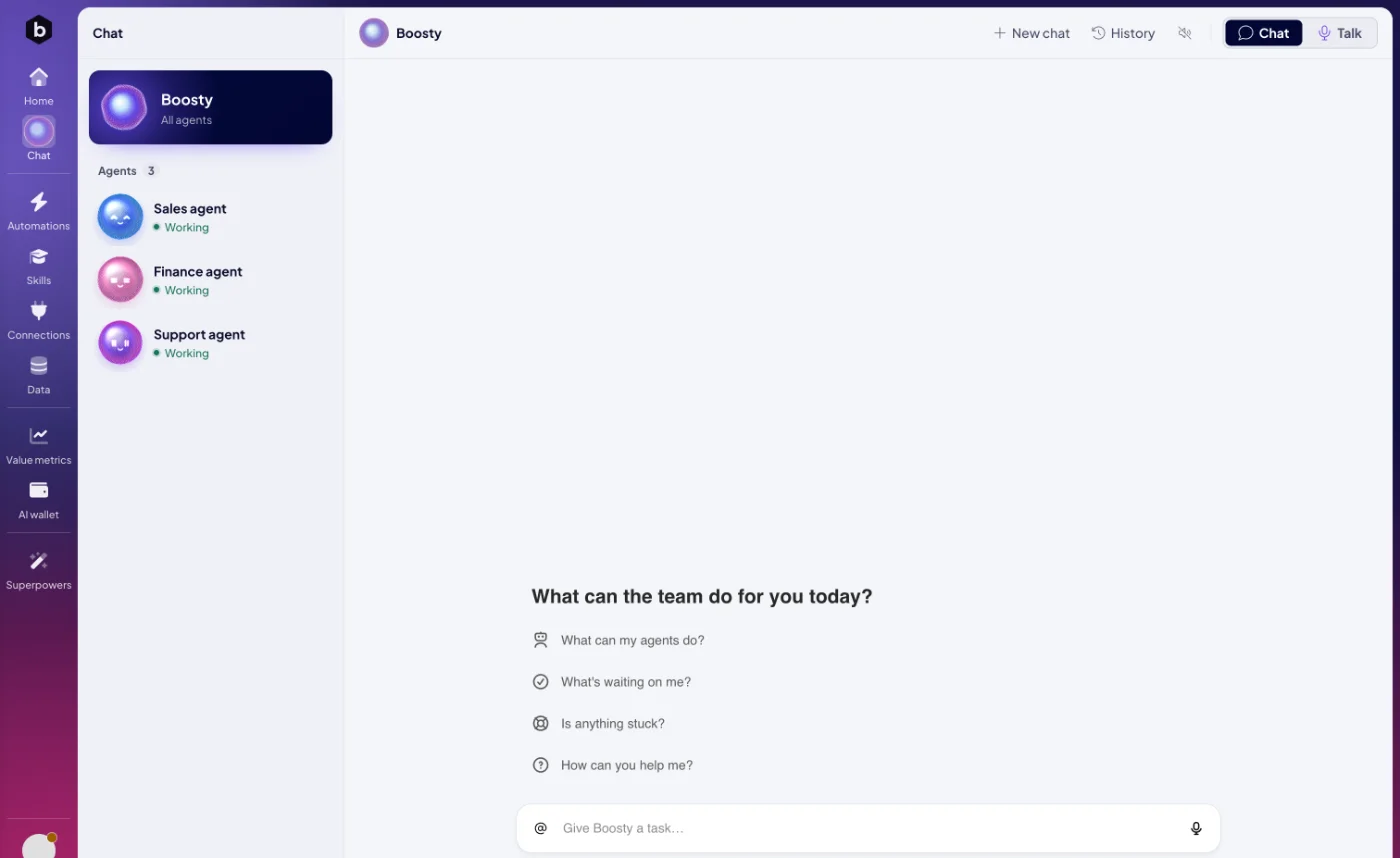
Write into Give <name> a task… at the bottom and press Enter. On a phone, the list of agents and the chat take turns: the back arrow at the top left brings the list back.
What can I start with?
An empty chat asks What can <name> do for you today? and offers four starts:
| Suggestion | What the agent does |
|---|---|
| What can you help me with? | Explains what it can do with its skills and apps, with an example for each. |
| What have you been working on? | Sums up the last 7 days: what is done and what is still running. |
| What could you take off my plate? | Suggests one recurring task it could take over, and how. |
| Learn a new skill | Asks you, one question at a time, what the new skill should do. |
How do I point the agent at something specific?
Type @ and choose what you mean. The list groups Agents, Skills, Agent automations, your modules, your Spaces and your Automations. The agent then knows exactly which one you mean: "Fill in the missing prices in @Products." Click a mention in the chat to open that item.
Can I share images with an agent?
Yes. Click the attachment button in the message box. You can attach PNG, JPEG, GIF or WebP images, up to 10 in one message and about 7 MB of images in total. The agent reads them, for example a screenshot of an error or a photo of a receipt.
How does an agent give me files?
Files the agent makes, such as a spreadsheet, a report or an image, appear in the chat as downloads. Click one to save it. If a file is gone, the chat says The file is no longer available. Ask the agent to create it again., and the agent makes it again when you ask.
What happens when the agent needs my approval?
The agent asks in the chat and waits. Before an ACT automation calls another service or goes live, it shows you what it is about to do. Reply "Yes, go ahead", or say what to change. The same goes for anything you told the agent to ask you about first, such as "Ask me before you write to a customer." See Build with an agent.
What do the buttons in the header do?
| Button | What it does |
|---|---|
| New chat | Starts a clean conversation. |
| History | Lists earlier conversations with this agent. Click one to reopen it. |
| Read replies aloud | Reads the agent's answers out loud until you switch it off. |
| Chat / Talk | Switches between typing and a voice conversation. See Talk instead of typing. |
When you come back to an agent's chat, your last conversation with it opens again.
Who sees my conversations?
History in an agent's chat lists the conversations with that agent. The agent works with the access an admin gave it in Connections and security, whoever is chatting. Your chats with Boosty stay your own.
What does a chat with an agent cost?
The agent thinks with its own model, paid from the AI wallet or from your own AI account. See Choose your agent's model. Images, web data and apps the agent uses are paid from the wallet.
Next: Talk instead of typing, or Skills to see what the agent can do.

