Talk to Boosty
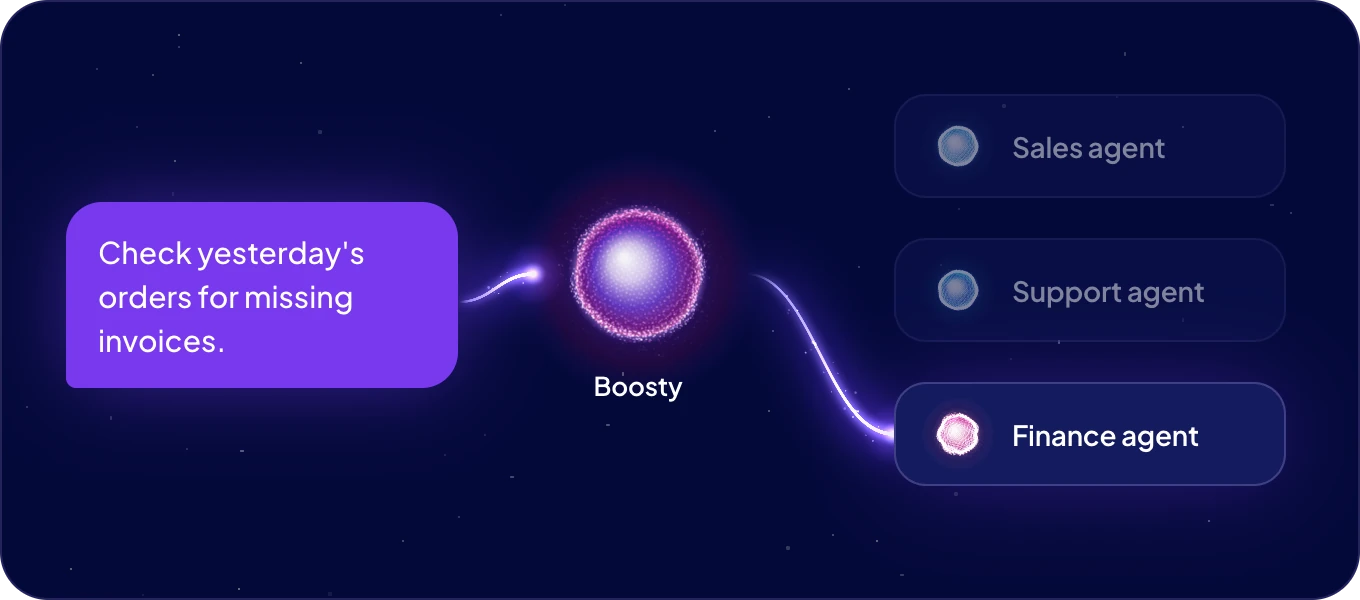
Boosty is your AgentOS assistant and the way into your whole team. You say what needs doing. Boosty picks the agent that fits the job and passes it on. The agent's answer, or its question for you, comes back to the same chat.
How do I give Boosty a task?
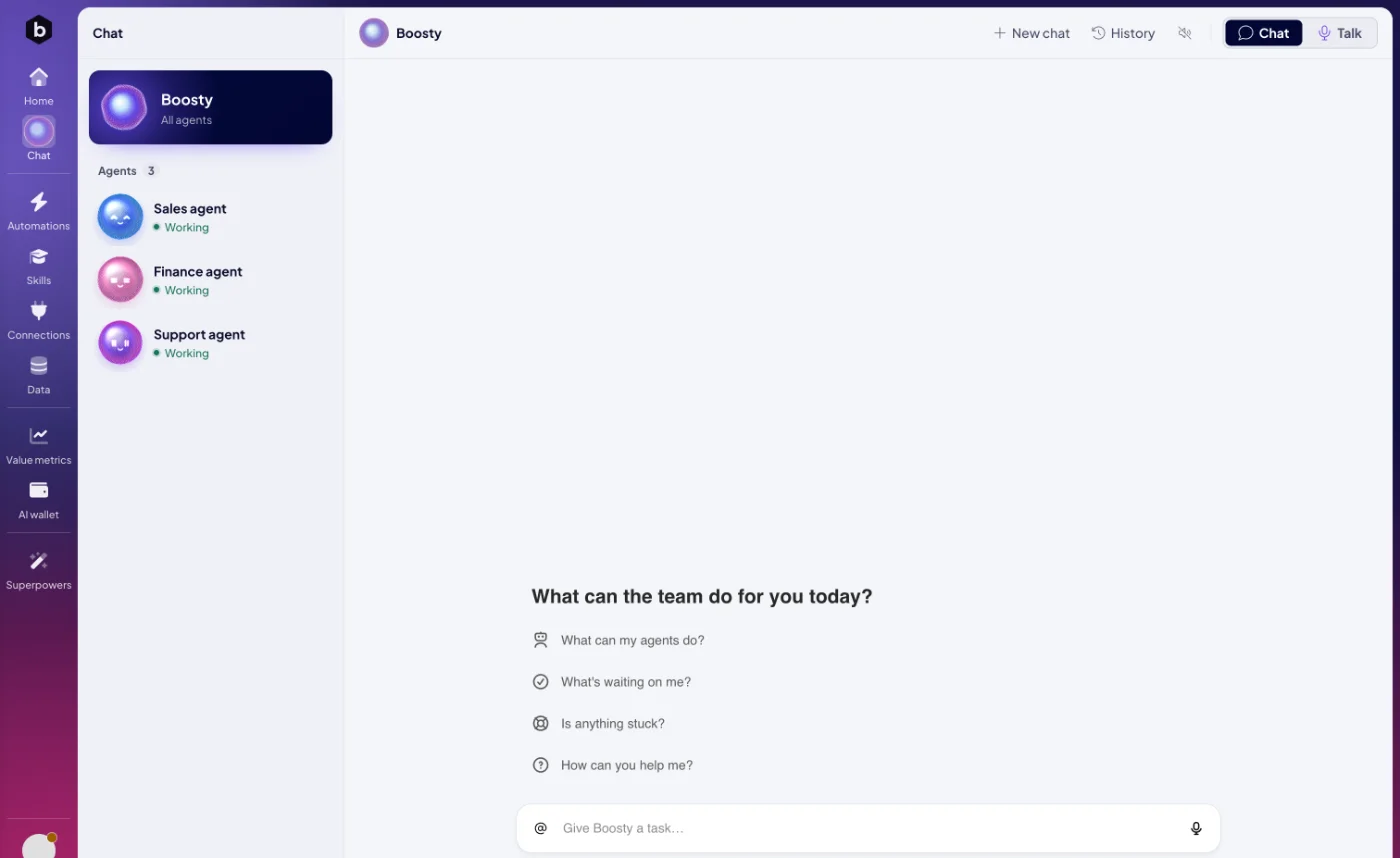
- On Home. Type into Tell Boosty what needs doing and click Ask. Chat with Boosty opens and sends the task.
- In Chat. Click Chat in the left rail and pick Boosty at the top of the list. Boosty opens on Talk, so switch the header to Chat, write into Give Boosty a task… and press Enter.
- By voice. Click the microphone on Home, or stay on Talk and click Start conversation. See Talk instead of typing.
- From your data. Select records in a table, click Bulk actions and choose Ask an agent (<count>). Chat with Boosty opens with the records in the message box, for you to finish and send. See Work with records.
Write the task the way you would brief a colleague: what you need, by when, and where the result should go. "Check yesterday's orders for missing invoices and list them for me."
How does Boosty choose the agent?
Boosty reads each agent's name, its job and its skills, and gives the task to the one agent whose skills match the request best. When several agents share a skill, their names and jobs decide.
- To pick the agent yourself, name it in the task, or type @ and choose it under Agents: "@Sales agent, score this week's leads."
- Boosty sends a task to one agent, never to several at once. Split work for two agents into two messages.
- Only agents that are Working get tasks. See Your AI team.
- Boosty passes your words on unchanged, with the dates, numbers and names you wrote.
To work with one agent over a longer job, open its own chat instead. See Chat with an agent.
What happens after I send a task?
- Boosty confirms the hand-off in one short message and names the agent that got the task.
- The agent works on it. You can keep chatting, or leave.
- The agent's result arrives in the same chat when it is ready.
While the task runs, you can reply in the same chat:
| You write | Boosty |
|---|---|
| A question about progress, such as "How far is it?" | Answers from the task's status. |
| More detail for the task, such as "Only the orders from Germany." | Passes it to the agent that has the task. |
| New work | Turns it into a new task and picks the agent again. |
What happens when an agent needs me?
When an agent needs information or a decision from you, its question appears in your chat with Boosty. Answer by replying, and the agent carries on with the task.
Agents also ask before they act on something that matters. Before an ACT automation calls another service or goes live, the agent shows you what it is about to do and waits for your yes. Reply "Yes, go ahead", or say what to change. To see everything that waits for you, ask "What's waiting on me?".
What can I ask Boosty?
An empty chat offers four suggestions:
| Suggestion | What Boosty does |
|---|---|
| What can my agents do? | Sums up each agent's skills and apps, with an example task for each. |
| What's waiting on me? | Lists what your agents wait for: approvals, sign-ins and questions, oldest first. |
| Is anything stuck? | Checks the last 7 days for failed or stuck work and says what to fix first. |
| How can you help me? | Says what Boosty can help with, with an example for each. |
Type @ to point at a specific agent, skill, automation, module or space.
Can I attach files for Boosty?
Boosty's chat takes text and @ mentions. To show an agent a screenshot or a photo, open that agent's own chat and attach it there. See Chat with an agent.
Where are my earlier chats?
New chat in the header starts a clean conversation. History lists your earlier conversations with Boosty, and a click reopens one. Your chats with Boosty are your own. When you come back to Chat, the last conversation opens again.
Does Boosty use AI Credits?
Yes. Boosty and your agents pay for their AI from the AI wallet. When the credits are used up, Boosty says AI Credits are exhausted. Add credits to continue. Add credits, then send your message again. See How do I add more?
Next: Chat with an agent, or Talk instead of typing.

