One wallet for every AI model
AI wallet in the left rail funds every model and data source your agents use from one balance. Your agents use the right AI for every task, and you manage no separate providers, accounts or balances.
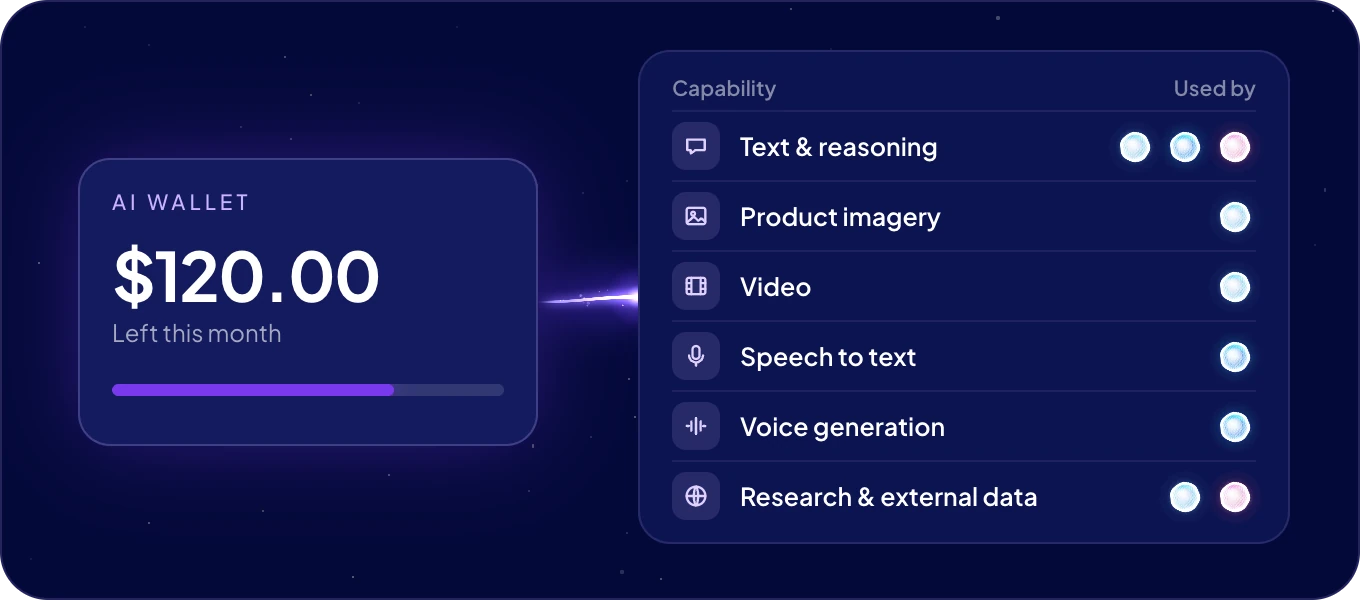
What does the wallet pay for?
| Capability | What it covers |
|---|---|
| Text & reasoning | The models your agents think and write with, such as GPT, Claude, Gemini and Llama. |
| Product imagery | Image models, such as FLUX, Imagen and Ideogram. |
| Video | Clips and short video, from models such as Veo and Kling. |
| Speech to text | Recordings turned into text. |
| Voice generation | Spoken output, such as replies read aloud. |
| Research & external data | Ready data from the web, shops and marketplaces, maps, reviews and companies. |
The same balance also pays for the AI features of your workspace, such as building a module with AI or mapping the fields of an import.
ACT automations run on the ACT Operations of your plan, not on the wallet. An agent that runs on your own AI account pays for its model there, see Choose your agent's model.
What exactly can my agents use?
Everything below is paid from the same balance. Each page lists the full catalog, so you can check a model, a website or an app before you ask for it.
| Catalog | What is in it |
|---|---|
| AI models | The text and reasoning models, such as GPT, Claude, Gemini, Llama, Mistral, DeepSeek, Qwen and Grok. |
| Image, video and voice models | Models that make and edit images and video, read text aloud, make music and turn recordings into text. |
| Web data | Web search, reading any page, and ready data from shops, marketplaces, maps, reviews, companies, jobs and social media. |
| Apps | The apps your agents work in, such as Gmail, Slack, HubSpot, Shopify, Facebook and LinkedIn, by category. |
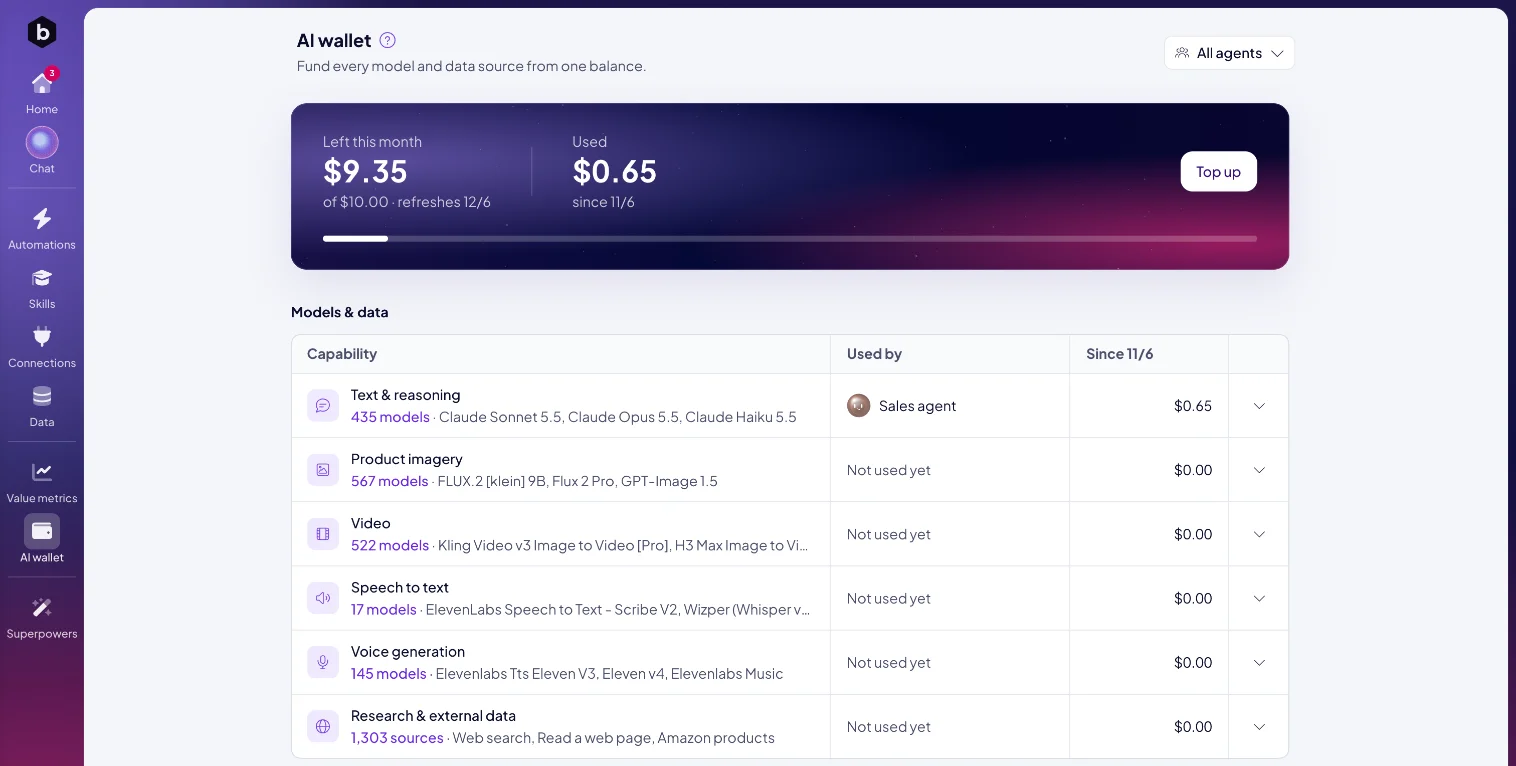
In the app, each row of Models & data says how many models or sources it covers. Click the number to browse them with their prices:
- Models. Find a model by name and see its price, what it reads, such as images or PDFs, and how much context it takes. Text models are priced per 1M tokens in and out, the others per image, second or minute.
- Sources. Ready data sources, grouped as Web search, Shops and marketplaces, Maps and places, Reviews, Companies and jobs and more. Each is priced per 1,000 pages, records or searches. Use Find a source or a site… to search them. When a site has no ready source, your agent reads its pages instead.
How do I read the wallet?
- Left this month shows what remains of your monthly amount, and the date it refreshes.
- Used shows what has been spent since the last refresh.
- When the balance would run out within a week at the current pace, the wallet tells you in how many days.
Models & data shows what each capability cost this month and who used it: an agent, or This workspace for the workspace's own AI features. Open a row to see the individual uses, with When, the Agent, What it used and the Cost. Every capability stays listed, at $0.00 until it is used, so you always see the full set.
How much is in the wallet?
Your plan includes a monthly amount of AI Credits, and any monthly AI Credits you add come on top. The wallet shows the balance in dollars. The menu under your avatar shows the same balance in AI Credits. Each month starts with a fresh balance.
How do I add more?
- Click Top up. Add monthly AI Credits opens.
- Under Select a subscription, choose how many AI Credits your team needs each month. Each option shows its price per month.
- Click Upgrade and finish the payment. The credits are billed monthly to your card and added to your wallet every month.
To change the amount later, open Top up again and pick another option. Upgrade starts at once, and the prorated amount is charged at the end of the billing period. Downgrade applies from the end of the current billing period.
Can an agent use our own AI account instead?
Yes, you can bring your own key (BYOK). On the agent's page, connect your own account, such as an OpenAI, Anthropic or Google API key or a ChatGPT subscription. The agent's model is then billed to that account, and the wallet keeps paying for everything else. See Choose your agent's model.
How do I keep my agents working?
Keep an eye on the AI wallet icon in the left rail: it shows a dot when the balance runs low, so you can top up in time. If the balance is used up, AI features show You don't have enough AI Credits. and Boosty asks you to add credits. Add them, then send the request again.
Next: AI models, or Value metrics to set what you spend against what your agents save.

