Build on your AgentOS data
The REST API and the SDK give your code the same data your agents and your team work on: modules, spaces, records, fields, statuses, labels and files. Every system has its own address, and every request carries a token. The ACT automations your agents write use the same Python SDK.
Which way in fits my work?
| Use | When |
|---|---|
| REST API | Your code calls AgentOS directly, in any language. |
| SDK | You write TypeScript or Python and want typed models, retries and pagination done for you. |
| Connect AI (MCP) | Your AI tool does the work and decides the next step itself. |
All three reach the same data, with the same permissions.
How do I make my first request?
- Create an API token: click your avatar, then API & MCP tokens > New API/MCP token > API Token. See API and MCP tokens.
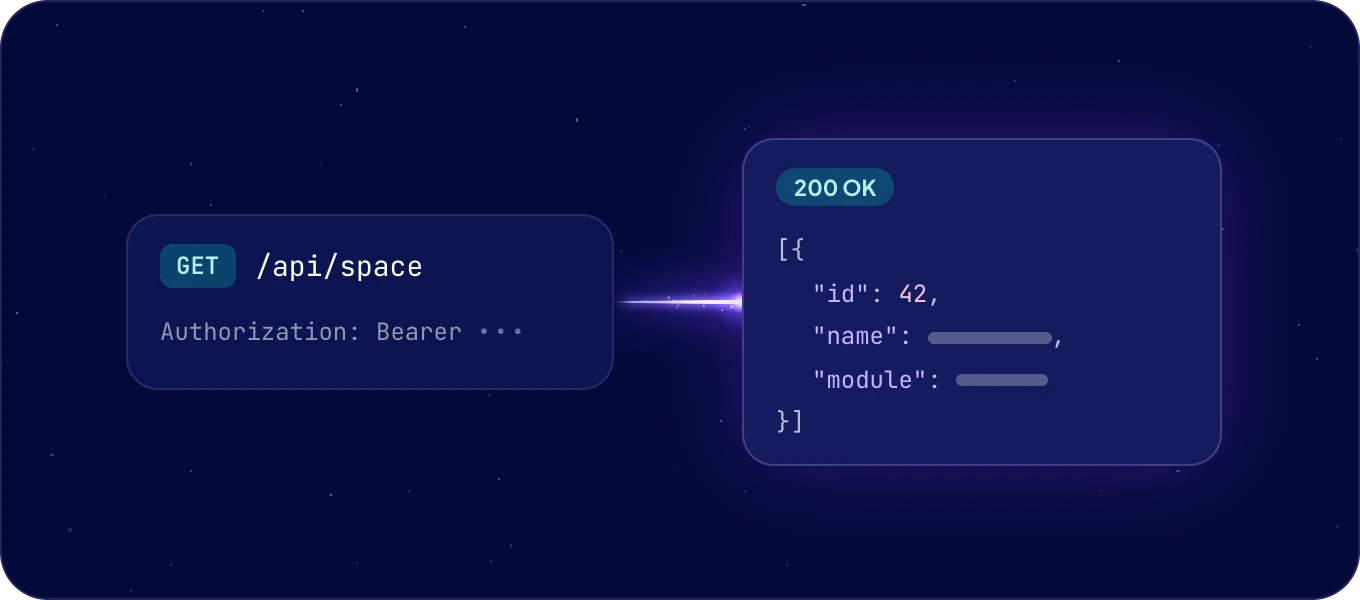
- Call the API with the token:
curl https://<system name>.boost.space/api/space \
  -H "Authorization: Bearer $BOOST_SPACE_TOKEN"
<system name> is the name in your AgentOS address: for https://acme.boost.space it is acme.
The answer lists the spaces of your system as JSON.
What are the basics?
| Base URL | https://<system name>.boost.space/api |
| Authentication | Authorization: Bearer <token> on every request. |
| Format | JSON in, JSON out. |
| Update | PUT changes only the properties you send. The others stay as they are. |
| Version | The X-Version header of every answer names the version your system runs. |
How do I authenticate?
With a token for your own scripts and integrations. It works as you, with the permissions you chose for it, and never more than you have. See API and MCP tokens.
With OAuth 2.0 for an app that acts for other people. Register the app with
POST /auth/oauth/client (a name and up to five HTTPS redirect addresses), then run the
authorization code flow:
-
Send the person to
GET /auth/oauth/authorizewithresponse_type=code, yourclient_idandredirect_uri. -
Exchange the code at
POST /auth/oauth/tokenwithgrant_type=authorization_code. The answer holds anaccess_token, arefresh_tokenandexpires_in. - Before the access token expires, get a new pair with
grant_type=refresh_token.
Send the access token as a Bearer token, like any other.
What can I reach?
| Area | Endpoints |
|---|---|
| Modules | /module, and a module's records at /module/{moduleId}/item |
| Records | /record, one record at /record/{recordId}, upsert by your own ID at /record/remote/{remoteId}/{remoteApplication} |
| Spaces | /space |
| Fields and field groups | /field, /field-group, the fields of a space at /field/by-space/{spaceId} |
| Statuses and labels | /status/, /status-system/, /label, a record's labels at /record/{recordId}/label |
| Files | A record's files at /record/{recordId}/file |
| Segments and menus | /segment, /menu |
| Users and teams | /user, /team |
| AI features | The AI fields and column operations of AI features, under /ai/ |
| Search by meaning (coming soon) | /record/vector/similar, /record/vector/outliers and /record/vector/context |
The API reference describes every public endpoint, with its parameters, schemas and code samples.
How do I read records?
List a module's records, newest first, 50 at a time:
curl -G "https://<system name>.boost.space/api/module/<module id>/item" \
  -H "Authorization: Bearer $BOOST_SPACE_TOKEN" \
  --data-urlencode "order=id;DESC" \
  -d limit=50 -d offset=0
GET /record lists records across modules the same way, and GET /record/{recordId} reads one.
How do I filter?
Add filter=field operator value. Join conditions with ; or & for AND, and | for OR. Group
them with parentheses.
| Operator | Means | Example |
|---|---|---|
= |
Equals. An empty value matches empty fields. | filter=name=Acme |
!= |
Does not equal. | filter=name!=Acme |
> >= < <= |
Greater or less than. | filter=created>=2026-01-01 |
~ |
Like. Use % as a wildcard. |
filter=name~%smith% |
!~ |
Not like. | filter=name!~%test% |
... |
In a set. | filter=statusId...1,2,3 |
For several values of one field, write status=(active|pending). A combined example:
filter=(status=active|status=pending)&spaceId=5.
How do I page and sort?
-
Paging:
offsetis the position of the first record, from 0, andlimitthe number of records.offset=20&limit=10returns records 21 to 30. -
Counts: the
X-BoostSpace-TotalRecordsheader holds the number of records that match. TheX-BoostSpace-FoundRecordsheader holds the number in this answer. -
Sorting:
order=field;ASCororder=field;DESC. Sort by several fields with commas:order=id;ASC,name;DESC. Without a direction, the order isDESC.
How do I write records?
| To | Call |
|---|---|
| Create a record | POST /record, with at least its spaceId and statusSystemId |
| Change a record | PUT /record/{recordId}, with only the properties that change |
| Change many records | PUT /record, with an array of records |
| Create or update by your own ID | POST /record/remote/{remoteId}/{remoteApplication} |
| Delete a record | DELETE /record/{recordId} |
Field values go in customFieldsValues. To have AgentOS map a payload from another system onto the
fields, send it whole as rawPayload. Explicit fields win over the mapped ones.
Writes respect the token's priority: data from a source with a higher priority stays.
How do I keep a copy in sync?
Ask only for what changed. Add updatedSince=<Unix timestamp> to GET /record for records changed
since then, and to GET /record/deleted for the IDs of records deleted since then.
What does an error look like?
Every 4xx and 5xx answer has the same JSON body:
{ "code": 4005, "message": "Object not found: Contact 123" }
| Status | Means |
|---|---|
400 |
The input is invalid, for example a required field is missing. |
401 |
No valid token. Send Authorization: Bearer <token>. |
403 |
The token or its user may not do this. |
404 |
The resource does not exist, or the caller cannot see it. |
500 |
Something failed on the server side. |
code is the HTTP status, or a finer number: 4002 a missing required field, 4005 an object
that was not found, 4031 two-factor authentication required, 4032 every field of the write was
held back by token priority.
Can another app start an automation?
Yes, with a webhook. An ACT automation with an incoming
webhook has its own address, and any app starts it with a POST:
curl -X POST "https://<system name>.boost.space/api/hook/<token>" \
  -H "Content-Type: application/json" \
  -d '{"orderId": 1042}'
The token in the address is the credential, so no Authorization header is needed. The body can be
up to 1 MB of UTF-8, and the answer comes at once while the automation runs afterwards. When a
webhook already holds its full queue of unfinished deliveries, it answers 429 with a
Retry-After header. See Triggers and webhooks.
How do I start with the SDK?
Install it:
Then list your spaces:
import { BoostSpace } from "@boost-space/sdk";
const bs = new BoostSpace({ token: process.env.BOOST_SPACE_TOKEN!, system: "acme" });
for await (const space of bs.spaces.list({ order: "name;ASC" })) console.log(space.id);
from boostspace import BoostSpace
bs = BoostSpace("<your token>", system="acme")
for space in bs.spaces.list(order="name;ASC"):
    print(space.id)
The SDK pages through the results for you. See SDK.
Next: the API reference, or API and MCP tokens.

