Triggers and webhooks
A trigger decides when an ACT automation runs. You set it the way you build the automation: say it in the chat. The agent turns "every weekday at 7:00 Prague time" or "when a lead is created" into the right trigger, and shows it to you before it switches it on.
What can start an ACT automation?
| Trigger | Runs when | For example |
|---|---|---|
| At scheduled time | At set times, or once. | "Every weekday at 7:00 Prague time" |
| Record created | A record is added to a module. | "When a lead is created" |
| Record updated | A record in a module changes. | "When a deal changes" |
| Record deleted | A record is removed from a module. | "When a contact is deleted" |
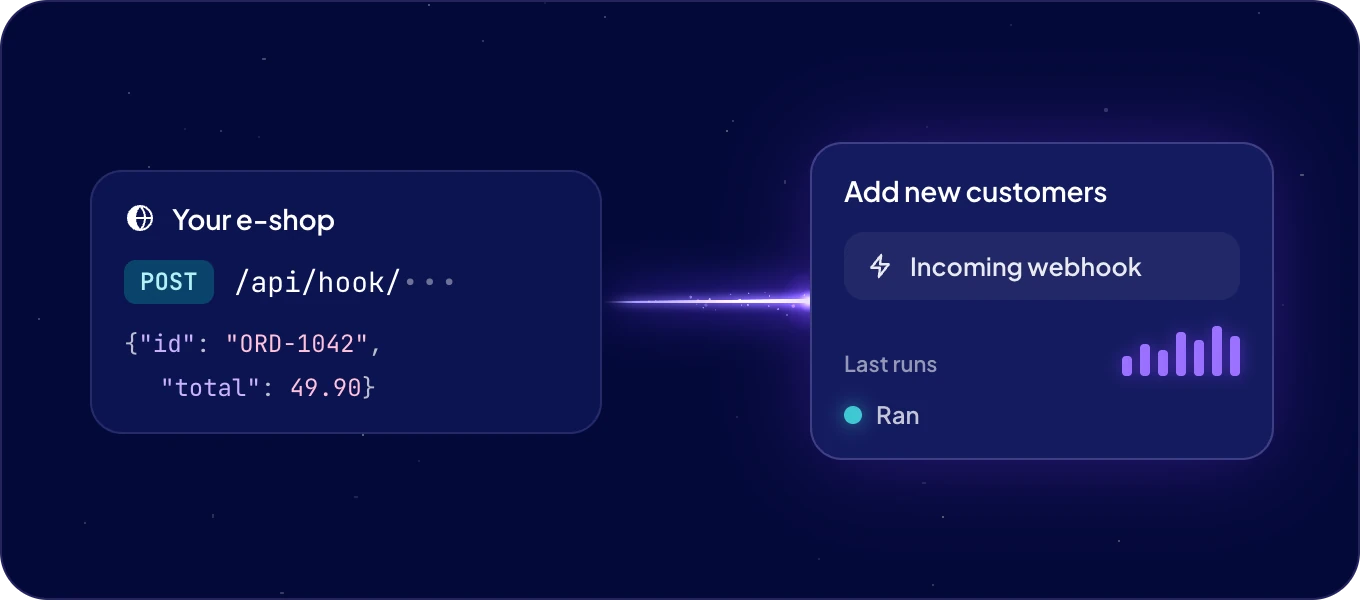
| Incoming webhook | Another app sends data to a webhook address. | "When our e-shop sends an order" |
An automation can have more than one trigger, and it runs whenever any of them fires. The When column of the ACT automations tab lists them. Agent automations run on a schedule only.
How do schedules work?
A schedule runs every few minutes, hours, days, weeks or months, or once at a set date and time:
- "Every 15 minutes"
- "Every day at 6:30"
- "Every Monday and Thursday at 9:00"
- "On the 1st of every month at 8:00"
- "Once, on 1 December at 10:00"
Each schedule has its own time zone. 7:00 Europe/Prague means 7:00 in Prague, wherever you are. Name the time zone in your request, so the agent sets the one you mean.
How do record triggers work?
A record trigger watches one module. It can also watch only some records:
- Conditions. "When a deal is updated and its status is Won" runs only for won deals.
- Spaces. "Only for leads in the EU space" runs only for records in that space.
The automation gets the record that fired the trigger, with its fields, as its input.
How does another app start an automation?
With a webhook: an address another app sends data to. Ask the agent: "Start the Add new customers automation when our e-shop sends a new order." The agent sets up the webhook, gives you its address and says where it goes in the other app. Admins can also create a webhook on the Webhooks tab.
The address looks like this:
https://<system name>.boost.space/api/hook/<token>
Give it to the other app. The app sends a POST, usually with a JSON body:
curl -X POST "https://<system name>.boost.space/api/hook/<token>" \
  -H "Content-Type: application/json" \
  -d '{"id": "ORD-1042", "total": 49.90}'
AgentOS stores the request, answers at once and then runs the automations the webhook starts. The result goes to the automation's runs, not back to the caller.
Treat the address like a password. The token at its end is what lets a caller in, so anyone who has the address can send data to it. Share it only with the app that needs it.
How do I create a webhook myself?
Admins can. Open Automations, then the Webhooks tab, and click New webhook:
- Enter a Name, for example Orders from Shopify.
- Under Runs ACT automations, tick the automations each request should start. Leave it at Only stores what arrives to collect requests first.
- Click Create. The webhook's page opens with its address.
Tip: collect a few real requests first. Create the webhook with Only stores what arrives and let the other app send a test order. Then ask the agent: "Build an ACT automation for the webhook Orders from Shopify that adds the customer to Contacts." It writes the code against the data that really arrived.
What does a webhook's page show?
| Part | What it says |
|---|---|
| Webhook address | The address, its token hidden. Show reveals it, Copy copies the whole address. |
| Status | Listening, Waiting for the first call, Paused, or Needs a look when the last request failed. |
| Calls | How many requests arrived in total. |
| Last call | When the last request arrived. |
| Runs ACT automations | The automations each request starts, as links. The pencil changes them. |
| What arrived | Each request, newest first, with When, its Content and its Status. |
Open a request in What arrived to see its method, the caller's IP address, how long it took and everything it carried. Its Status is Ran when an automation ran on it, Stored when the webhook only stores what arrives, Working while it runs, and Needs a look when it failed. Requests are kept for 30 days.
How do I pause, replace or delete a webhook?
| To | Do this | What happens |
|---|---|---|
| Rename it | Click the pencil next to its name, then Save. | Only the name changes. |
| Change what it starts | Click the pencil next to Runs ACT automations and tick or untick. | Saved when the list closes. |
| Pause it | Click Stop listening. | Callers get 404. The address stays the same, and Resume listening turns it back on. |
| Replace the address | Open … and click Replace address, then Replace. | The old address stops working right away. Give the new one to the other app. |
| Delete it | Open … and click Delete. | The address stops working and everything that arrived is deleted. |
Replace the address whenever it may have leaked.
What does the automation's code receive?
For developers. A webhook hands each request to the code as input:
| Key | What it holds |
|---|---|
input["body"] |
The body. JSON arrives decoded, a form post as an object, anything else as text. |
input["query"] |
The query parameters of the address. |
input["headers"] |
The request headers. |
input["method"] |
POST. |
AgentOS never stores the credentials a caller sends. Headers such as Authorization and
Cookie, and any header whose name contains token, secret, api-key or password, are left
out of what is stored and of what the code receives.
What does the calling app get back?
| Answer | When |
|---|---|
200 with {"code": 200, "status": "accepted", "deliveryId": 1234} |
The request is stored and will run. |
400 |
The body is not valid UTF-8. Re-encode it and send it again. |
404 |
The address is unknown, was replaced, or the webhook is paused. |
405 |
The method is not POST. |
413 |
The body is larger than 1 MB. |
429 |
Five requests to this webhook are still running. Send it again after 60 seconds, as the Retry-After header says. |
A request that has not finished after 30 minutes is marked as failed in What arrived.
Can I start an automation by hand?
Yes. Ask in Chat: "Run the lead scoring now and show me the result."

