API and MCP tokens
A token lets a script, an integration or an AI tool work with your AgentOS data without signing in. Most AI tools need no token: they sign in with OAuth. See Connect AI (MCP).
Your tokens are yours. Each one works with your permissions at most, and anything connected with it sees no more than you do. Your agents' own keys are in Connections and security.
Which token do I need?
| You want to | Create |
|---|---|
| Call the REST API from a script or an integration, or use the SDK | An API Token. |
| Connect an AI tool that takes a token instead of OAuth | An MCP token, through Other... > API Token. |
| Connect ChatGPT, Claude, Claude Code, Cursor, VS Code, v0 or Lovable | No token. Sign in with OAuth, see Connect your AI tool. |
How do I create a token?
- Click your avatar at the foot of the left rail, then API & MCP tokens.
- Click New API/MCP token.
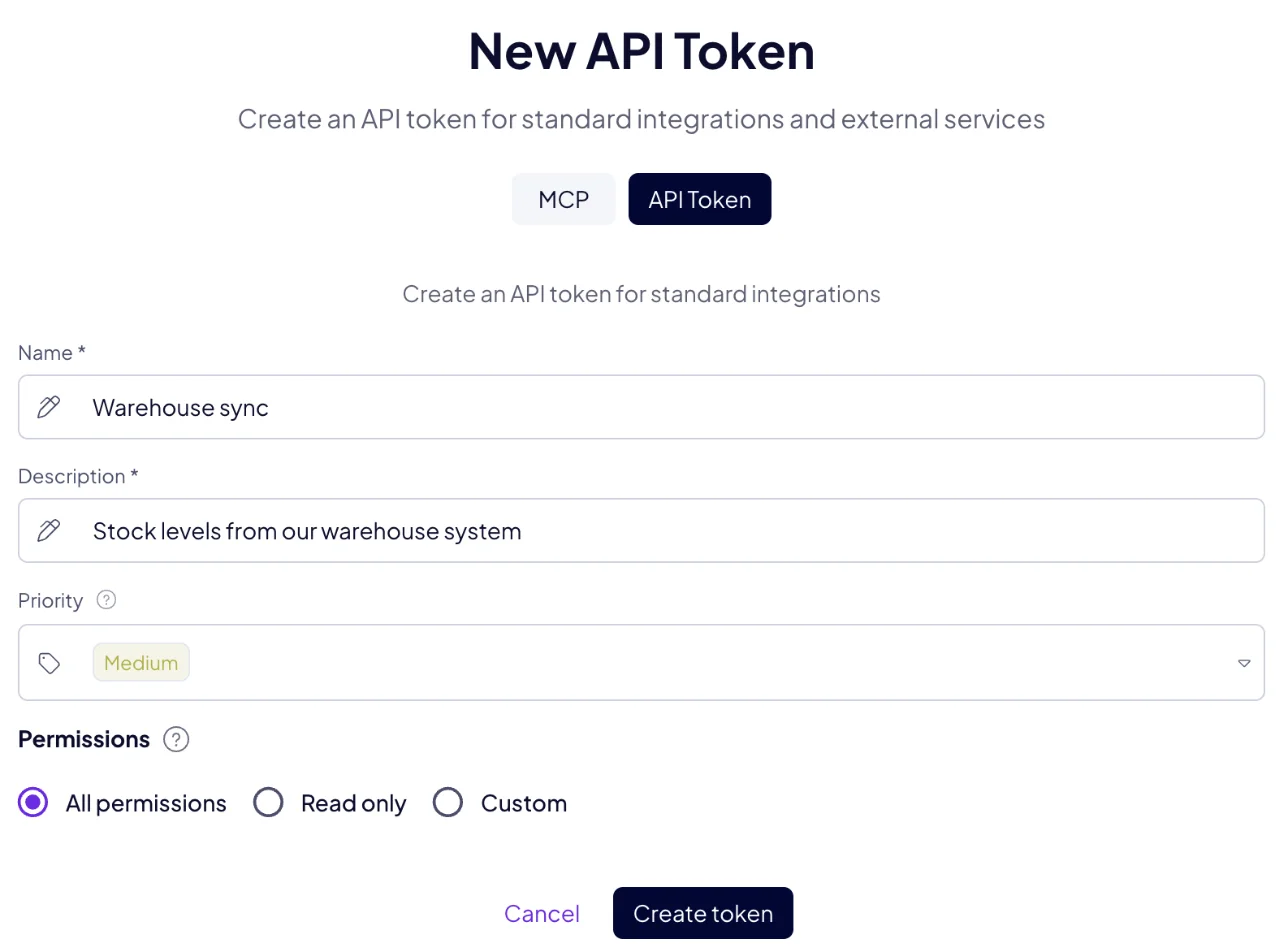
- For a script or an integration, choose API Token. For an AI tool, keep MCP, choose Other... and then API Token.
- Give the token a Name and a Description, so you know later what uses it.
- Choose its Priority and its Permissions. See the two sections below.
- Click Create token, then copy the token.
What can a token be allowed to do?
| Permissions | The token can |
|---|---|
| All permissions | Everything you can do yourself. |
| Read only | Read data and change nothing. A new token starts here. |
| Custom | What you tick per module: Reading, Creation, Editing and Deleting. |
A token keeps the permissions it was created with. For different access, create a new token and delete the old one.
The agent and automation tools of an AI tool need a token with All permissions, created by an admin.
What does Priority do?
Priority decides which source wins when two of them write the same field of the same record. Data written with a higher priority stays, even when a source with a lower priority writes to the same place. With equal priority, the most recent write wins.
The levels, from the top: Highest, Higher, High, Medium, Low, Lower and Lowest. A new token starts at Medium, and so do changes made by hand in AgentOS. Raise a trusted source above Medium to keep it in charge. Lower a noisy one so it never overwrites better data.
You can change a token's priority later, in the Priority column of the list.
What does the token list show?
Every token you created, with its Type, the API token itself, its Priority, Name, Description and the Modules it may reach. You also find the list in My profile, next to API & MCP tokens, with Manage.
How do I keep tokens safe?
A token grants access to your data, like a password:
- Keep it out of code you share, and out of chats.
- Give every integration its own token, with only the permissions it needs.
- Delete a token from the list as soon as nothing uses it. Whatever used it stops working at once.
How do I use a token?
Send it in the Authorization header of every request:
Authorization: Bearer <your token>
See the API for your first request, or Connect your AI tool for MCP.

