Connect your AI tool
Every tool needs the same thing: your MCP Server URL. Click Connections > Connect AI > Create token, pick your tool, then click Copy under Copy MCP URL. The address looks like this:
https://mcp.boost.space/v2/<system name>/sse
<system name> is the name in your AgentOS address: for https://acme.boost.space it is acme.
Tools that connect over Streamable HTTP, such as Claude Code and VS Code, use the same address
ending in /mcp.
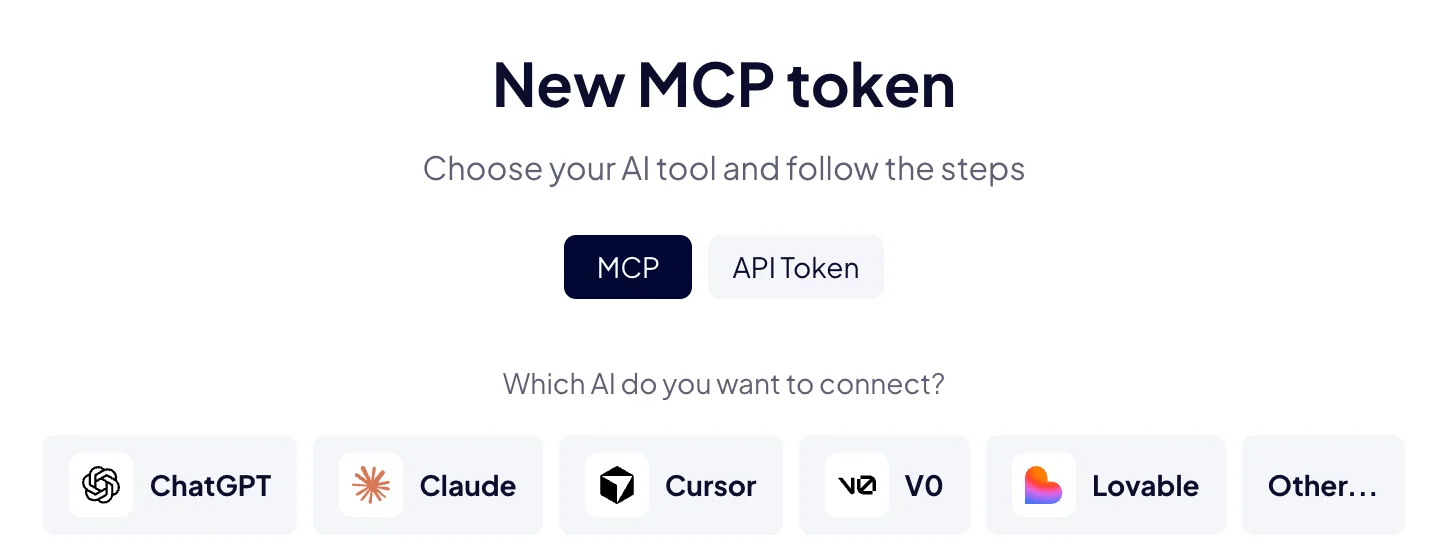
In AgentOS, Connect AI shows the steps for ChatGPT, Claude, Cursor, v0 and Lovable. Pick yours under Which AI do you want to connect?
How do I connect ChatGPT?
- In ChatGPT, open Settings > Apps > Advanced settings and turn on Developer mode.
- Go back to Apps and click Create.
- Enter the name Boost.space and paste your MCP Server URL.
- Set Authentication to OAuth and click Scan Tools. Sign in to AgentOS, approve the access, then click Create.
- In a new chat, click + and turn on Boost.space.
How do I connect Claude?
- In Claude, open Settings > Connectors.
- Click + and choose Add custom connector.
- Enter the name Boost.space and paste your MCP Server URL.
- Click Add. Leave Advanced settings empty: OAuth is set up for you.
- Click Connect, sign in to AgentOS and approve the access.
How do I connect Claude Code?
Run this in your terminal, with your system name:
claude mcp add --transport http boostspace https://mcp.boost.space/v2/<system name>/mcp
Start Claude Code and run /mcp. Choose boostspace, then sign in to AgentOS in the browser
window that opens.
To connect with a token instead, add it as a header:
claude mcp add --transport http boostspace https://mcp.boost.space/v2/<system name>/mcp \
  --header "Authorization: Bearer <your MCP token>"
How do I connect Cursor?
- Open
~/.cursor/mcp.jsonfor all your projects, or.cursor/mcp.jsonin one project. - Add this entry, with your MCP Server URL, and save the file:
{
  "mcpServers": {
    "boostspace": {
      "type": "sse",
      "url": "https://mcp.boost.space/v2/<system name>/sse"
    }
  }
}
- Approve the sign-in when Cursor asks. Boost.space appears among Cursor's MCP tools.
To use a token instead, add "headers": { "Authorization": "Bearer <your MCP token>" } to the
entry.
How do I connect VS Code?
-
Open the Command Palette and run MCP: Add Server, or create
.vscode/mcp.jsonin your project. - Add this entry and save the file:
{
  "servers": {
    "boostspace": {
      "type": "http",
      "url": "https://mcp.boost.space/v2/<system name>/mcp"
    }
  }
}
- Start the server and sign in to AgentOS when VS Code asks. The tools appear in Copilot Chat's agent mode.
How do I connect v0?
- Open Settings > MCP Connections, or click Add MCP in the prompt form.
- Click Add MCP and choose Custom MCP server.
- Enter the name Boost.space and paste your MCP Server URL.
- Set Auth to OAuth, then sign in to AgentOS and approve the access.
How do I connect Lovable?
- Open Connectors and scroll to the bottom of the All tab.
- Choose the MCP card, Connect your own MCP.
- Enter the server name Boost.space and paste your MCP Server URL.
- Keep OAuth (default) and click Add & authorize.
How do I connect another tool?
Add a new MCP server or connector in the tool and paste your MCP Server URL. Then:
- If the tool signs in with OAuth, sign in to AgentOS when it asks. In Connect AI, choose Other... > OAuth to copy the address.
- If the tool takes a token, choose Other... > API Token in Connect AI. Fill in the form, click Create token, and copy the token. The tool sends it with every request:
Authorization: Bearer <your MCP token>
A new token starts at Read only. Choose All permissions or Custom when your AI should change data too. See API and MCP tokens.
If the tool has no field for a token, use OAuth.
What should I try first?
Ask about your own data, for example "Which of our products have no price yet? List the ten newest." Or hand a job to your agents: "Ask the Support agent to summarize this week's tickets."
Next: API and MCP tokens, or Build with an agent from your AI tool.

