Quickstart
One request, one working automation. This example fetches the European Central Bank's euro reference rates every weekday morning.
1. Tell the agent what you need
Sign in or register at act.boost.space. The agent's chat is the first thing you see. Write the request the way you would brief a colleague:
Every weekday at 7:00 Prague time, fetch today's euro reference rates from the European Central Bank and return the rates for USD, GBP and CZK. Call it "Daily euro exchange rates".
Say when it runs, what it does, where the result goes and what it's called. Include the time zone, or the agent will ask for it.
2. Let the agent build it
The agent writes the code, test-runs it against the live source, creates the schedule and switches the automation on. Then it sums up what it built.
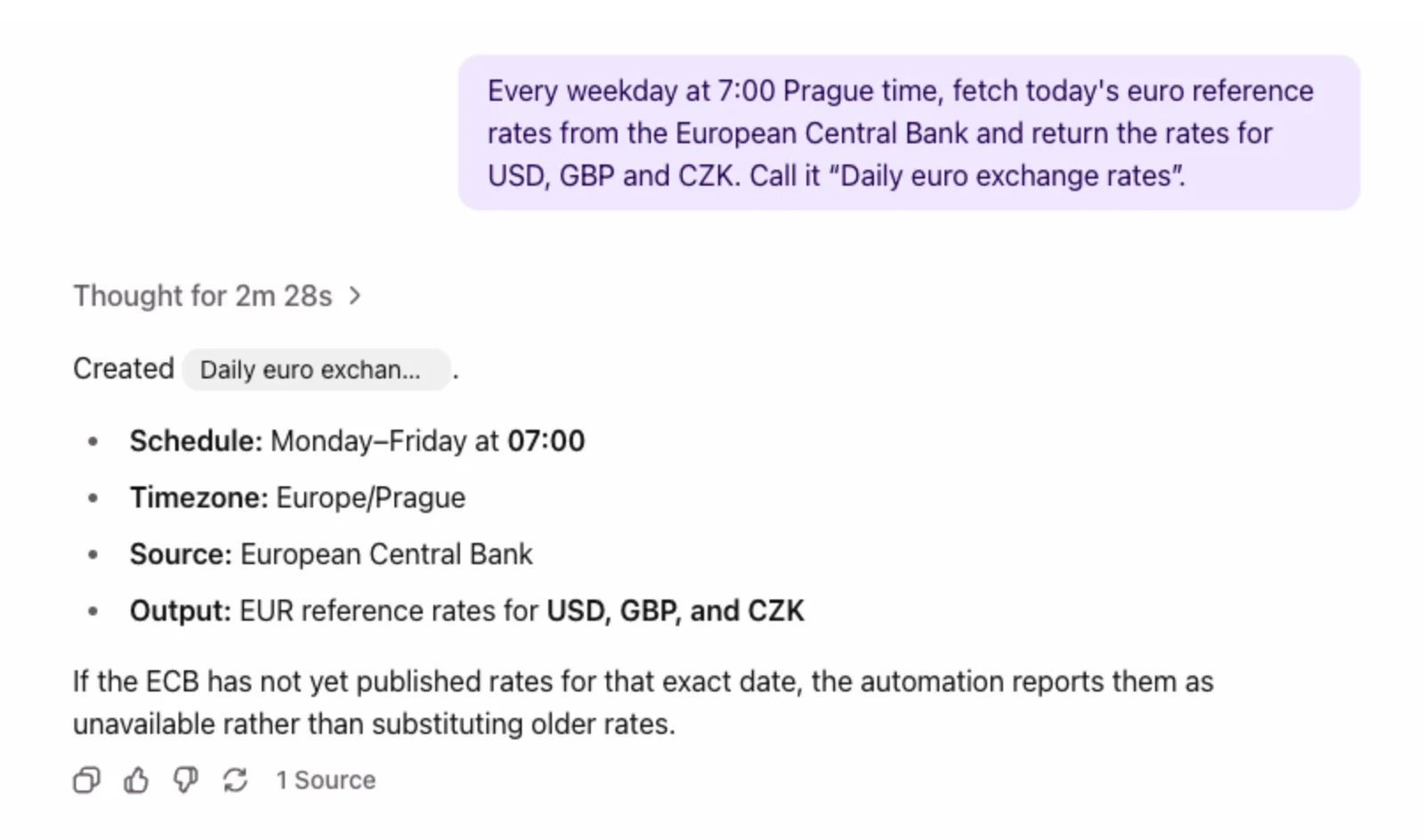
It also tells you how it handles edge cases. Here: if the ECB hasn't published today's rates yet, the automation says so instead of returning yesterday's numbers.
3. Check it
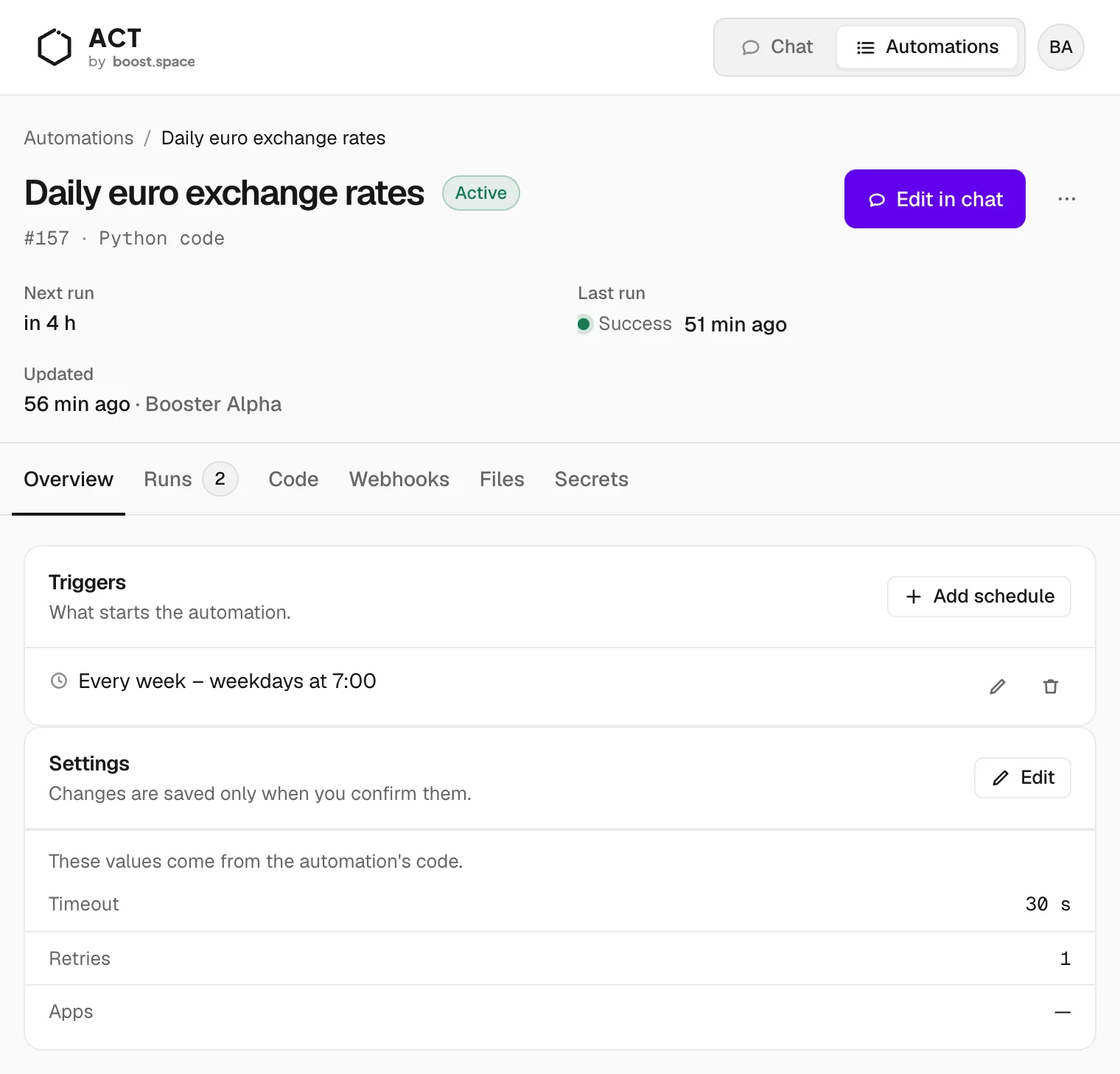
Open Automations and pick the new automation. The header shows the next run and the last run. The tabs hold the trigger, the runs, the code and the rest.
4. Run it now
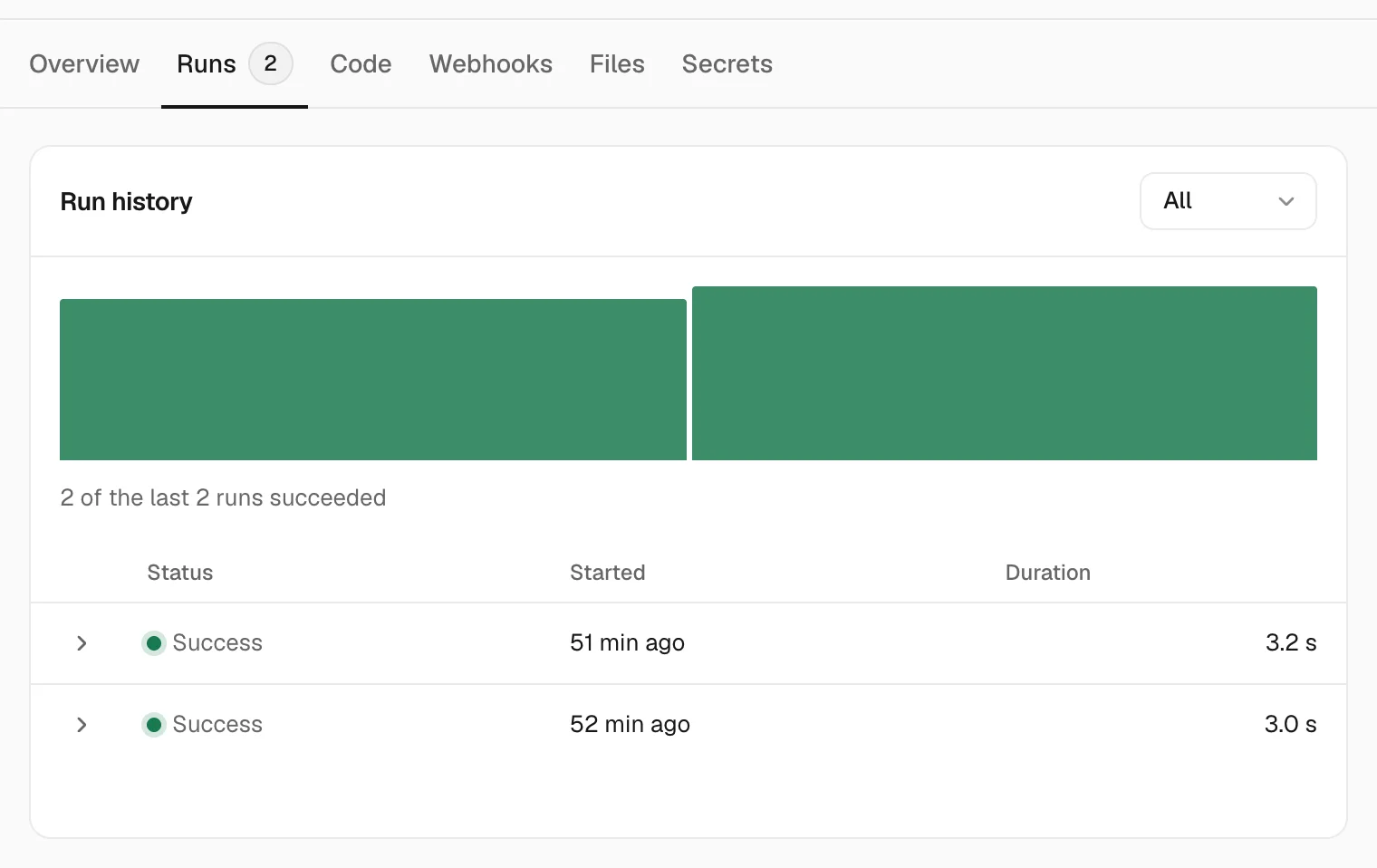
Don't wait for 7:00. Ask the agent: "Run Daily euro exchange rates and show me the result." Or open ⋯ next to Edit in chat and choose Run. Every run lands on the Runs tab.
Next
- Work with the agent — everything else you can ask
- Triggers — schedules, webhooks and record events
- Secrets — connect services that need an API key
