API & MCP
Work with ACT from the AI assistant you already use. Connect ChatGPT, Claude or another assistant over MCP and ask it what you would ask the ACT agent: build, change, run and debug automations. Other apps connect with an API token.
Open the avatar menu in the top right and choose API & MCP.
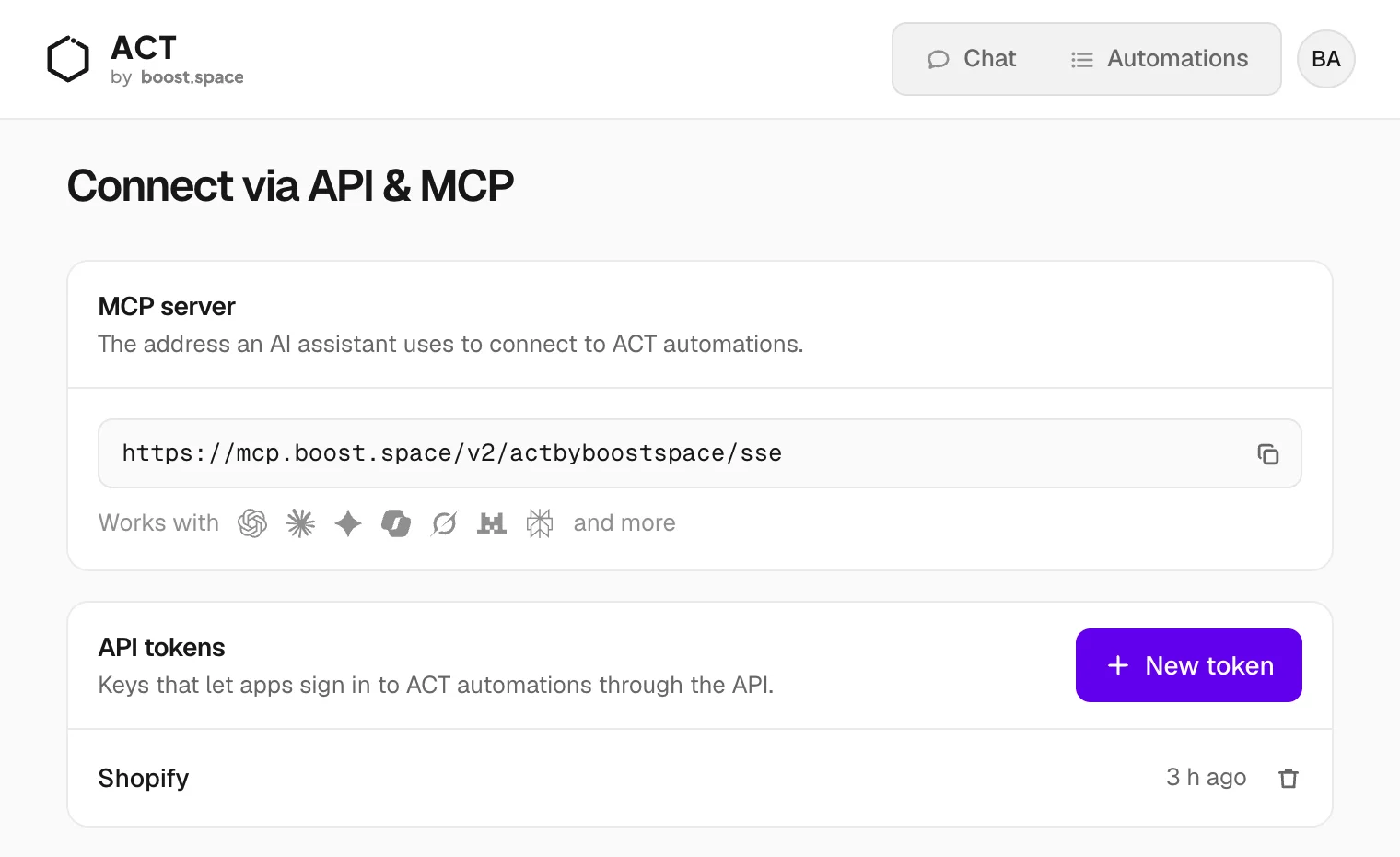
MCP server
MCP is the standard AI assistants use to connect to other services. ACT's address is:
https://mcp.boost.space/v2/<system-name>/sse
The page shows it with your system name filled in. Copy it into your assistant's connector or MCP settings. It works in assistants that support custom MCP servers, including ChatGPT, Claude, Gemini, Copilot, Grok, Le Chat and Perplexity. Availability can depend on the assistant's plan.
Signing in:
- Assistants that sign in for you: paste only the address. The assistant opens a Boost.space sign-in; use your ACT email and password.
-
Assistants that need a key: create an API token and send it as the
Authorization: Bearer <token>header.
What an assistant can do once connected:
- Build an automation from a description, the same way the ACT agent does
- List, create, change and delete automations and their triggers
- Test-run code and run automations on demand
- Read run history and explain failures
- Ask you for a secret through a secure link, without the value passing through the chat
Try: "List my ACT automations and tell me which ones failed this week."
API tokens
A token lets an app sign in to ACT without your password. Use one for integration platforms, scripts, or an AI tool that asks for a key.
- Click New token and name it after the app that will use it, for example Shopify.
- Copy the token. It is shown only once.
- Copy the system name too. Most integrations ask for both.
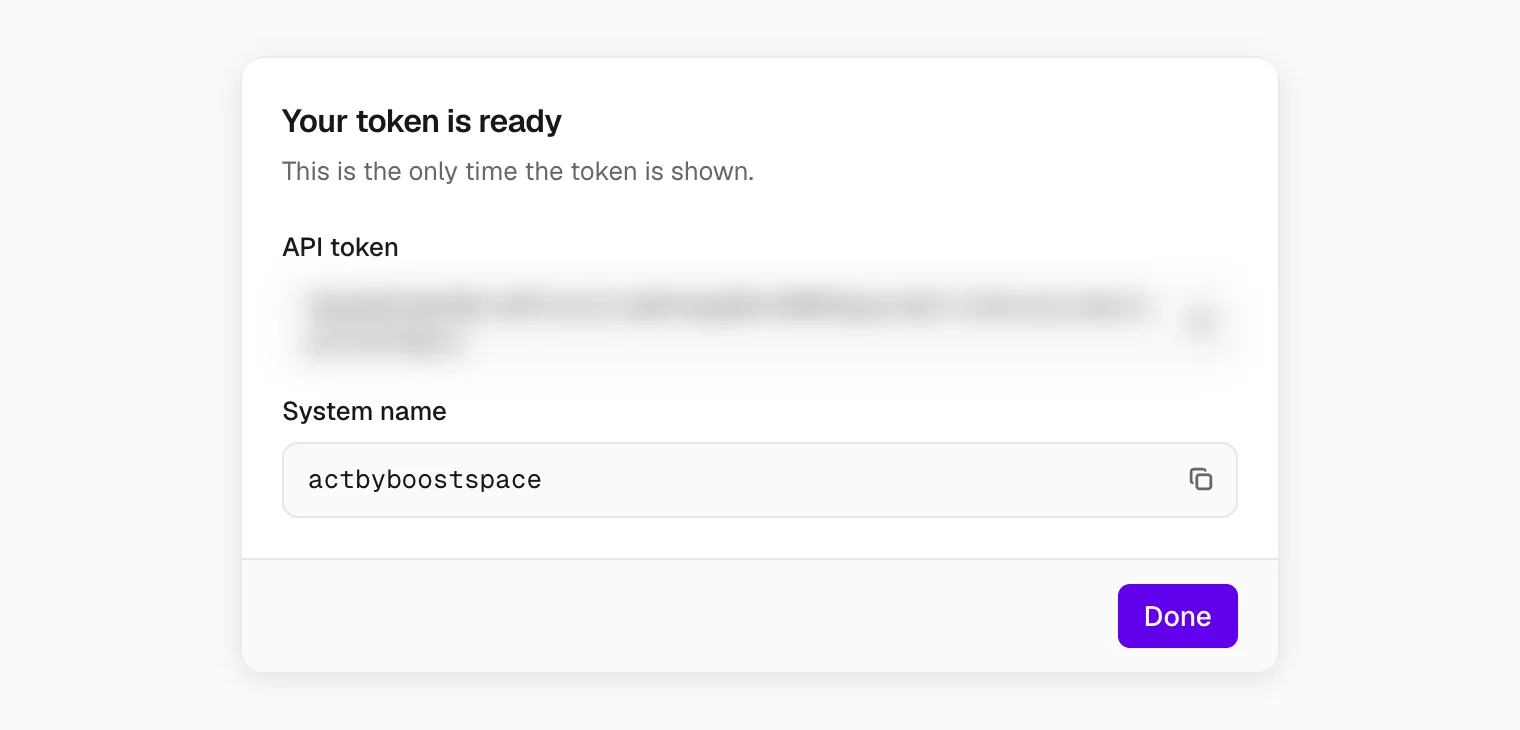
A token has the same access as you. Give each app its own token, so you can cut one off without breaking the rest. Deleting a token signs that app out immediately.
The REST API
The same token signs in to the Boost.space REST API of your system, at
https://<system-name>.boost.space/api, for your data: records, modules and spaces. To work with
automations, use the MCP server. The one automation endpoint in the REST API is the
webhook address, and that one needs no token.
For agents and developers, ACT for AI agents has the technical details.
