Triggers
A trigger decides when an automation runs. The easiest way to set one is to say it: the agent turns "every weekday at 7:00 Prague time" or "when a new lead is created" into the right trigger. An automation can have several, and it runs whenever any of them fires while it is Active.
| Trigger | Runs when | Set it up |
|---|---|---|
| Schedule | At set times: every few minutes, daily, on weekdays, or once | Tell the agent, or edit it on the Overview tab |
| Record event | A record is created, updated or deleted | Tell the agent |
| Webhook | Another app sends data to the automation's address | Webhooks tab |
| Manual | You start it | Ask the agent, or ⋯ → Run |
Triggers and webhooks are managed by administrators. See Team & account.
Schedule
Tell the agent when: "Run it every weekday at 7:00 Prague time." To adjust it yourself, click the pencil next to the schedule on the Overview tab, or Add schedule for another one.
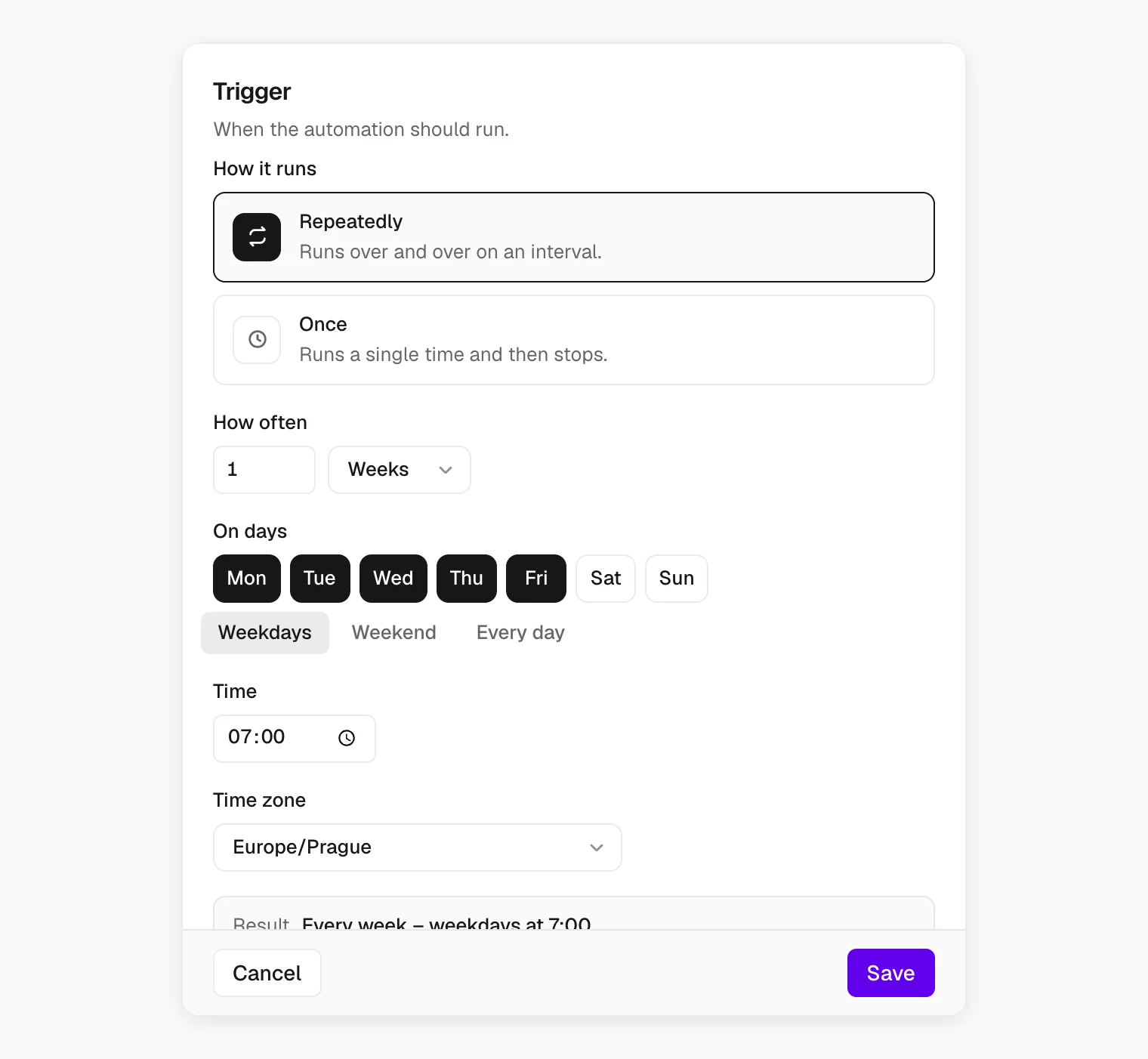
- Repeatedly runs every n minutes, hours, days, weeks or months, on the days you pick, at a set time.
- Once runs a single time on a date, then stops.
- Time zone belongs to the schedule: 07:00 Europe/Prague means 07:00 in Prague, wherever you are.
Record event
Runs the automation when a record in one of your modules is created, updated or deleted: score a lead the moment it arrives, notify the owner when a deal changes. Tell the agent: "When a new lead is created, score it and notify me." Changes to event triggers go through the agent too.
Webhook
A webhook lets another app start the automation and hand it data. An e-shop sends a new order, a form sends a submission, a script sends a JSON payload. Webhooks start Python code automations.
Open the automation's Webhooks tab and click Add webhook. The address stays hidden until you click Show; Copy puts it on your clipboard.
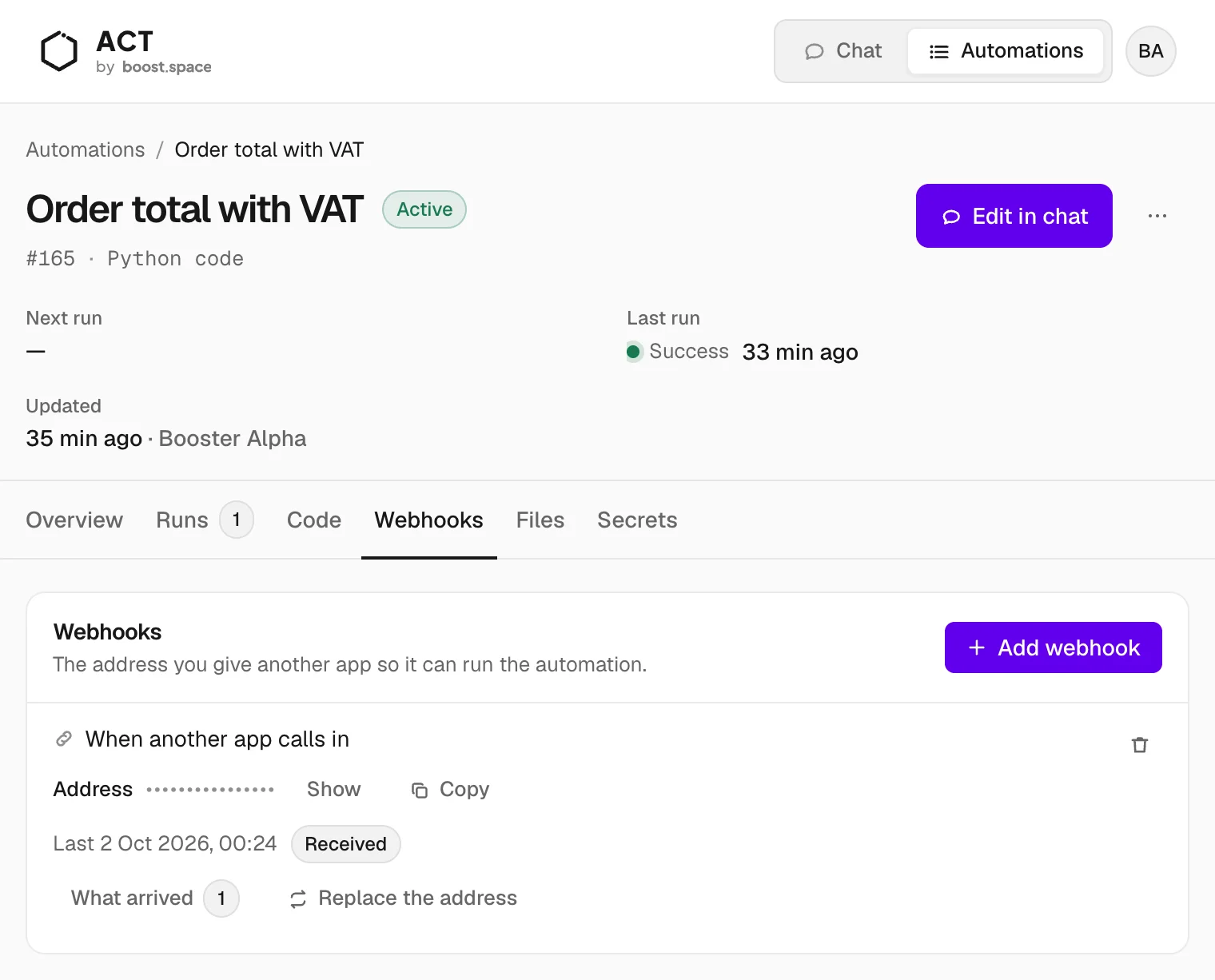
The other app sends a POST with a JSON body:
curl -X POST "<webhook address>" \
  -H "Content-Type: application/json" \
  -d '{"id": "ORD-1042", "items": [{"sku": "MUG-01", "price": 12.5, "quantity": 4}]}'
ACT answers at once with "status": "accepted", then runs the automation. The code finds the JSON
body in input["body"]; a form post arrives as an object, anything else as text, up to 1 MB. The
result goes to the Runs tab, not back to the caller.
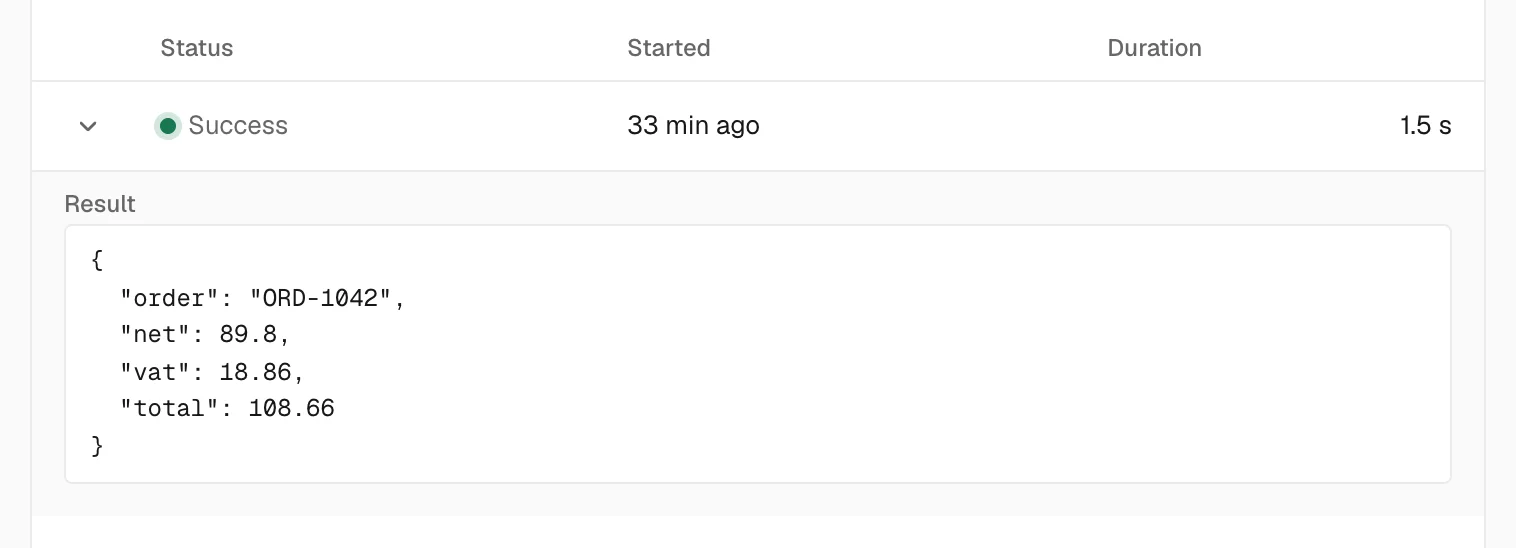
- What arrived lists recent deliveries and what they carried. Some values are hidden.
- Replace the address issues a new one, and the old one stops working.
Treat the address like a password. Anyone who has it can start the automation. If it leaks, replace it.
Manual
Ask the agent: "Run Daily euro exchange rates and show me the result." Or open ⋯ → Run on the automation.
