Automations
The agent does the work; Automations is where you see it. Every automation it built is here, with its status, trigger, code and runs. To change one, click Edit in chat and tell the agent.
The list
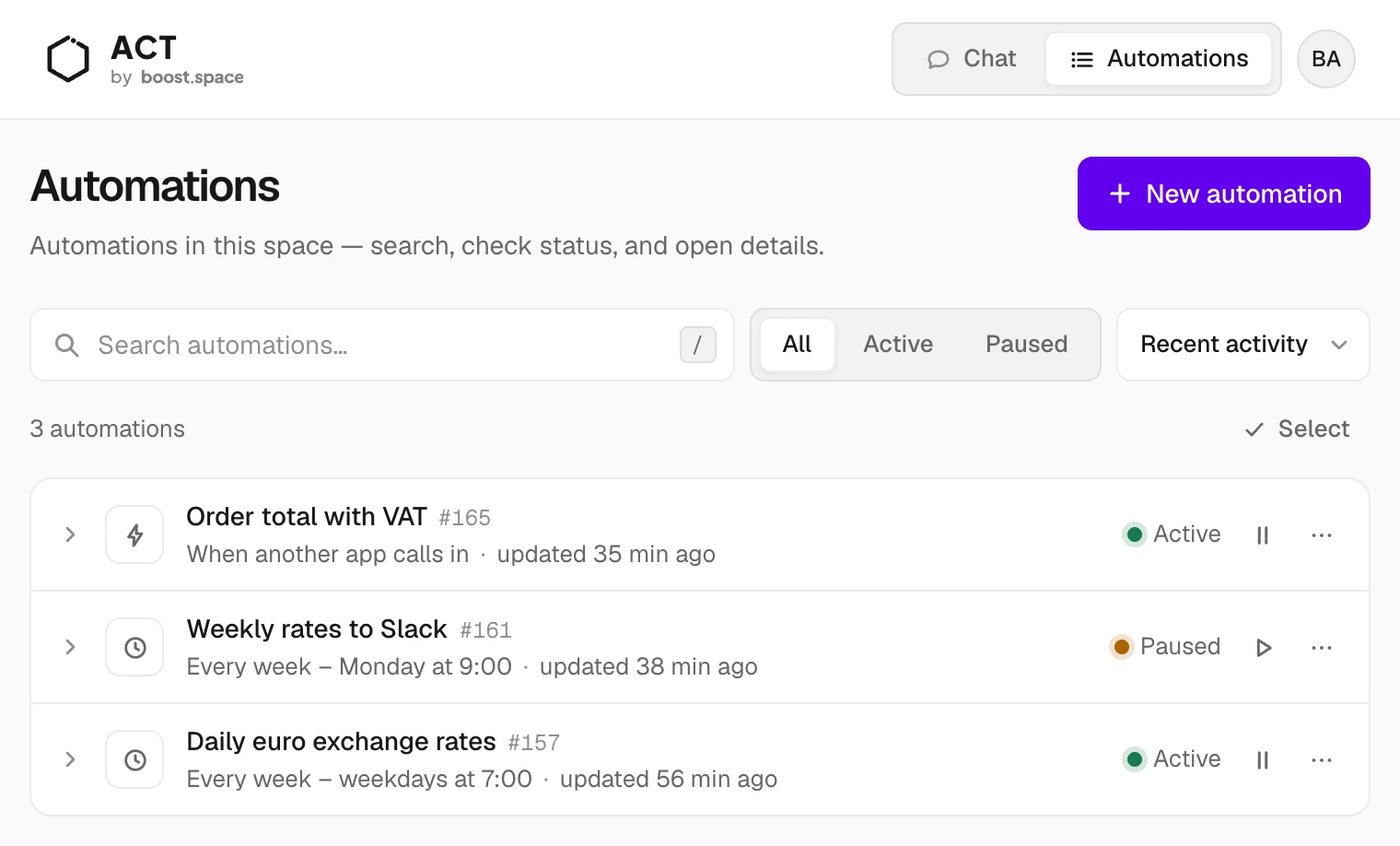
- Search by name, or press
/to jump to the search field. - Filter by Active or Paused.
- Each row shows the trigger, the status and the last change. Pause or resume straight from the row.
- Select several automations to pause or resume them together. Paused automations skip their scheduled runs until you resume them.
The automation detail
Click a row to open it. The header shows Next run, Last run and Updated.
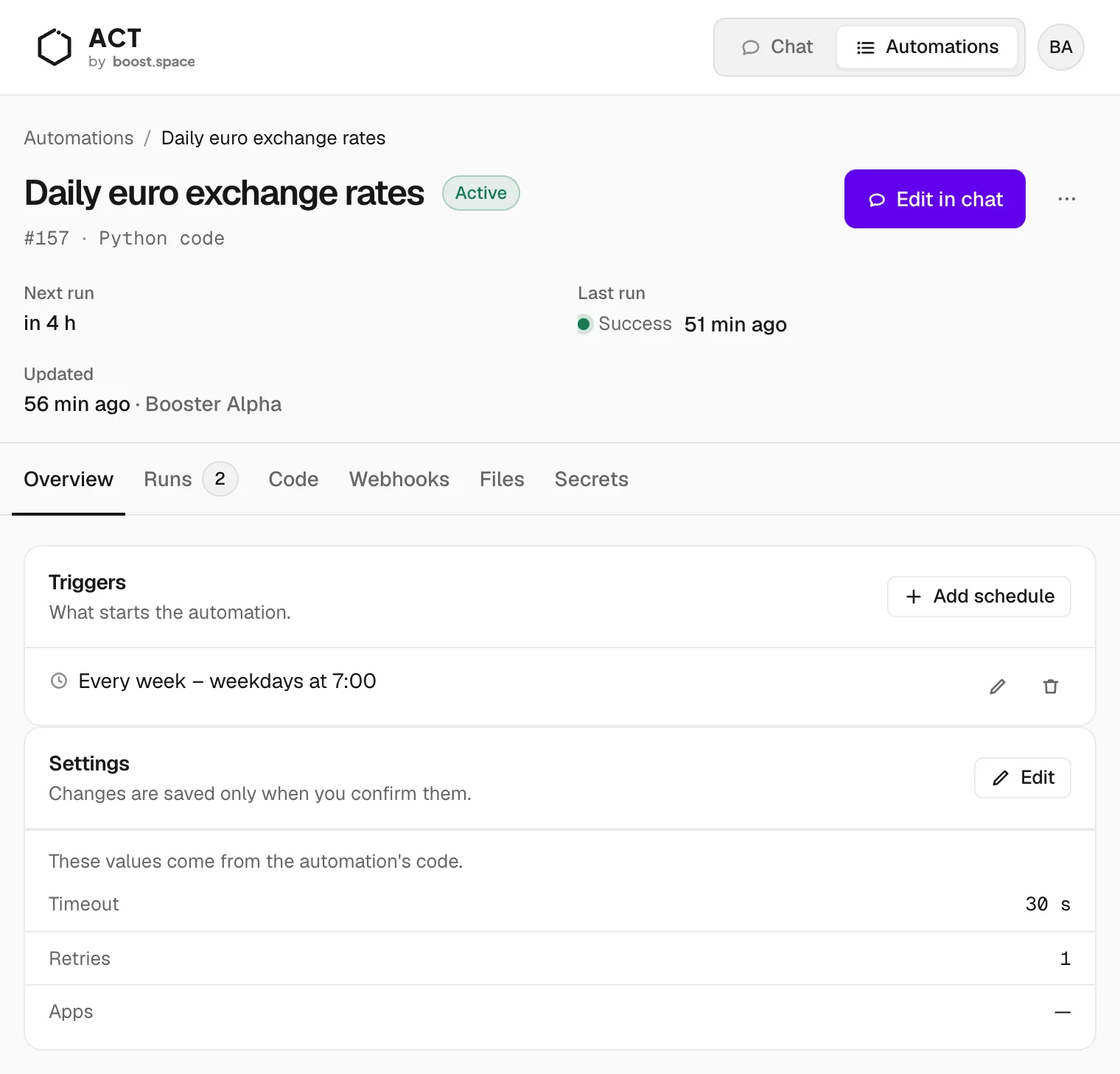
| Tab | What it holds |
|---|---|
| Overview | The triggers and the settings: timeout and retries |
| Runs | The run history with each run's result or error |
| Code | What the code does in plain words, the full source, and Try it |
| Webhooks | The address another app calls to start the automation — see Webhook |
| Files | Files the automation works with, up to 4 MB each |
| Secrets | The secrets the code uses, with their values hidden |
Code
You don't have to read Python to know what an automation does. The Code tab opens with a plain summary: what it reads, what it computes, what it writes and which services it calls. The full source follows, with copy and download.
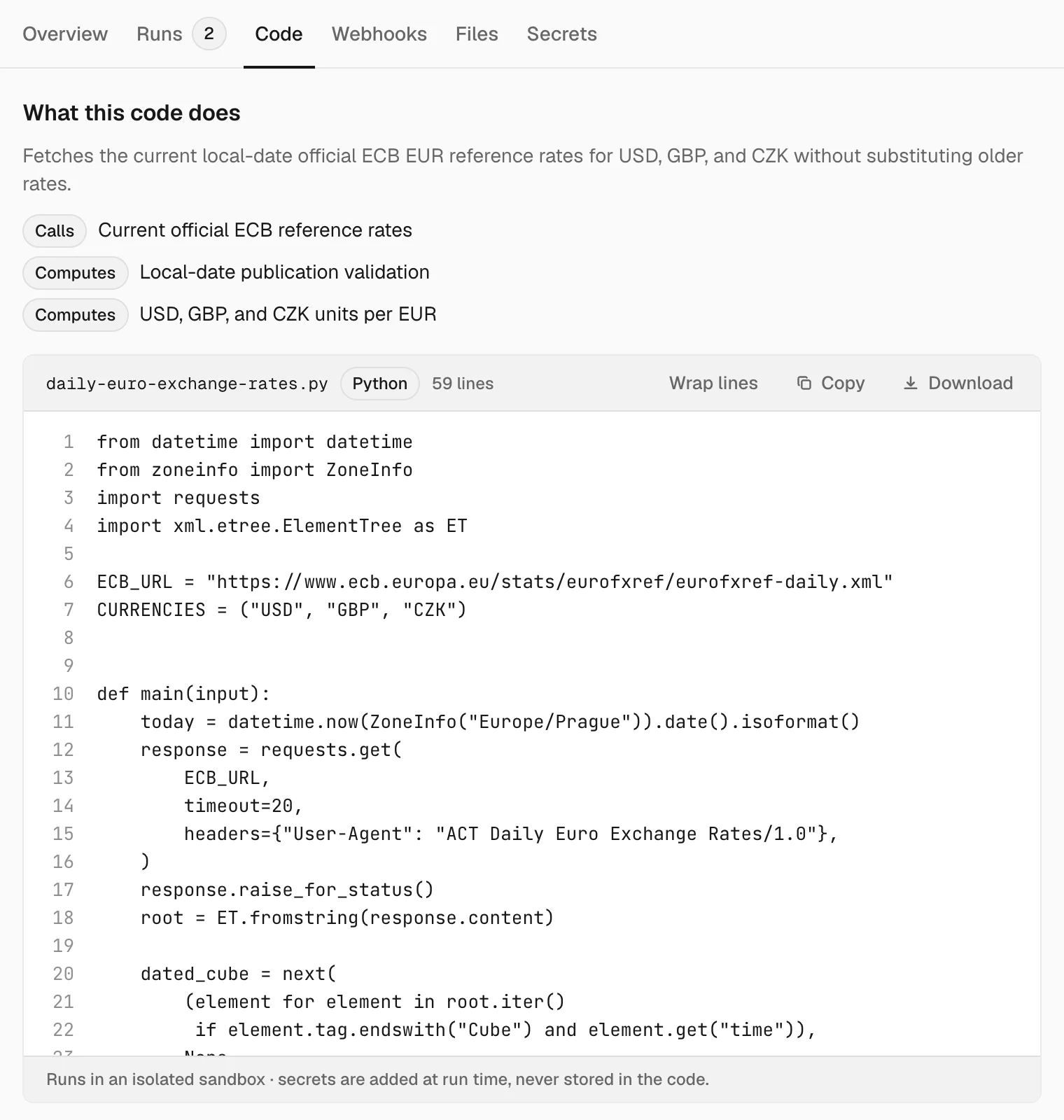
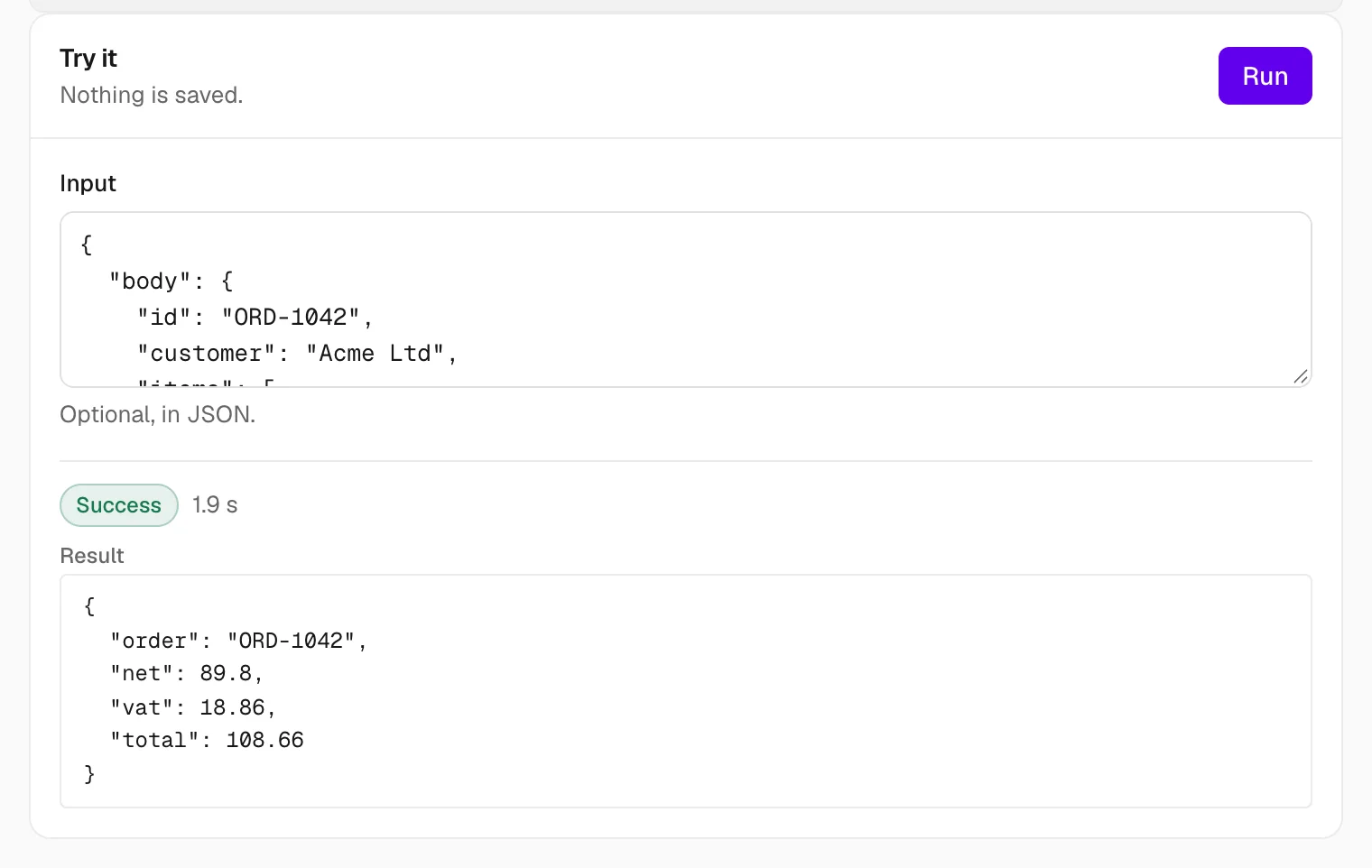
Try it runs the code once with an optional JSON input and shows the result. Here, a sample order goes in and the VAT comes out. Nothing is saved, though the code runs for real: a Slack automation does post to Slack.
More actions
The ⋯ menu next to Edit in chat:
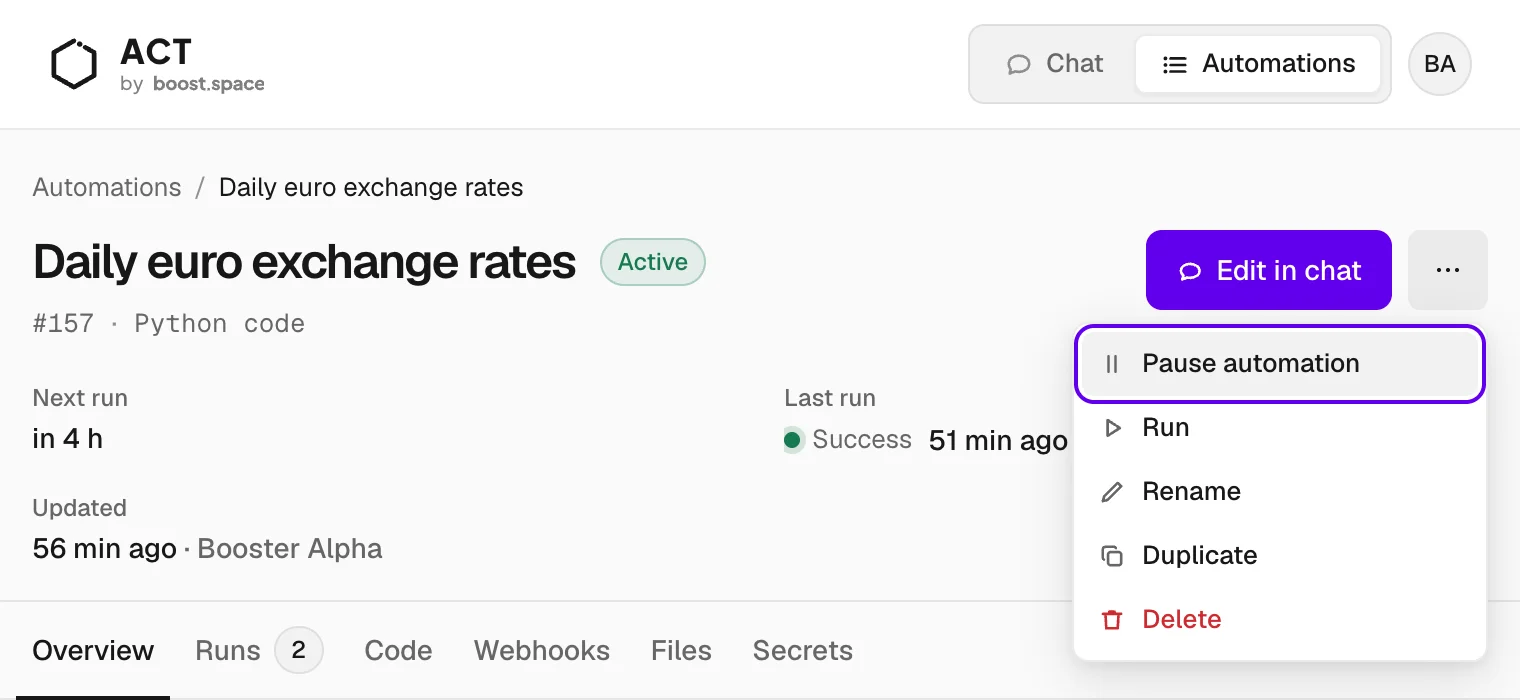
- Pause automation — it won't run until you resume it.
- Run — runs it right away. If it works on a record, ACT asks which one.
- Rename — gives it a new name.
- Duplicate — makes a paused copy; give the copy its trigger and files.
- Delete — permanent, it can't be undone.
Create one by hand
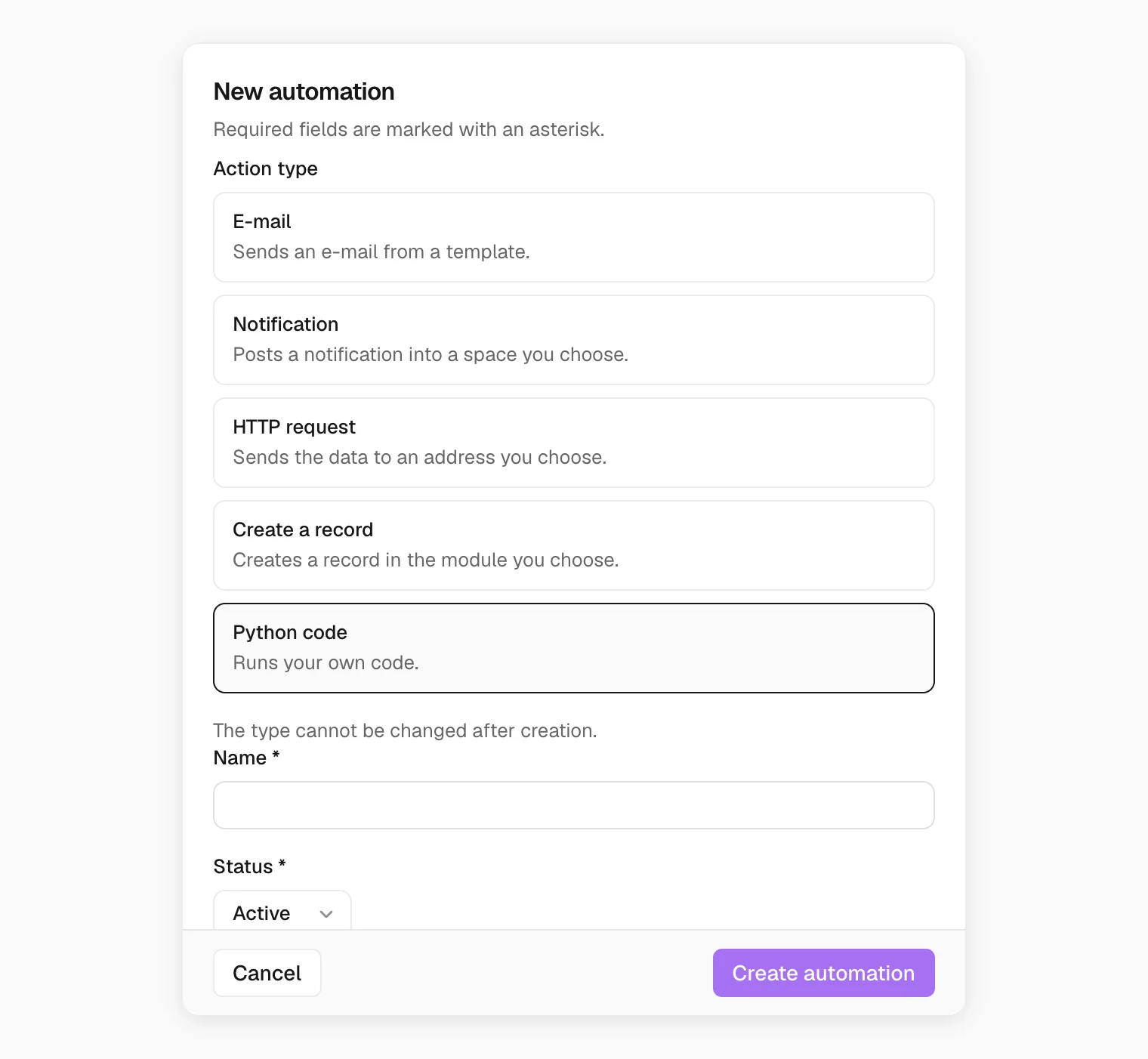
For simple jobs you can skip the agent: New automation opens a form with five action types — E-mail, Notification, HTTP request, Create a record and Python code. The type can't be changed later. For anything with logic in it, asking the agent is faster.