Secrets
Keep API keys out of the chat and out of the code. ACT stores them as secrets: encrypted, hidden once saved, and handed to the code only while it runs.
The agent asks for it
When an automation needs a credential, the agent opens a secure form right in the conversation.
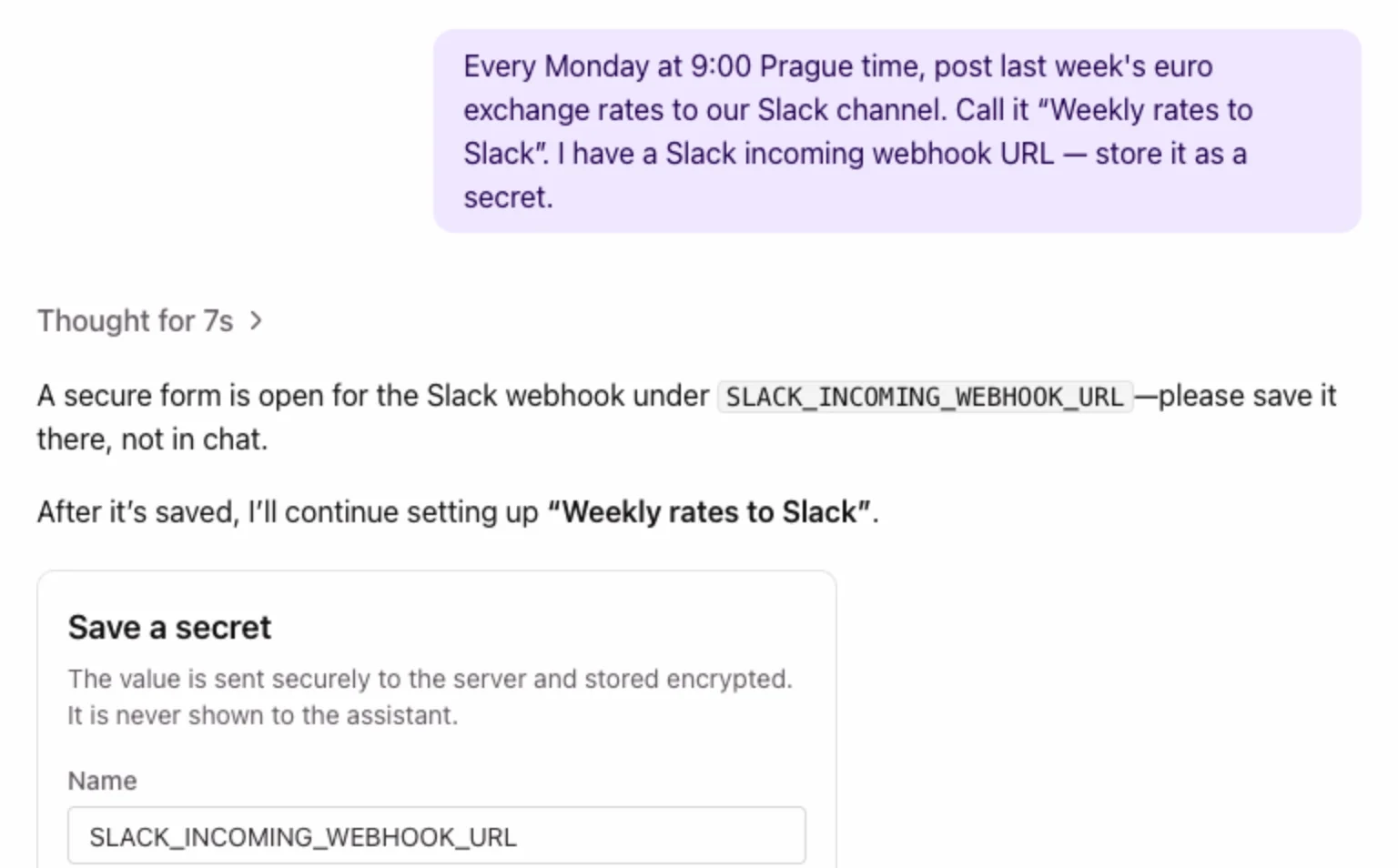
The value goes straight to the server and is stored encrypted. The agent never sees it, it never appears in the chat history, and the agent carries on building as soon as you save it.
You can also start it yourself: "I have a Stripe API key — store it as a secret."
The Secrets tab
Each automation's Secrets tab lists the secrets its code uses.
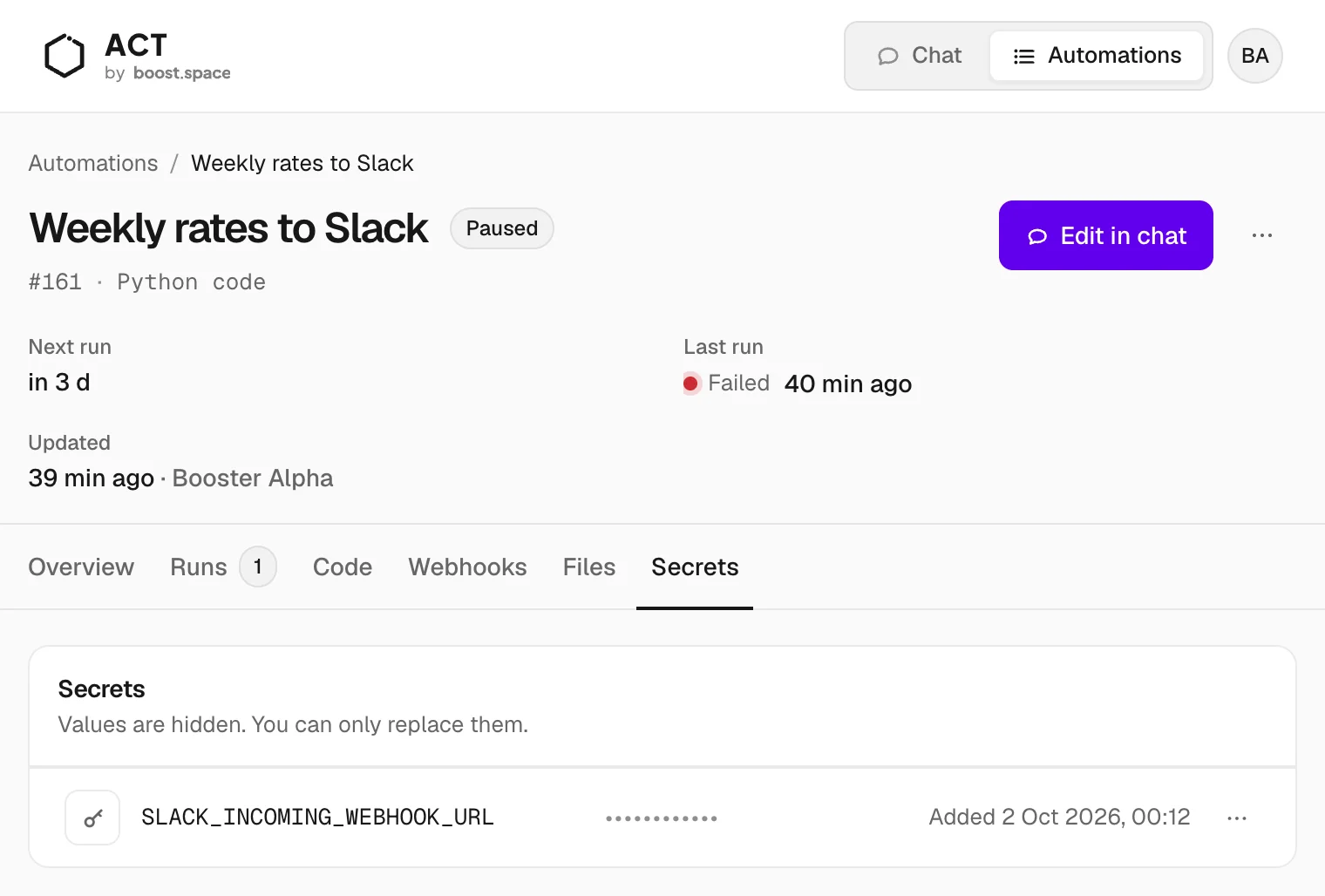
- Values stay hidden. Once saved, a value can't be shown again. You can only replace it.
- Secrets are saved by name for the whole workspace. A second automation can use the same key without asking for it again.
- Removing a secret asks for confirmation first, because code that uses it stops working.
How code reads a secret
For developers: at run time the code gets a connections dictionary with the secrets it asked for, by name:
def main(input):
    webhook_url = connections["SLACK_INCOMING_WEBHOOK_URL"]
    ...
Only the secrets an automation lists are passed in. Each run happens in its own isolated environment, and that environment is gone when the run ends.
