Delete a module
Deleting a module removes it with everything inside — its spaces, records, and fields. Only admins can do it.
Export anything you need to keep first — see Bulk actions and exporting. If you only want the module out of the way, consider hiding it via the Menu editor instead.
Steps
-
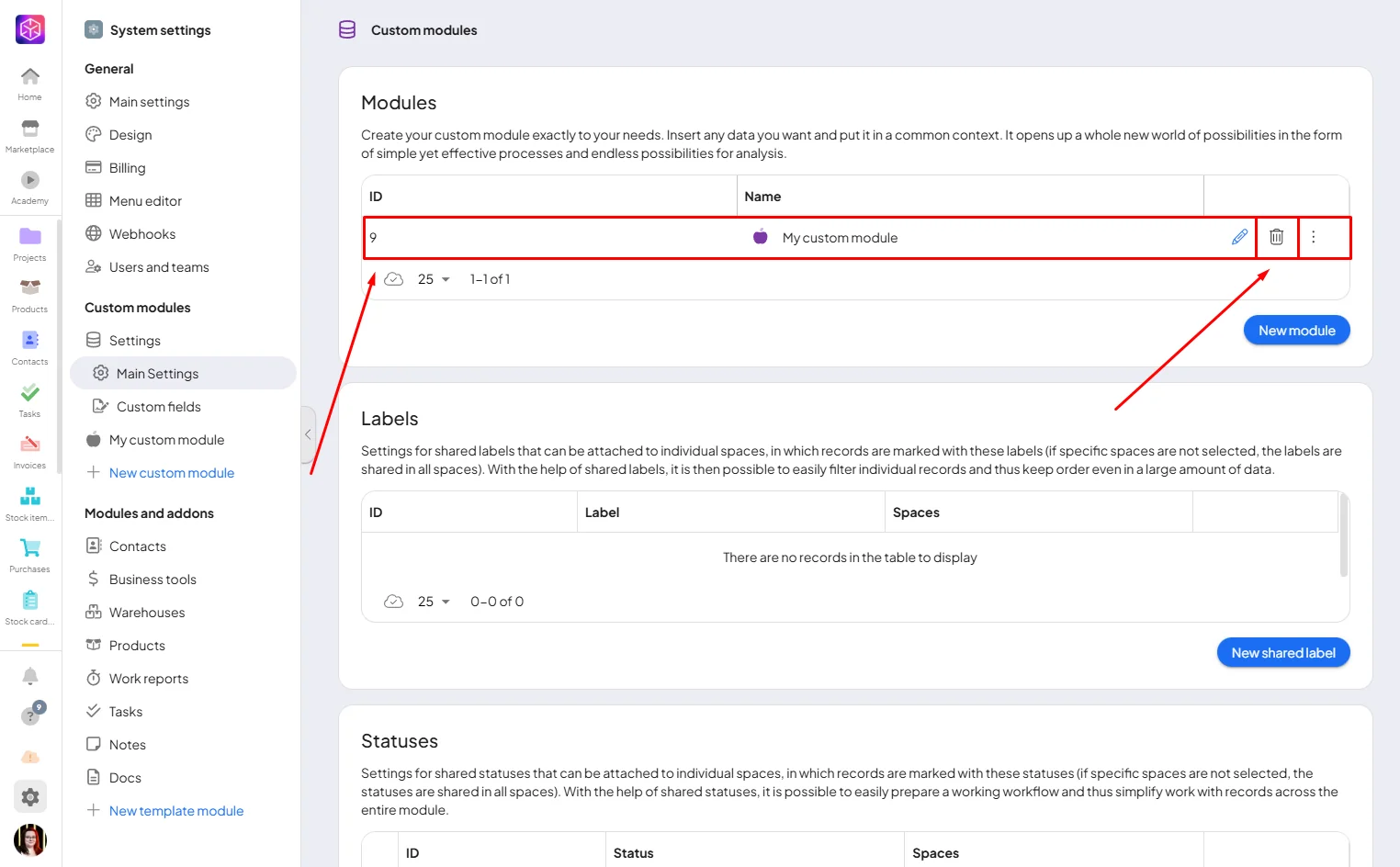
Go to System settings → Modules → Main settings.
-
Find the module and click the trash icon.
-
Confirm with Yes, then type the exact module name.
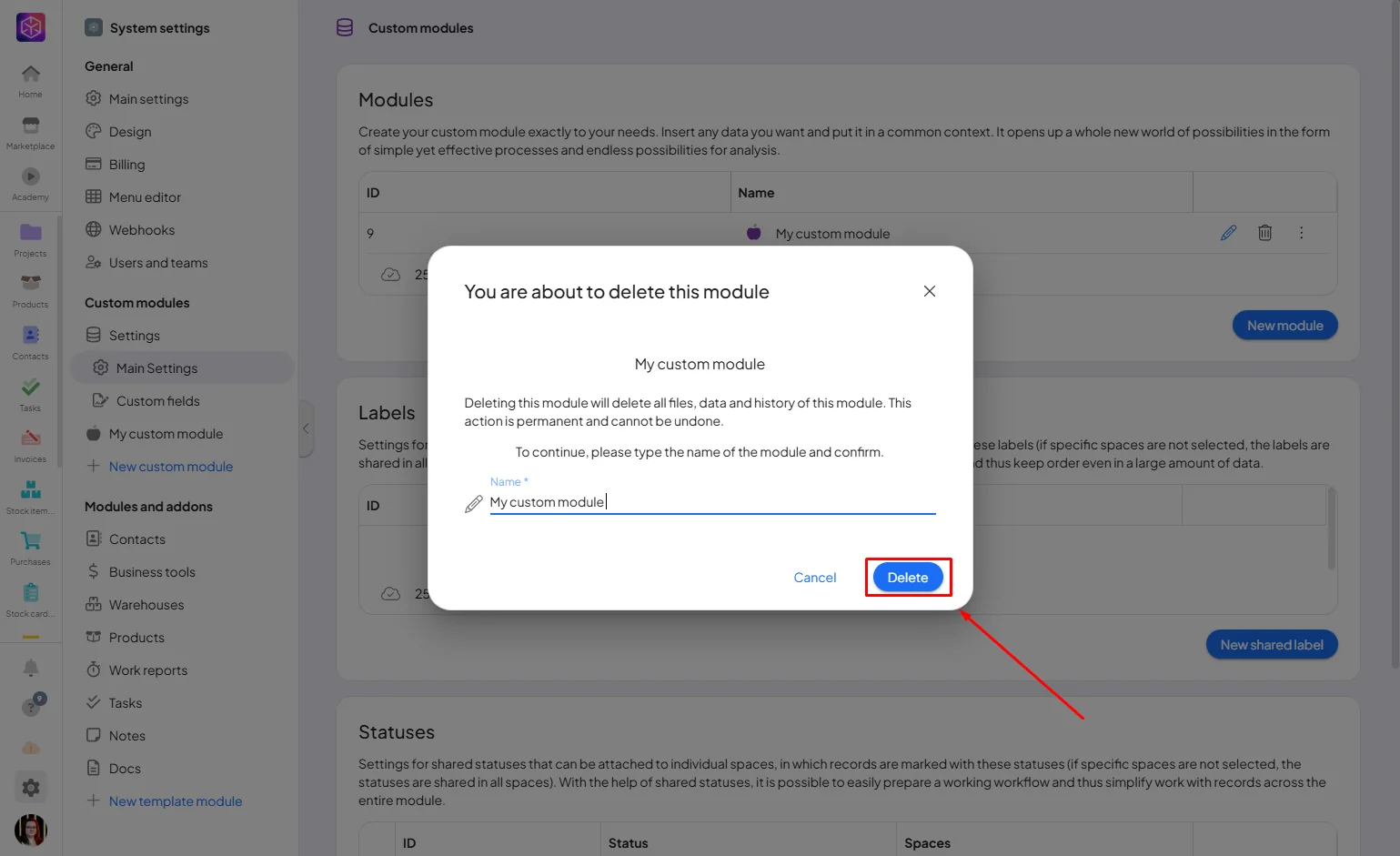
If the name is rejected even though it looks right, check for extra spaces — leading, trailing, or doubled spaces count as part of the name.
