Space roles and permissions
Alongside the system-wide roles (admin and user), every space has its own roles that decide who can manage and use it — including its records. Space roles apply to both users and admins.
The three roles
- Member — works with records using the existing statuses and labels. Can't change space settings or manage people.
- Manager — everything a member can do, plus manages members and managers and edits space settings (such as status lists and labels).
- Owner — full control: manages members, managers, and other owners, edits settings, and can delete the space.
Permission matrix
| Capability | Member | Manager | Owner |
|---|---|---|---|
| View and manage records | ✓ | ✓ | ✓ |
| Use existing statuses and labels | ✓ | ✓ | ✓ |
| Edit space settings (status lists, labels) | — | ✓ | ✓ |
| Manage members | — | ✓ | ✓ |
| Manage managers | — | ✓ | ✓ |
| Manage owners | — | — | ✓ |
| Delete the space | — | — | ✓ |
Assign roles
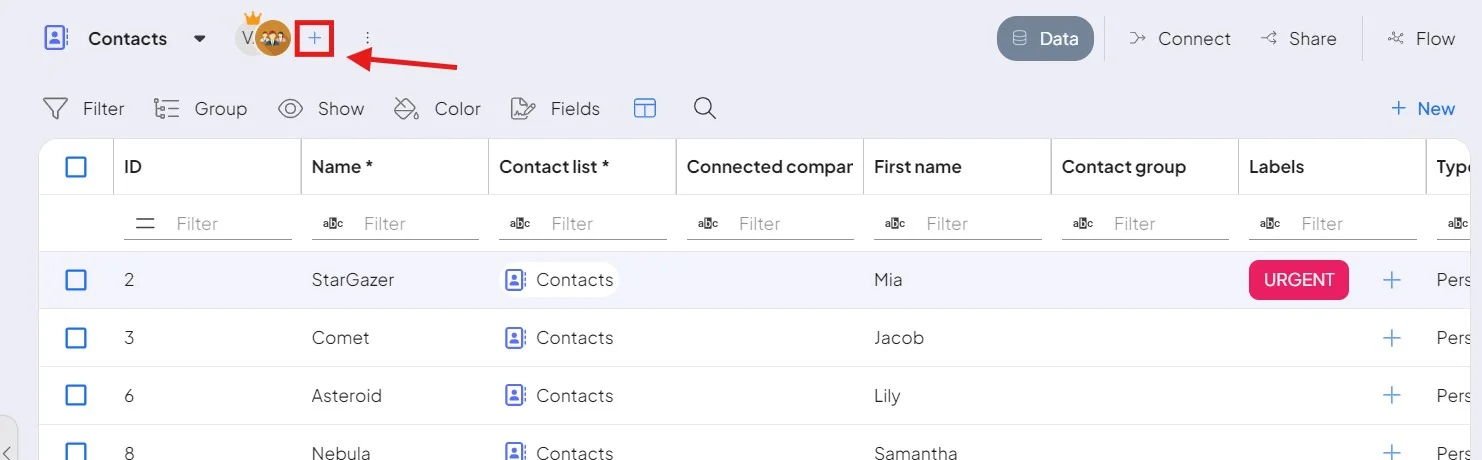
Click the + icon next to the space name to view and set roles. This icon appears only for users who are a manager or owner of that space.
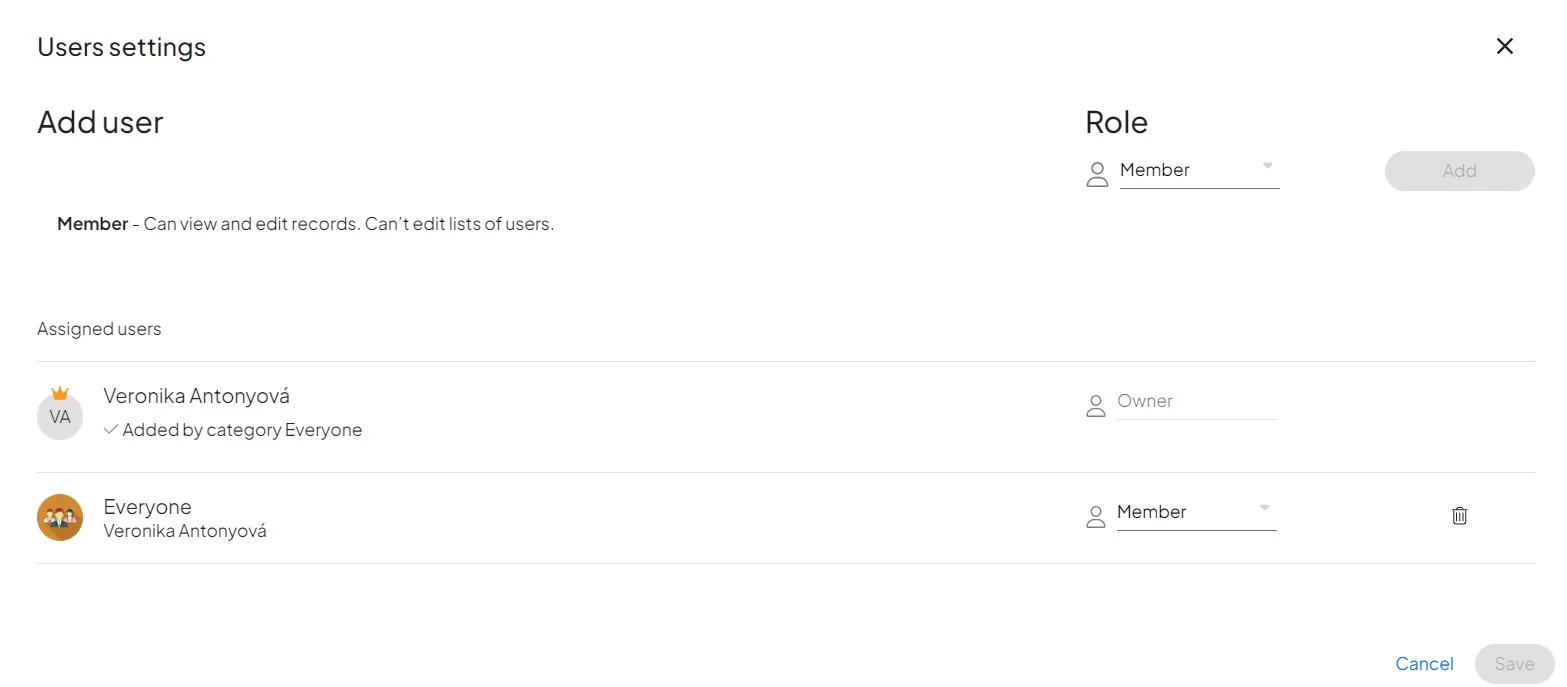
You set a person's initial role when you share a space with them during space creation. For system-wide roles and team management, see Users & teams.
