Statuses
A status shows where a record is in its process — it's one of the basic fields every record carries. Boost.space has two kinds — system statuses and custom statuses — and both can drive automation. Because a status is structured state (not free text), it's also something agents and filters can rely on.
System statuses
System statuses are predefined and carry built-in behavior — for example Active · Done · Cancelled · Archive. A record marked Done is complete and stops showing as pending; an Archive record is out of the way but not deleted.
Custom statuses
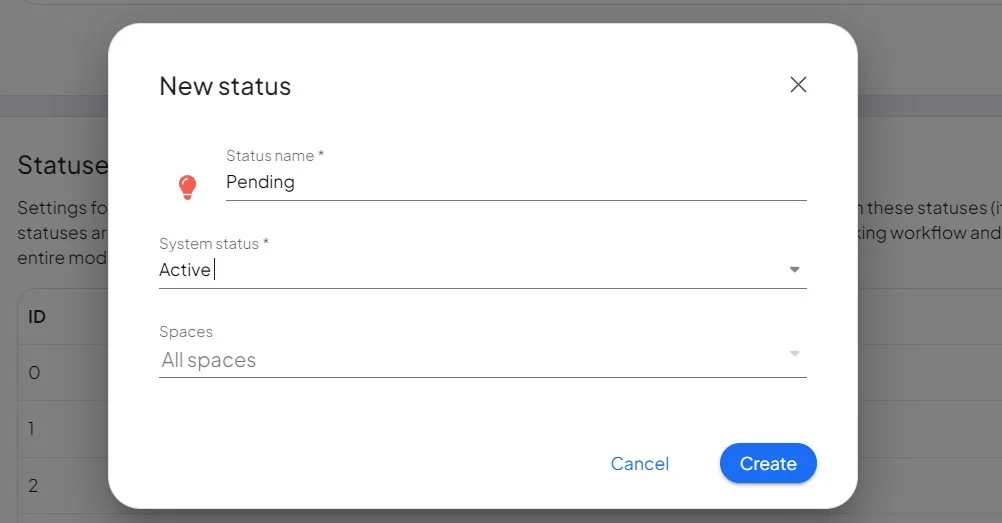
Custom statuses are set per space and inherit behavior from a system status, so you can build your own flow (for example Pending approval or Checked).
To create one:
- Open the module that offers system statuses.
- Select the space, click Edit, and choose Add in the statuses section.
- Give it a name and select a parent system status.
- Optionally pick an icon and color.
- Save.
Drive automation with statuses
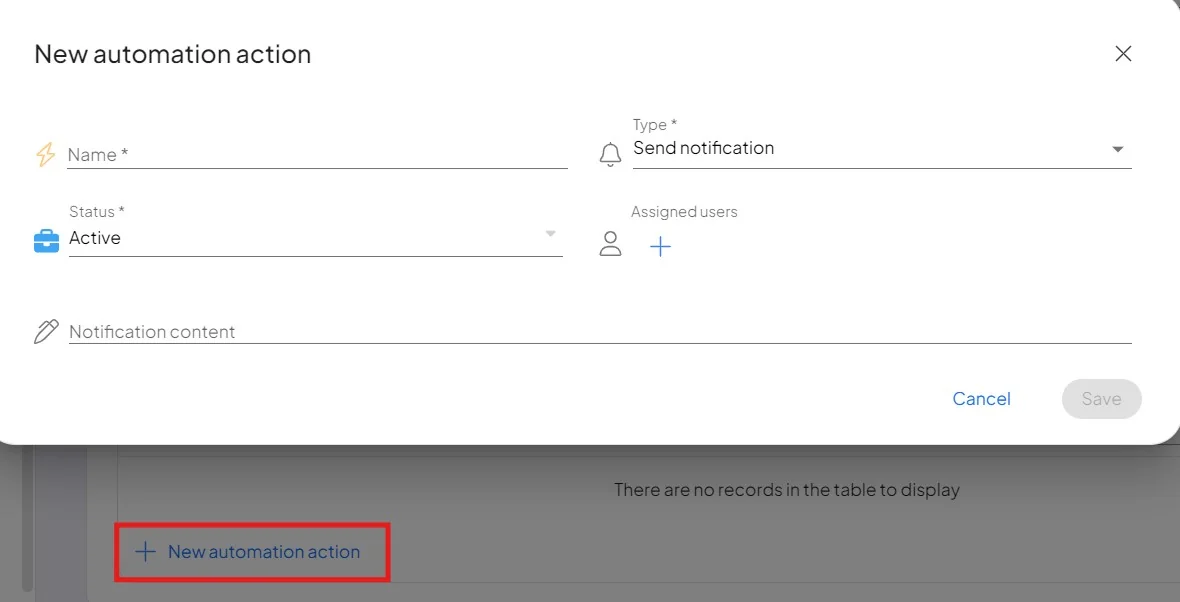
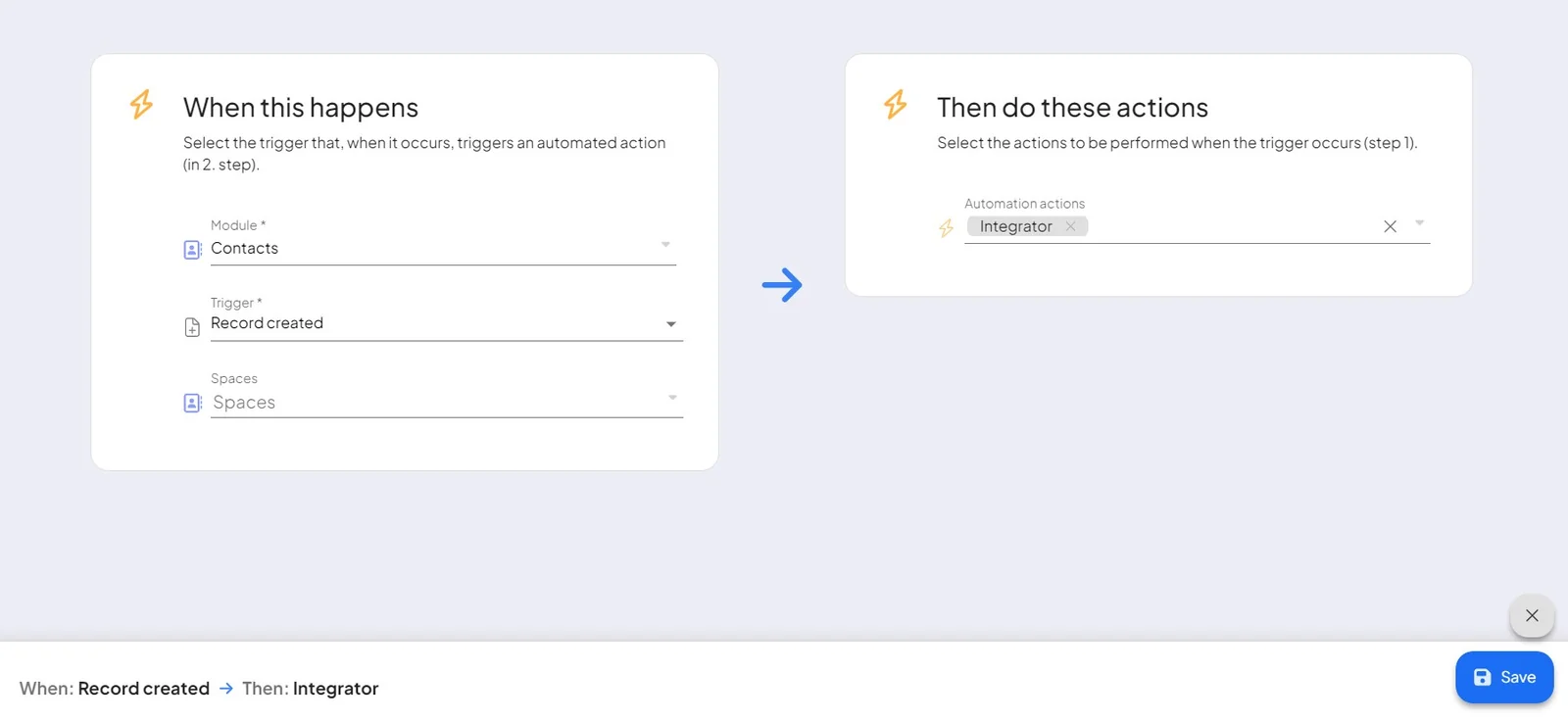
Link statuses to actions and triggers to automate processes and notifications:
-
Give the automation a name, module, and trigger.
-
Check whether a record's status changed to the target status.
-
If it matches, run an action — for example, email a designated person.
For the full setup, see Actions and triggers.
