Notifications
Boost.space sends short notifications about important events and changes that affect you.
A notification is sent, for example, when someone:
- assigns a user or team to a space/record;
- removes a user or team from a space/record;
- changes the status of a space/record;
- adds a comment to a space/record.
Enable notifications
You need to enable notifications to receive them. The first time you open the system, your browser asks whether to allow them.
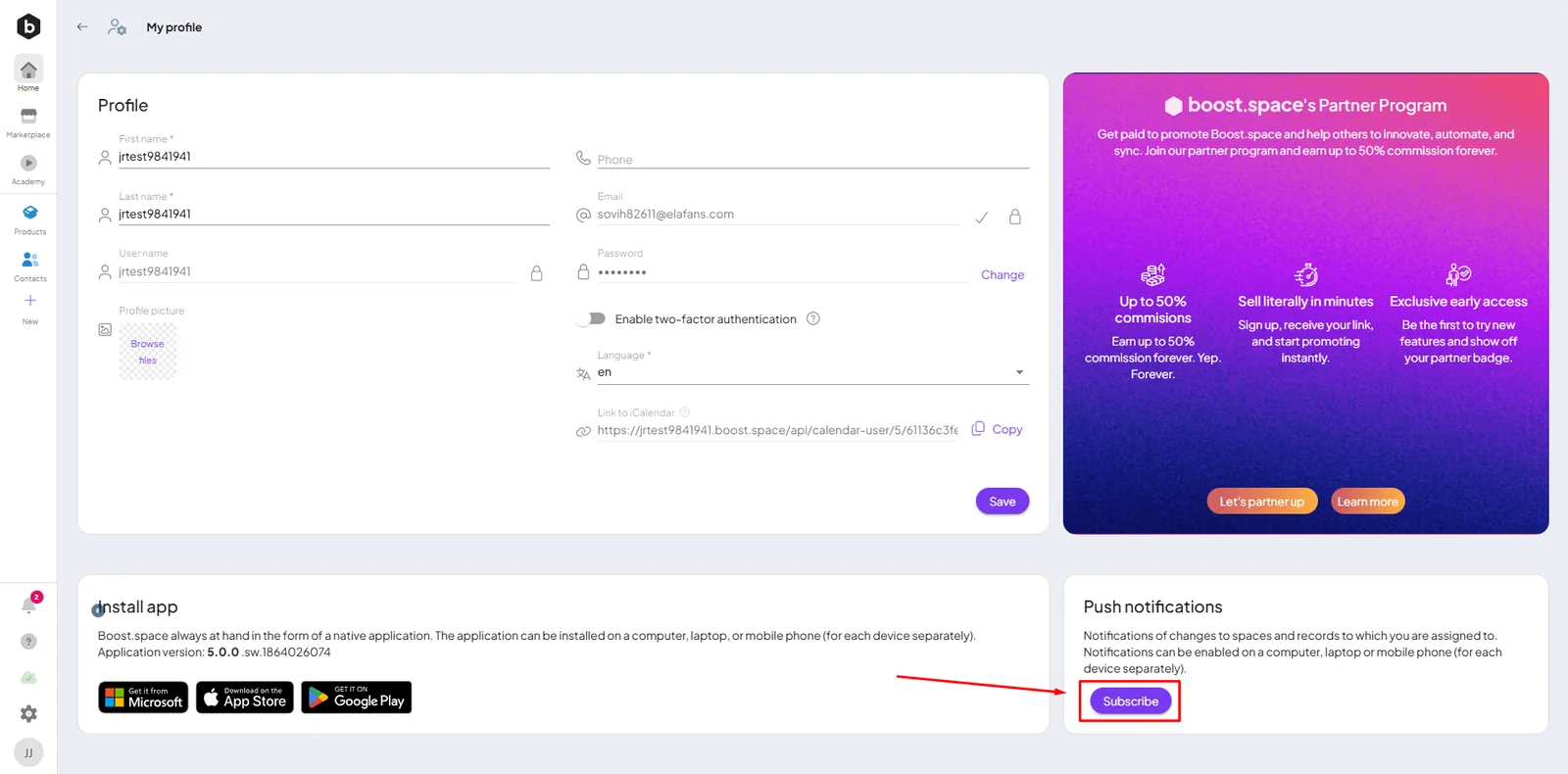
If you declined, re-enable them from your profile: profile picture → My profile → Push notifications → Subscribe / Unblock.
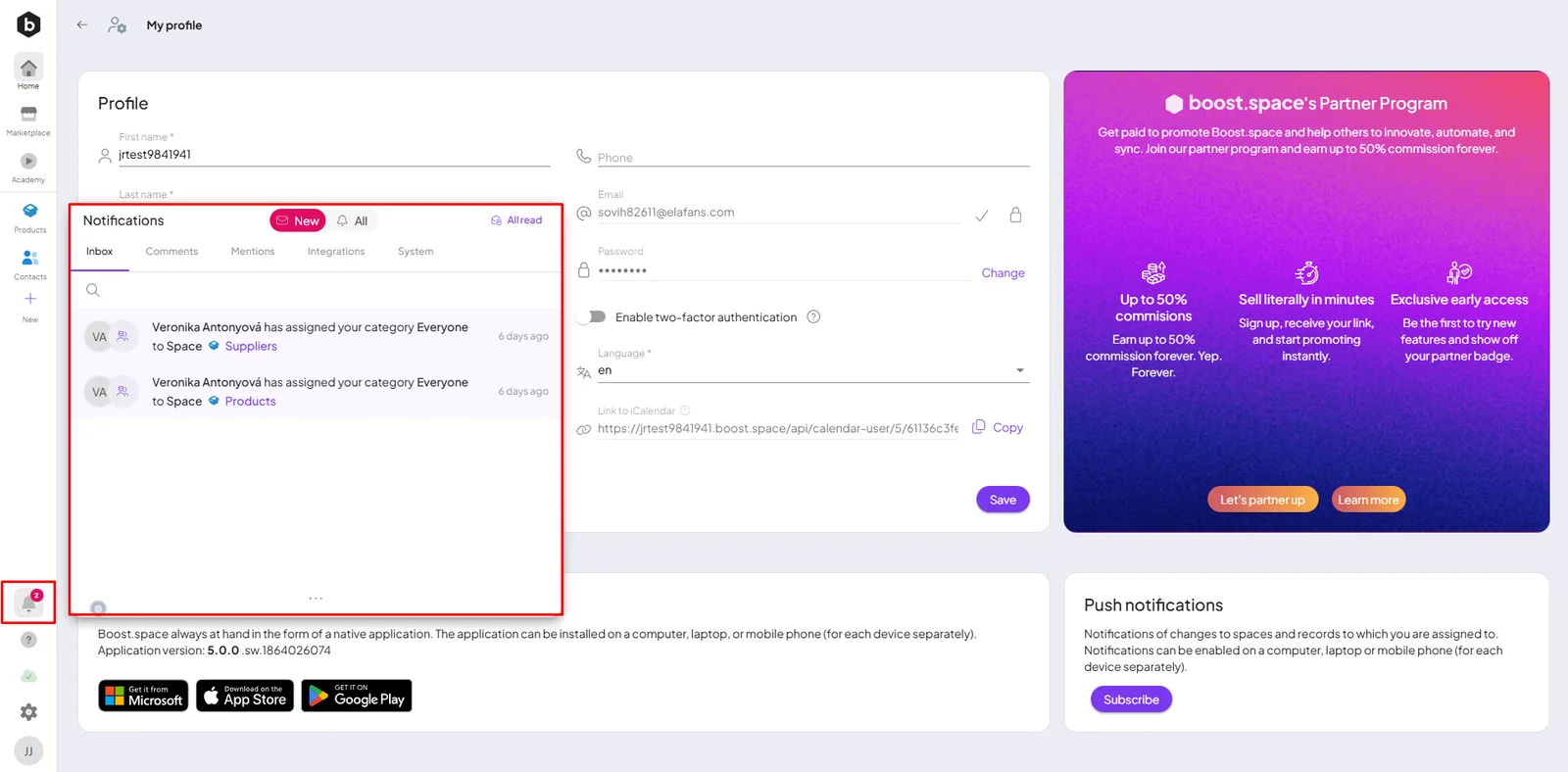
You can also see your notifications in-app via the bell icon in the left sidebar.
Follow a record
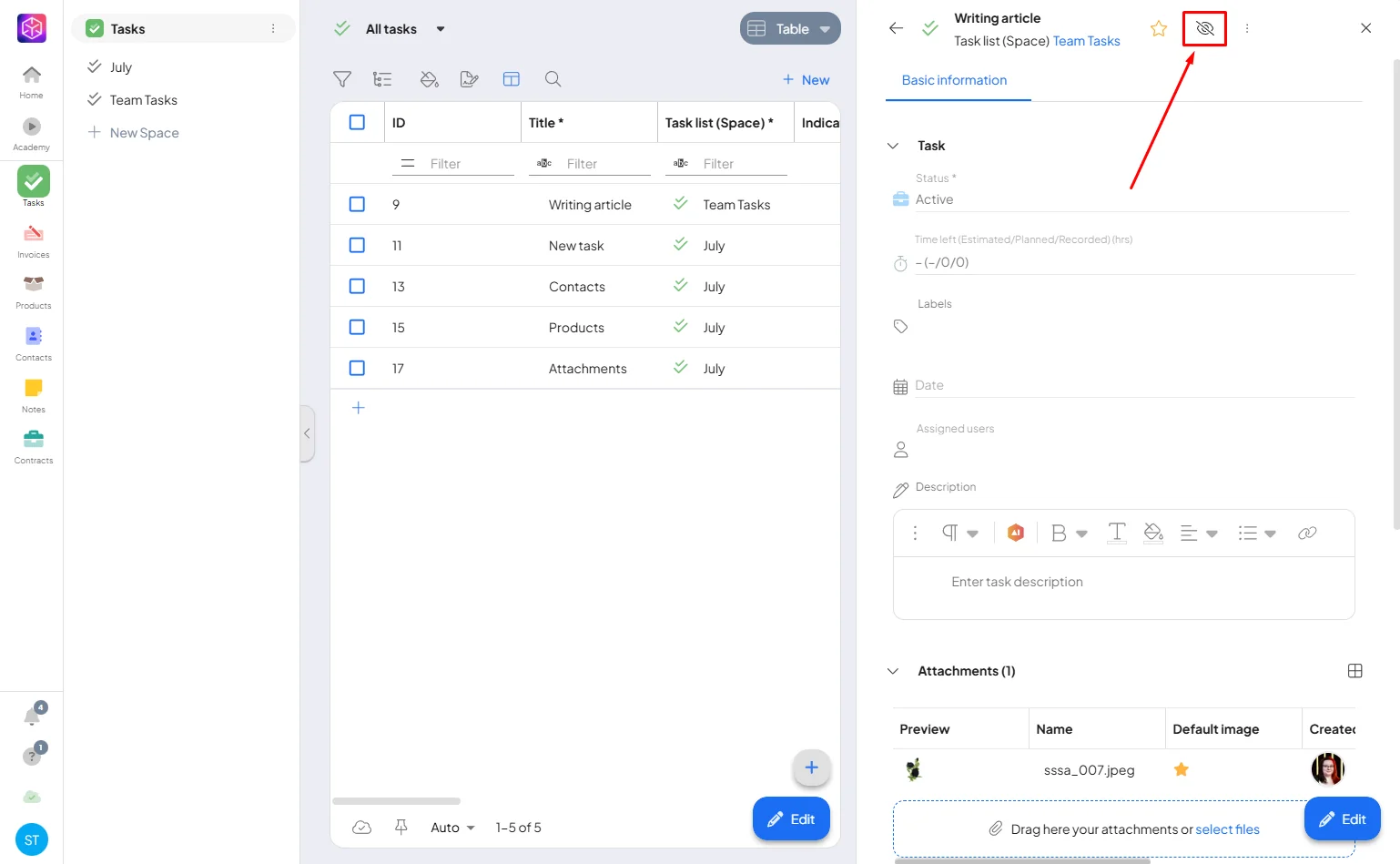
To keep notifications focused, users who created a record but aren't directly assigned to it don't get automatic notifications for it. To follow a record you're not assigned to, click its tracking icon — you'll then get all its updates.
Notifications make sure you don't miss anything important — an assignment, a status change, or a new comment.
