Two-factor authentication (2FA)
Two-Factor Authentication (2FA) adds an extra layer of protection to your account, keeping your data safe even if your password is compromised.
What is two-factor authentication (2FA)?
2FA is a security feature that requires not just your password, but also a second form of verification to access your account. This dramatically reduces the risk of unauthorized access, especially in the case of stolen or leaked credentials.
While passwords can be guessed or exposed, the second factor — typically a time-based code from an authentication app — ensures that only you, with access to your personal device, can log in.
How to enable 2FA in Boost.space
-
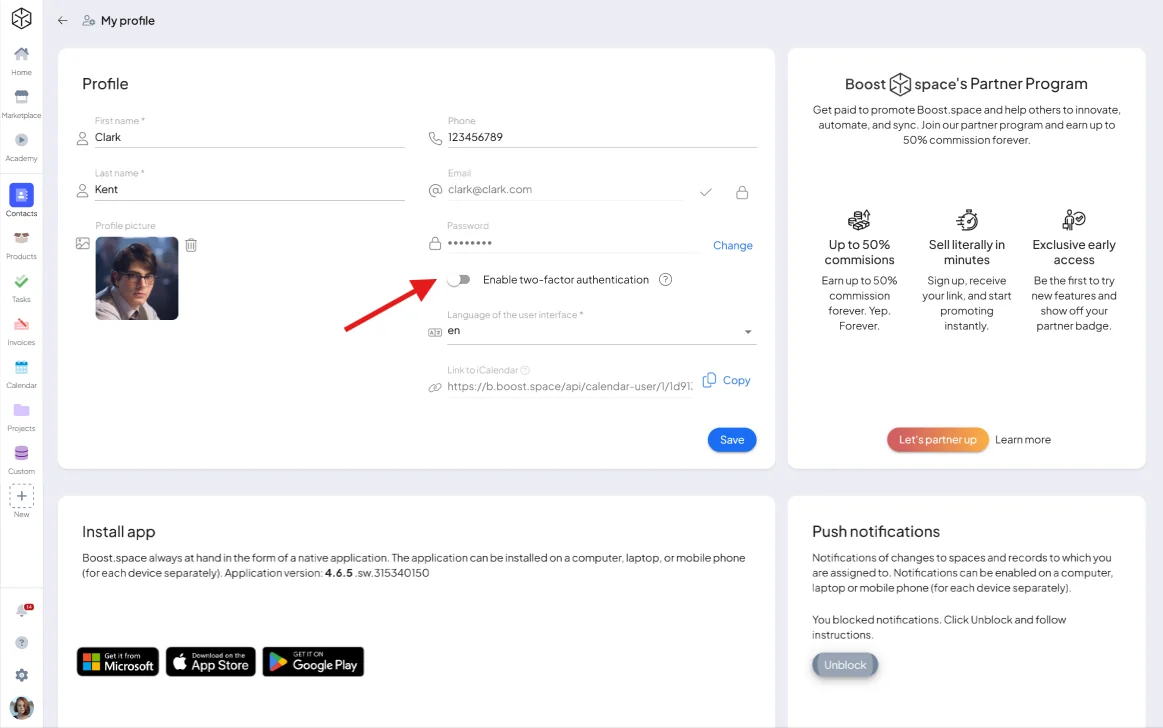
Click your avatar in the bottom-left corner and go to Profile Settings.
-
In the security section, choose to enable Two-Factor Authentication.
-
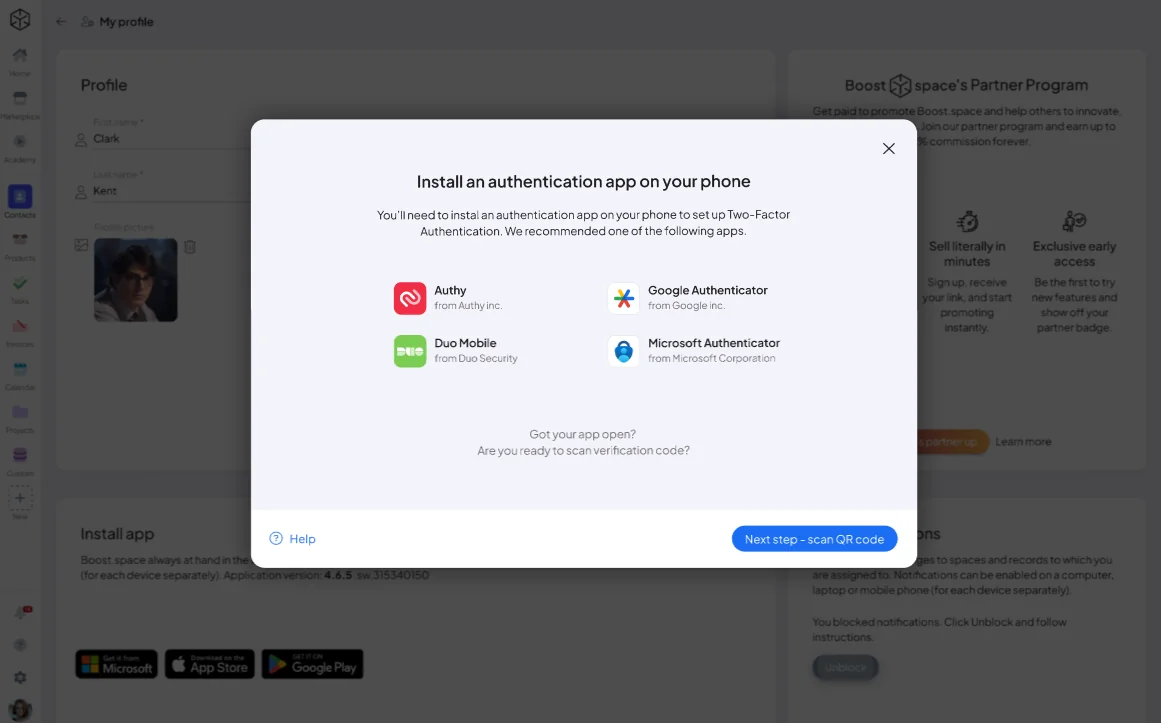
Download an authentication app (Google Authenticator, Authy, or Microsoft Authenticator) on your phone.
-
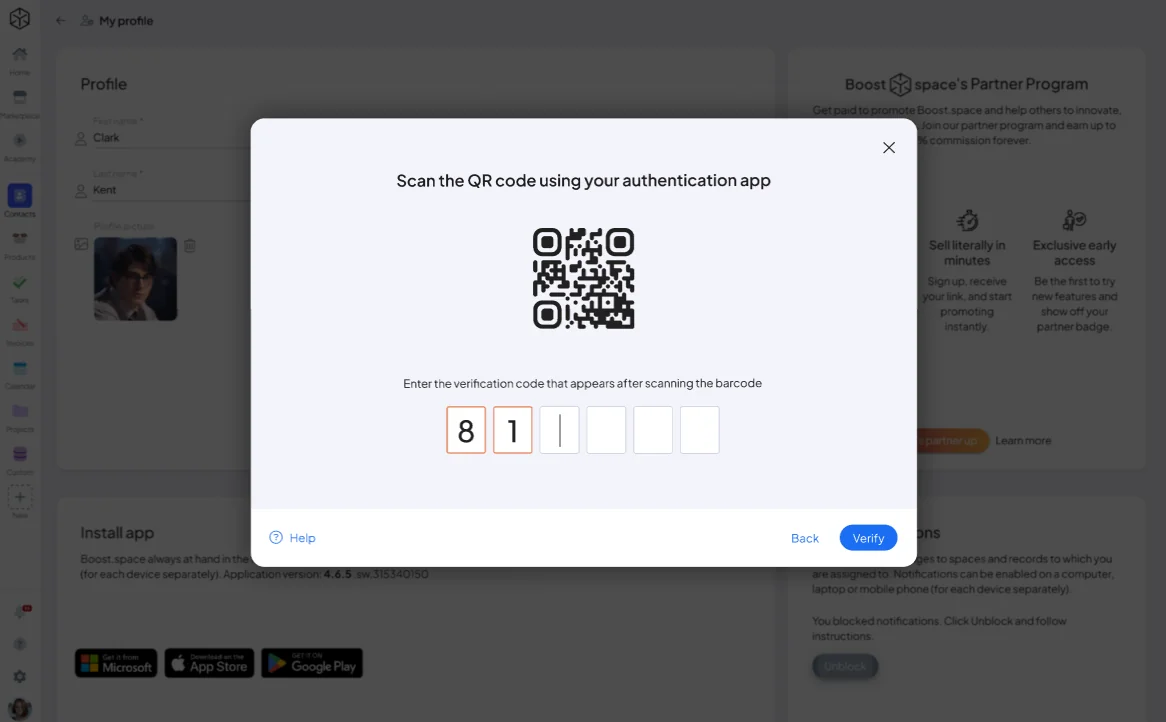
Scan the QR code on screen with the app — it starts generating time-based codes.
-
Save the backup codes somewhere safe — they let you regain access if you lose your device.
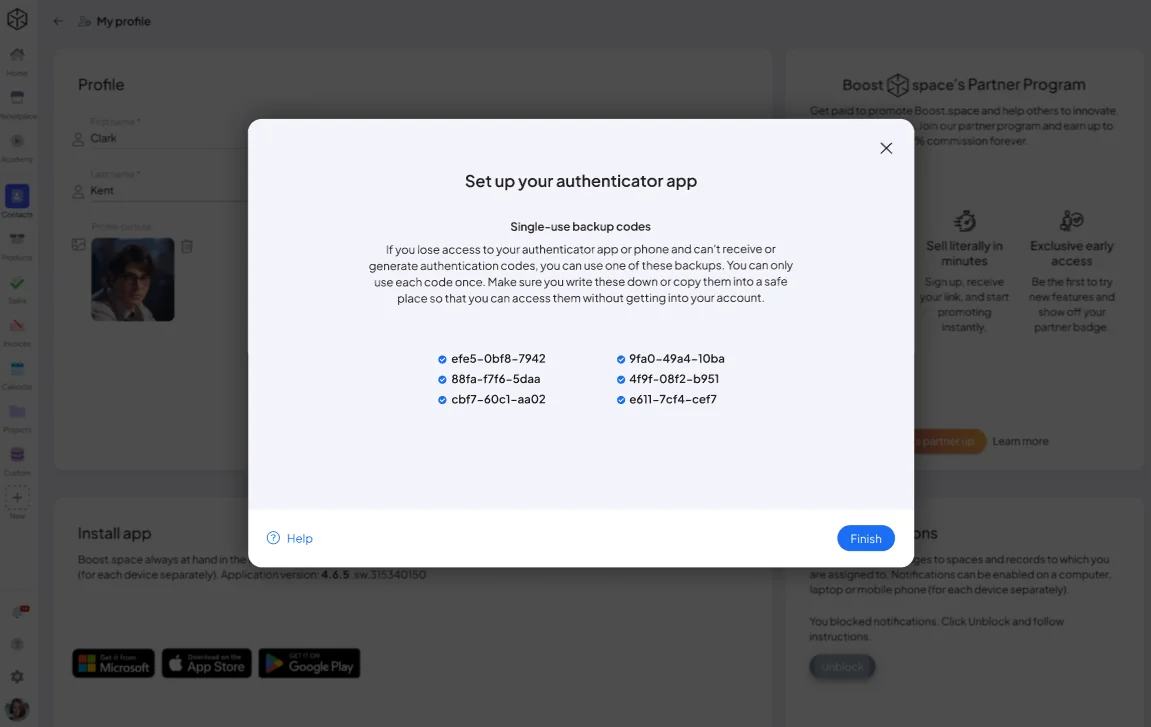
That's it — 2FA is now active.
What happens next?
The next time you log in to Boost.space:
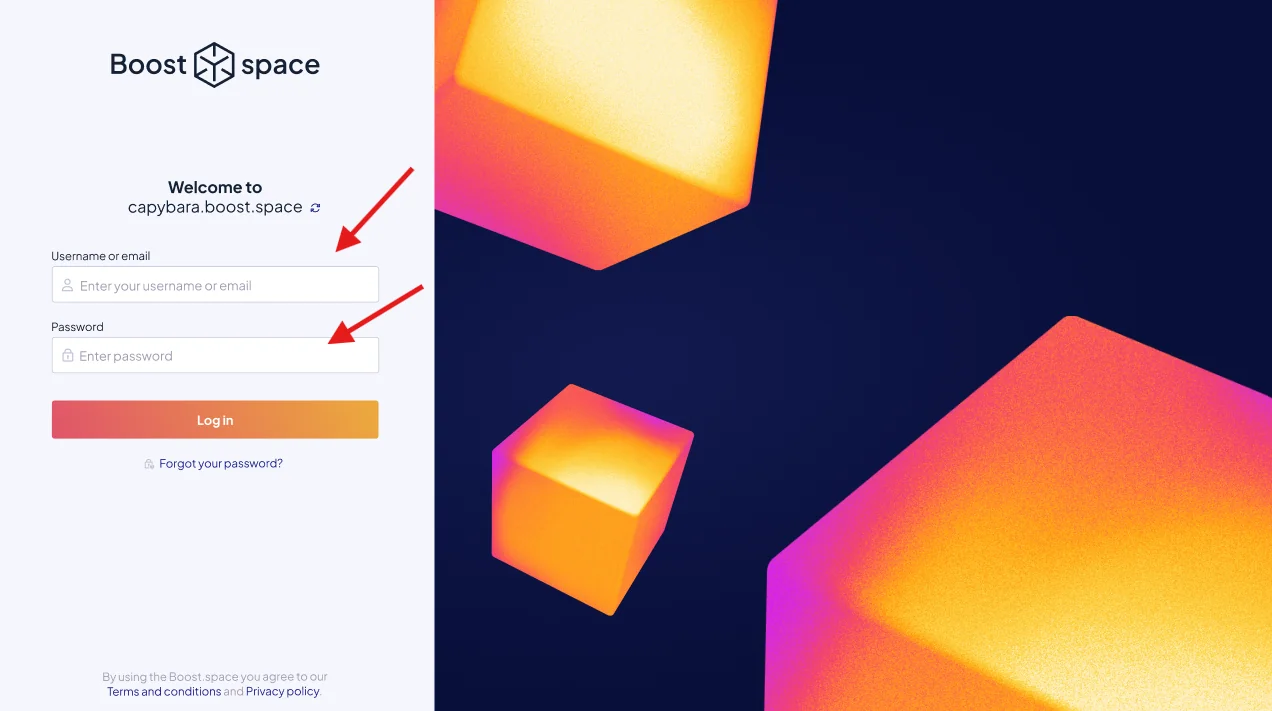
- Enter your email or user name and password as usual.
- Then, you'll be asked to enter a 6-digit code from your authentication app.
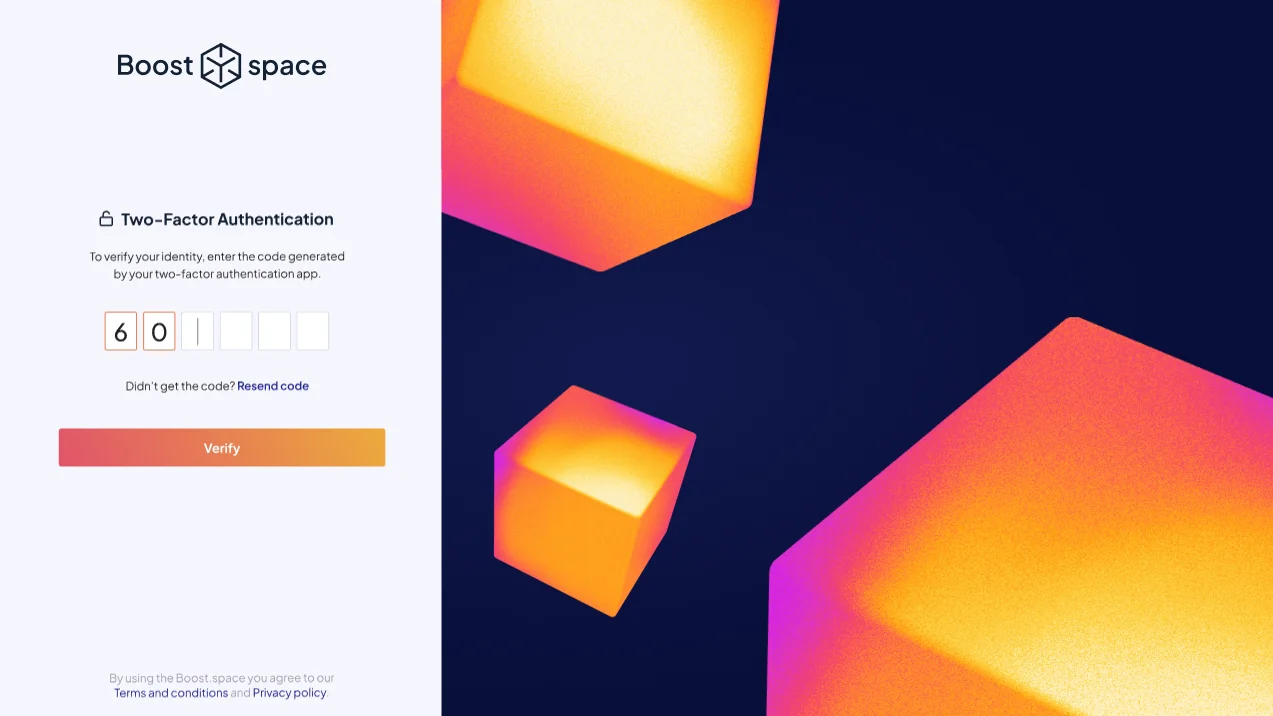
- Once verified, you'll be granted access to your account.
This simple extra step greatly increases your security and helps prevent unauthorized access to your data.
