Status center
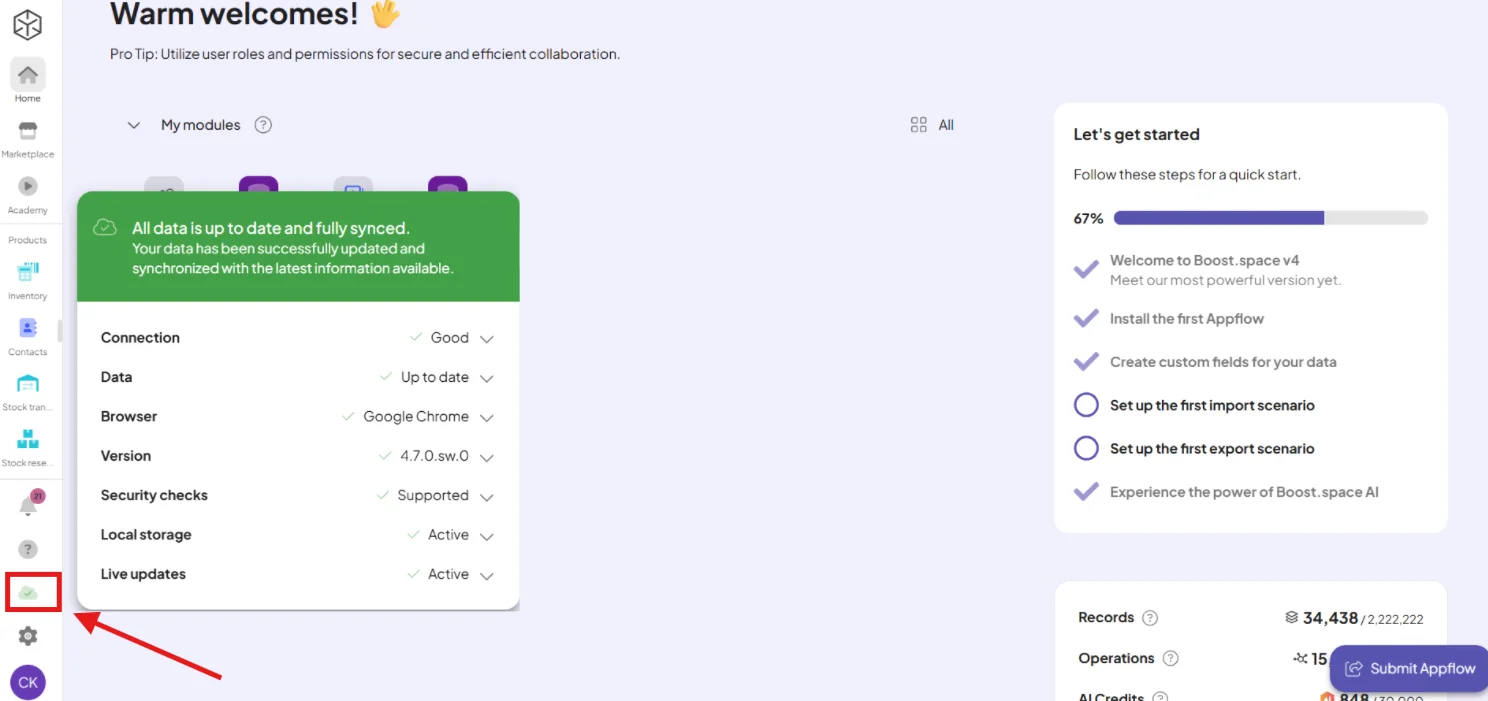
The Status Center is a helpful diagnostic tool available in the left-hand panel of your Boost.space interface. It gives you a quick overview of technical conditions that ensure your system is functioning optimally.
The Status Center helps you identify potential problems related to your system setup, connection, or browser environment.
What does the Status Center check?
The Status Center monitors the following key areas:
- Connection — indicates whether your internet connection is stable. If unstable, some parts of the system may not work as expected.
- Data Synchronization — shows whether your system is working with the latest data. If data is outdated or syncing is delayed, this status will alert you.
- Browser Compatibility — displays information about the browser you're currently using. Some features may not work correctly in unsupported or outdated browsers.
- System Version — shows the current version of the Boost.space system you're running. Staying on the latest version ensures compatibility and access to new features.
- Security Checks — this checks whether Content Security Policy (CSP) and other essential browser security configurations are functioning properly. CSP is a browser mechanism that helps protect against cross-site scripting (XSS) and other code injection attacks. If these checks fail, parts of the system may behave unexpectedly or become vulnerable.
- Local Storage — indicates whether your browser allows Boost.space to use local storage. Local storage is essential for temporarily saving data and ensuring smooth user experience between page transitions.
- Live Updates — verifies if your system is receiving real-time updates. If disabled, you might experience delays in reflecting new data or changes.
How to use it
If any of the monitored items are not green, it means that specific aspect does not fully meet system requirements. Click on the row to expand more details and see recommended steps to fix the issue.
Available beyond the homepage
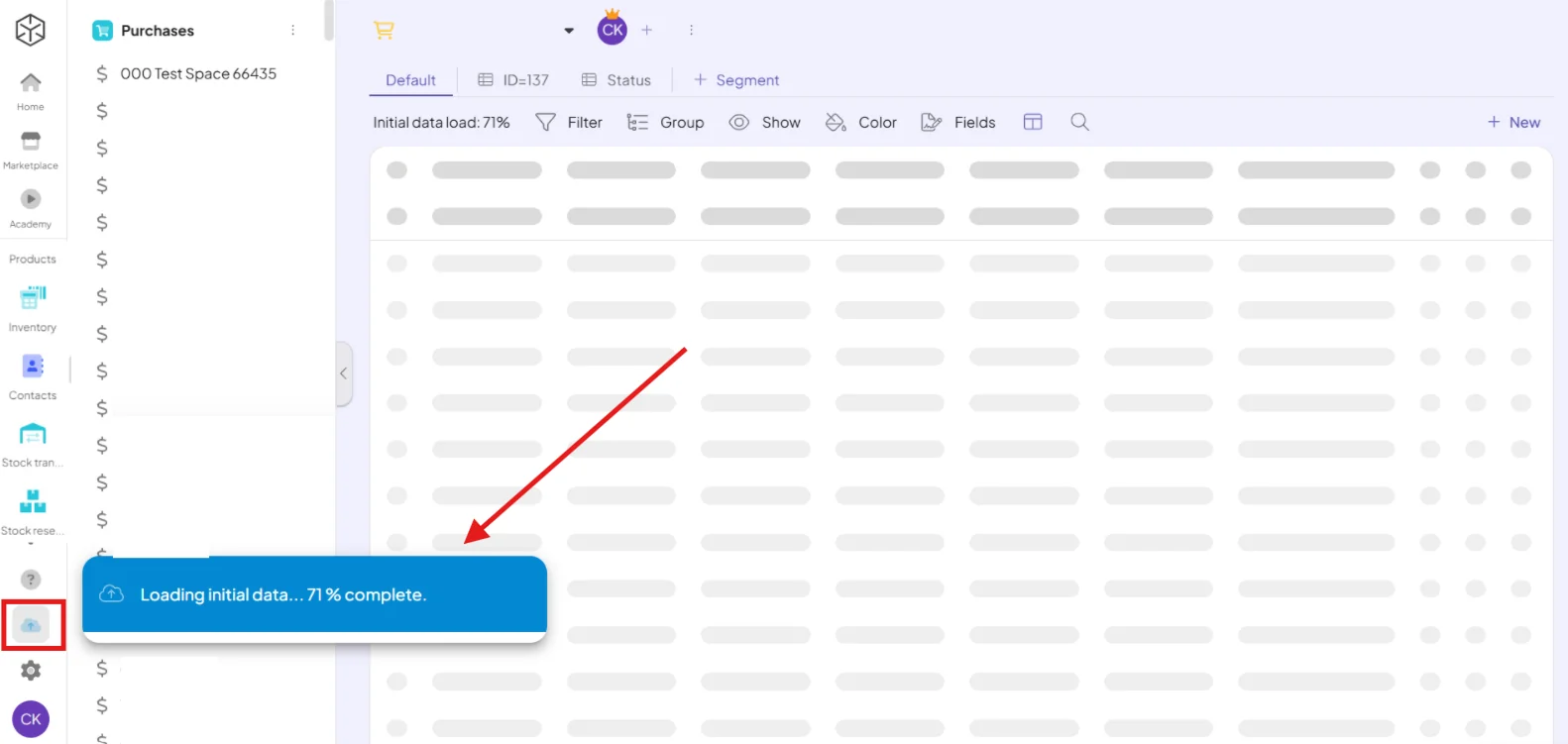
The Status Center isn't limited to the homepage—you can also access it inside any module. There, it will show whether all relevant data for the module has already been loaded, or how long it will take to finish loading.