Change or reset your password
How to change your password
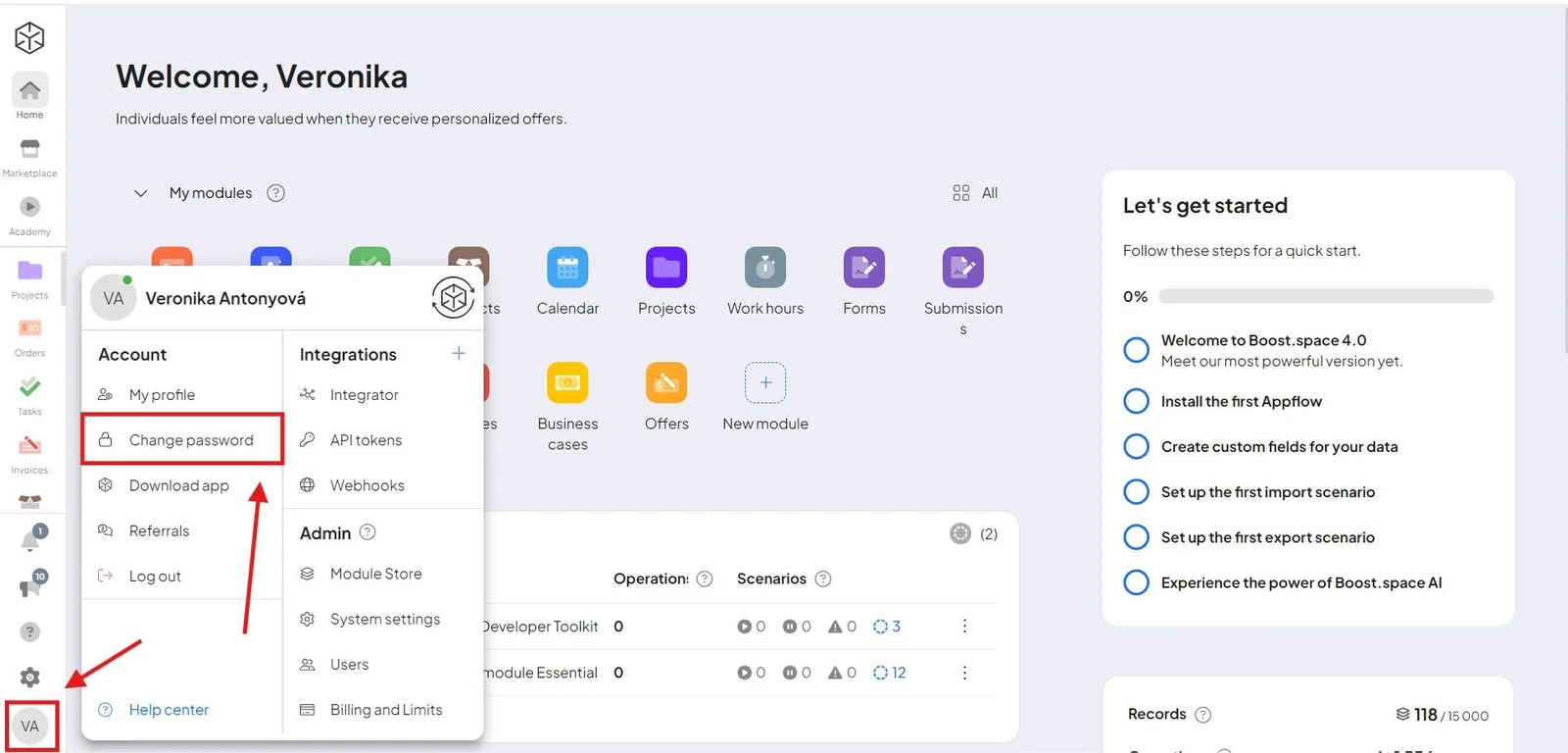
To change your password, go to the main screen of your system. Click your avatar in the bottom left corner and then on Change password.
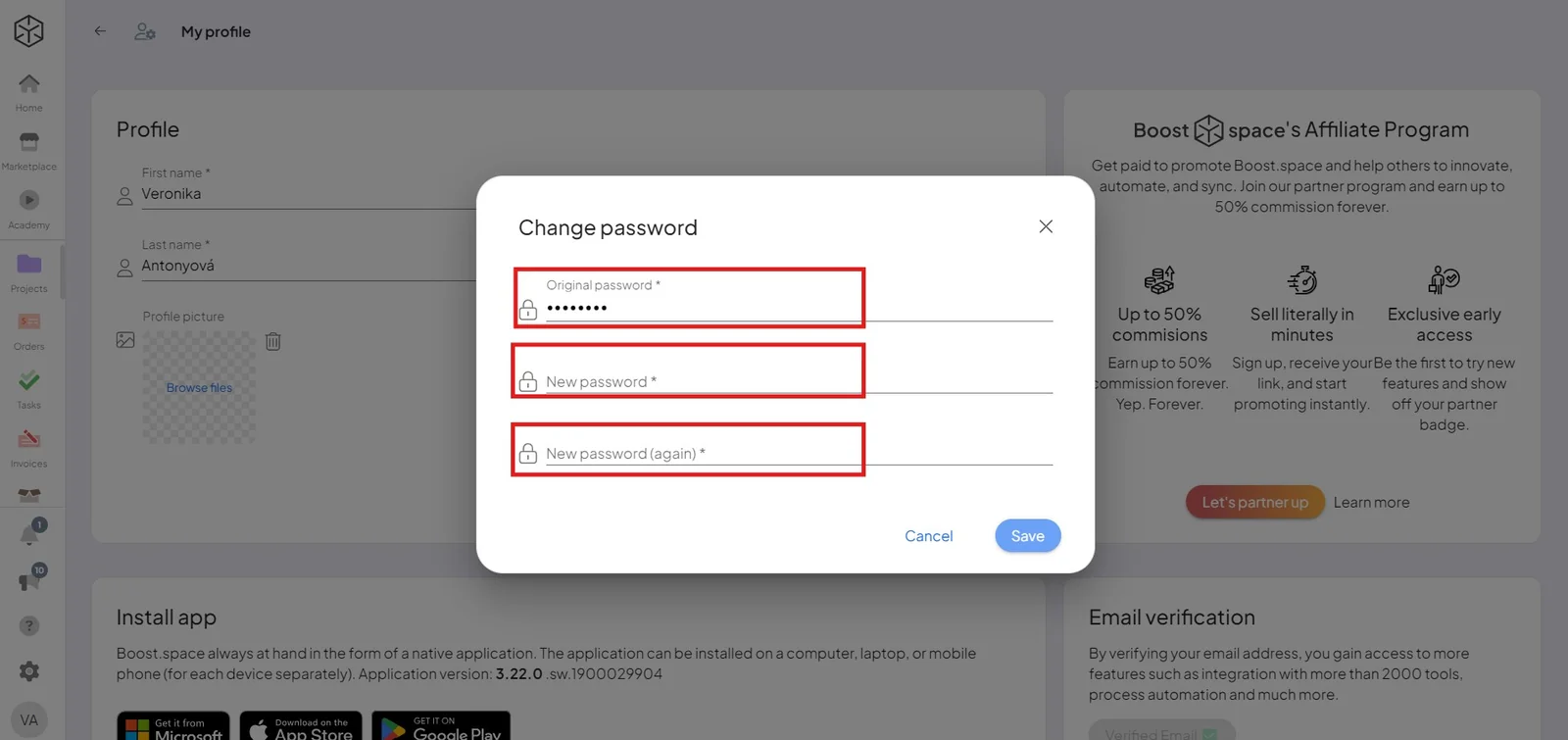
Then you need to fill in your original password + create a new one. Click Save.
How to reset your password
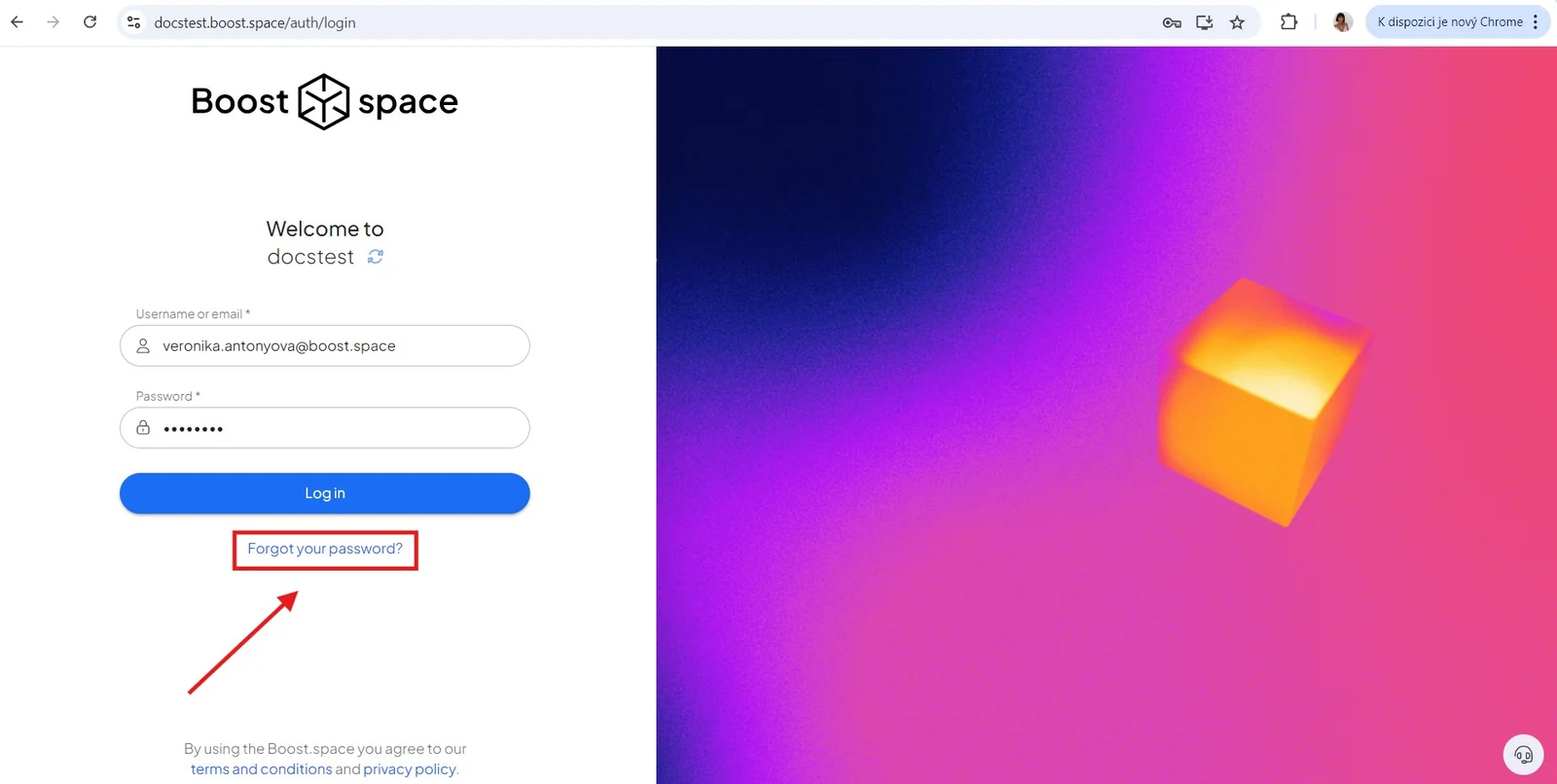
Go to the URL of your system – ex. MYSYSTEMNAME.boost.space (write the name of your system followed by the domain boost.space). Here click "Forgot your password?"
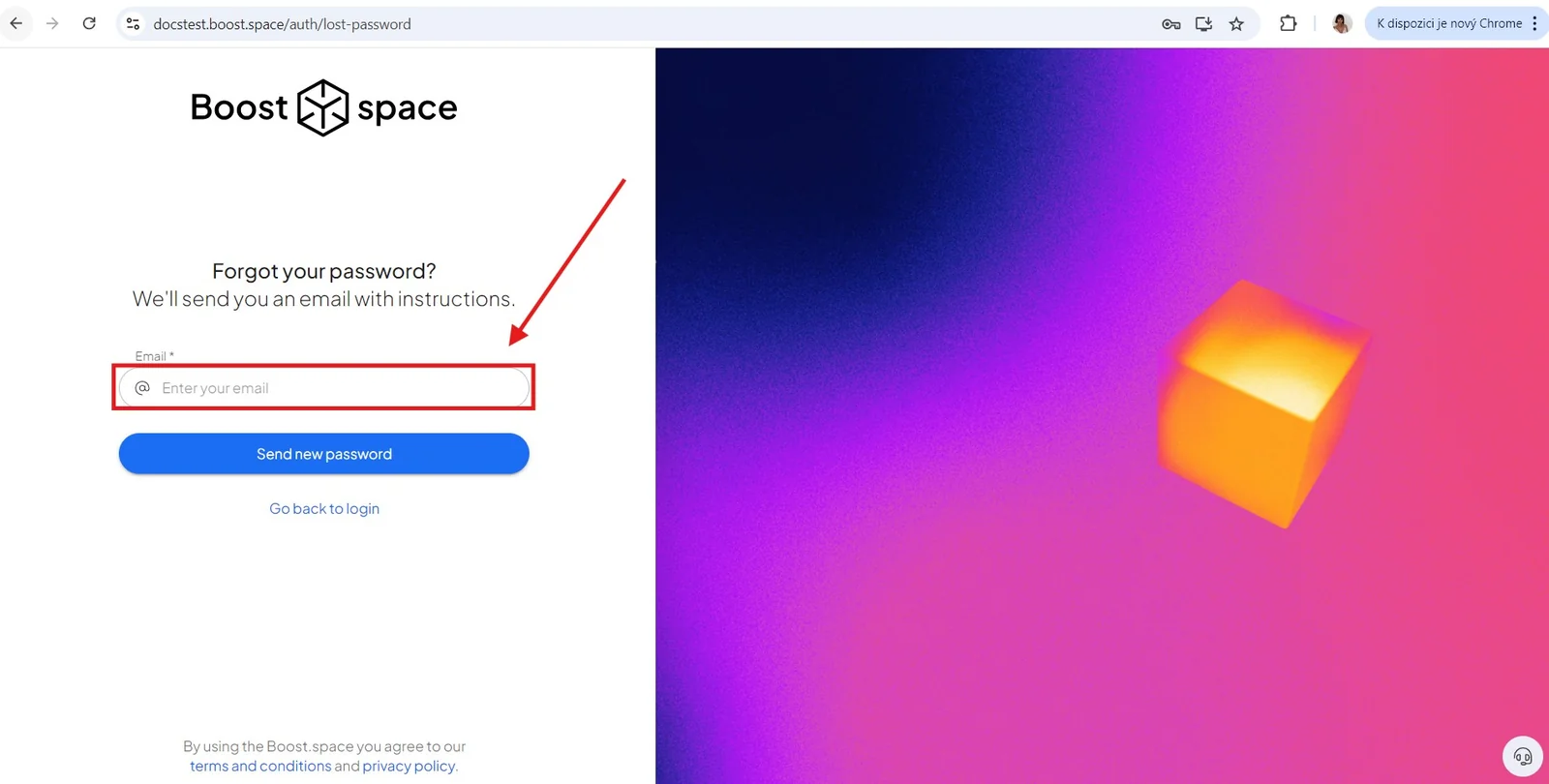
Fill in your email, then follow the instructions sent to that address.