Segmenter
The Segmenter is a helpful feature for users who work with large datasets inside Boost.space. When a module contains many records, loading the full dataset can take time. The Segmenter helps by allowing you to load and view only a part of the data at once. Segments can be created only by administrators, ensuring consistent data management across the platform.
When the segmenter is active
The Segmenter can be:
- Turned on manually in the System Settings, or
- Automatically activated when a module contains more than 70,000 records.
When it's active, the system loads only selected parts of your data instead of the whole module at once. This makes the interface faster and more responsive.
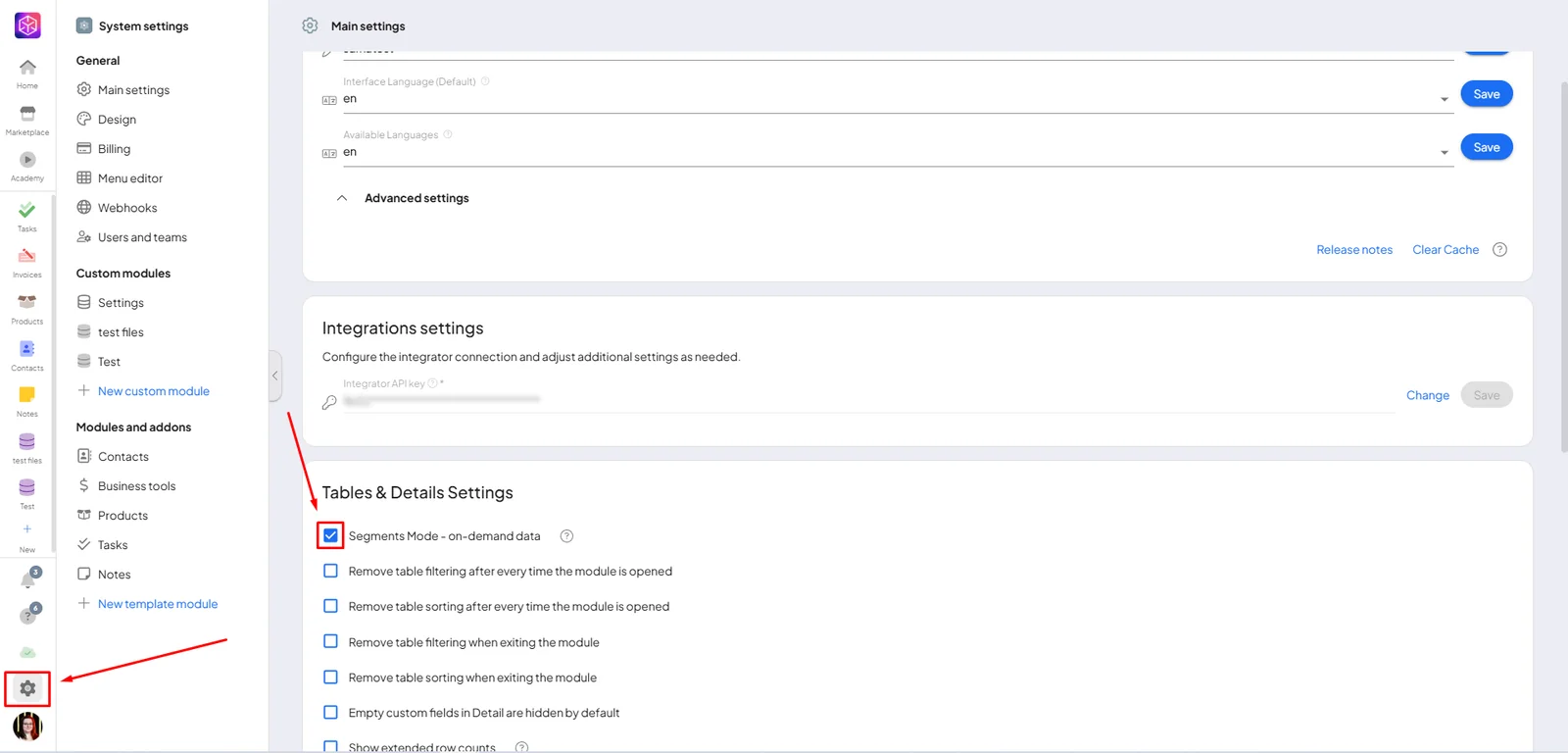
Creating a segment
When you open a module, you will see a button at the top that says "+ Segment".
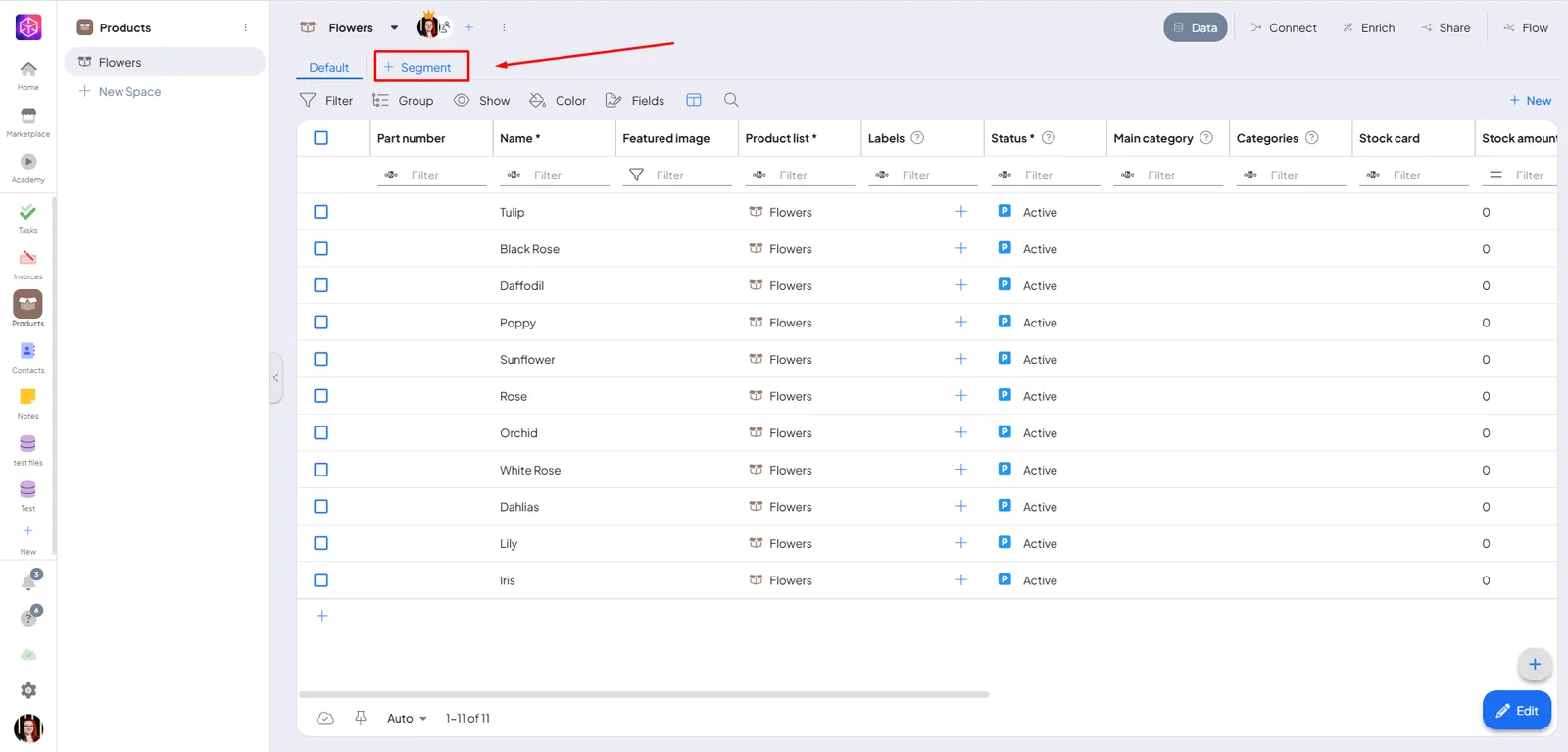
You can create multiple segments, each with its own filter. Boost.space keeps the last 5 opened segments in the local cache. If you open a sixth one, the oldest one is removed from the cache.
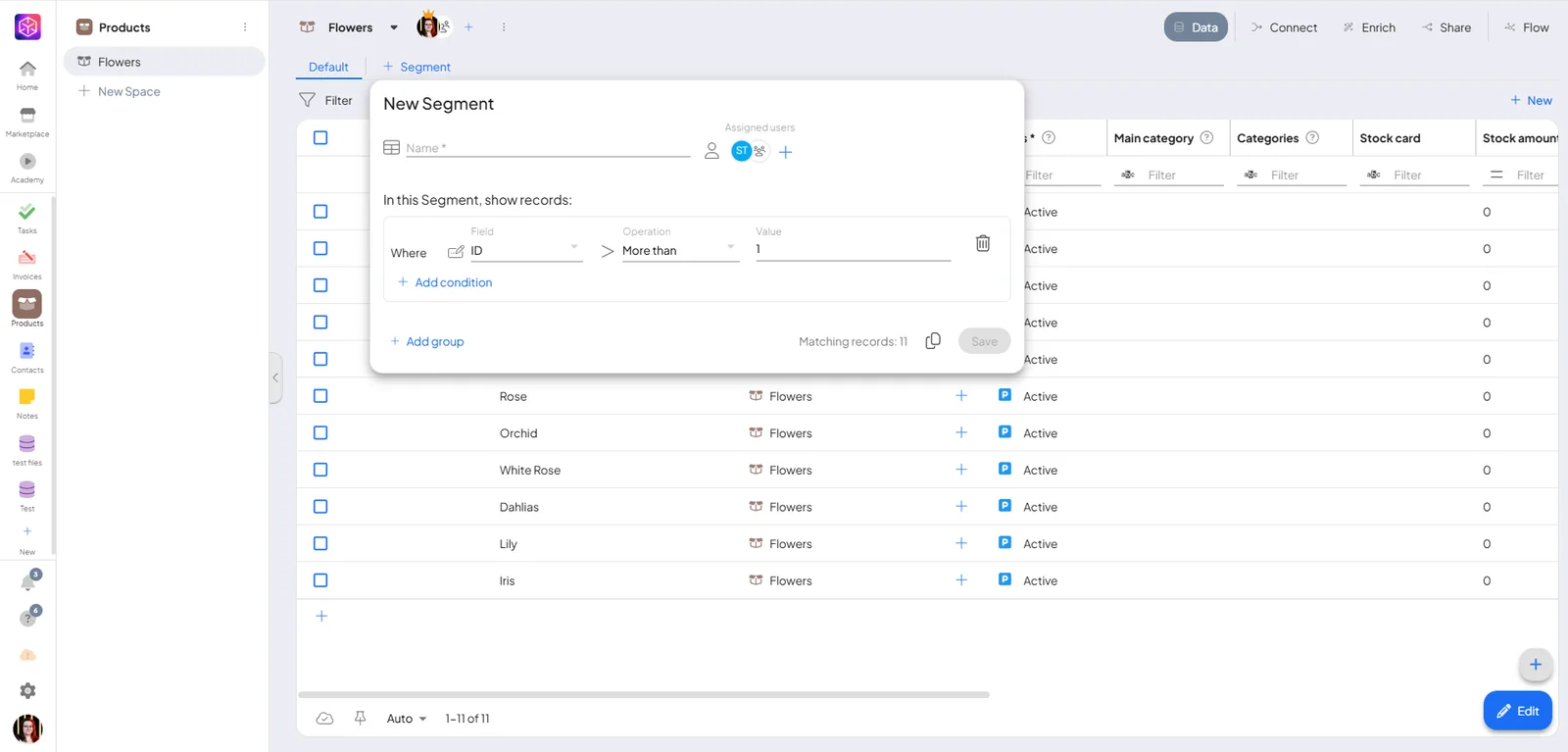
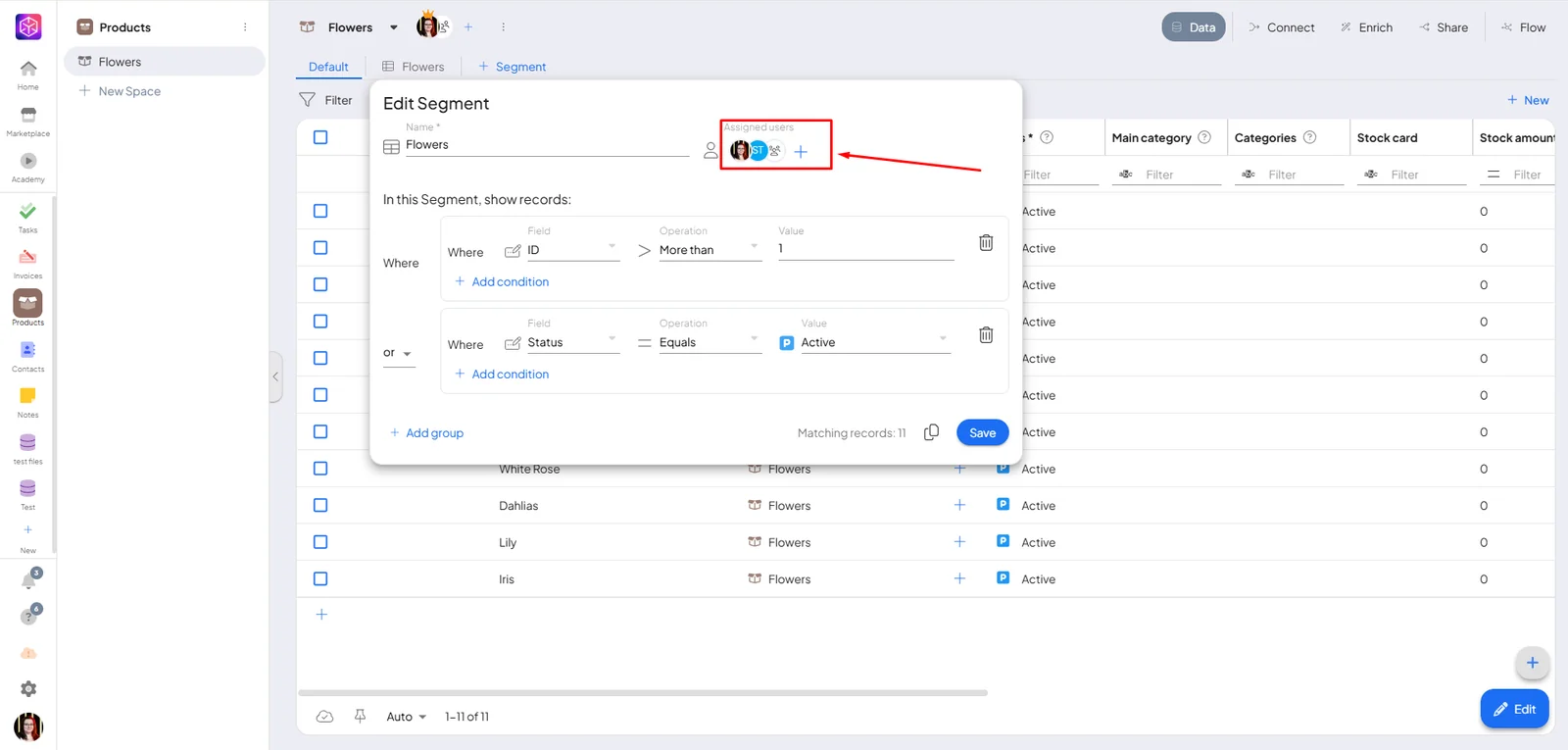
When you add a New segment, a filter table appears. You can choose:
- Field – e.g. Product ID, Creator, etc.
- Operator– e.g. equals, greater than, starts with
- Value – the value to compare
This allows you to define exactly what records should be included in the segment.
In addition, you can add multiple conditions to refine your segment even further. Conditions can also be grouped together, and for each group you can choose whether they should be connected by AND or OR:
-
AND means that records must meet all selected conditions at the same time.
-
OR means that records can meet any of the conditions to be included in the results.
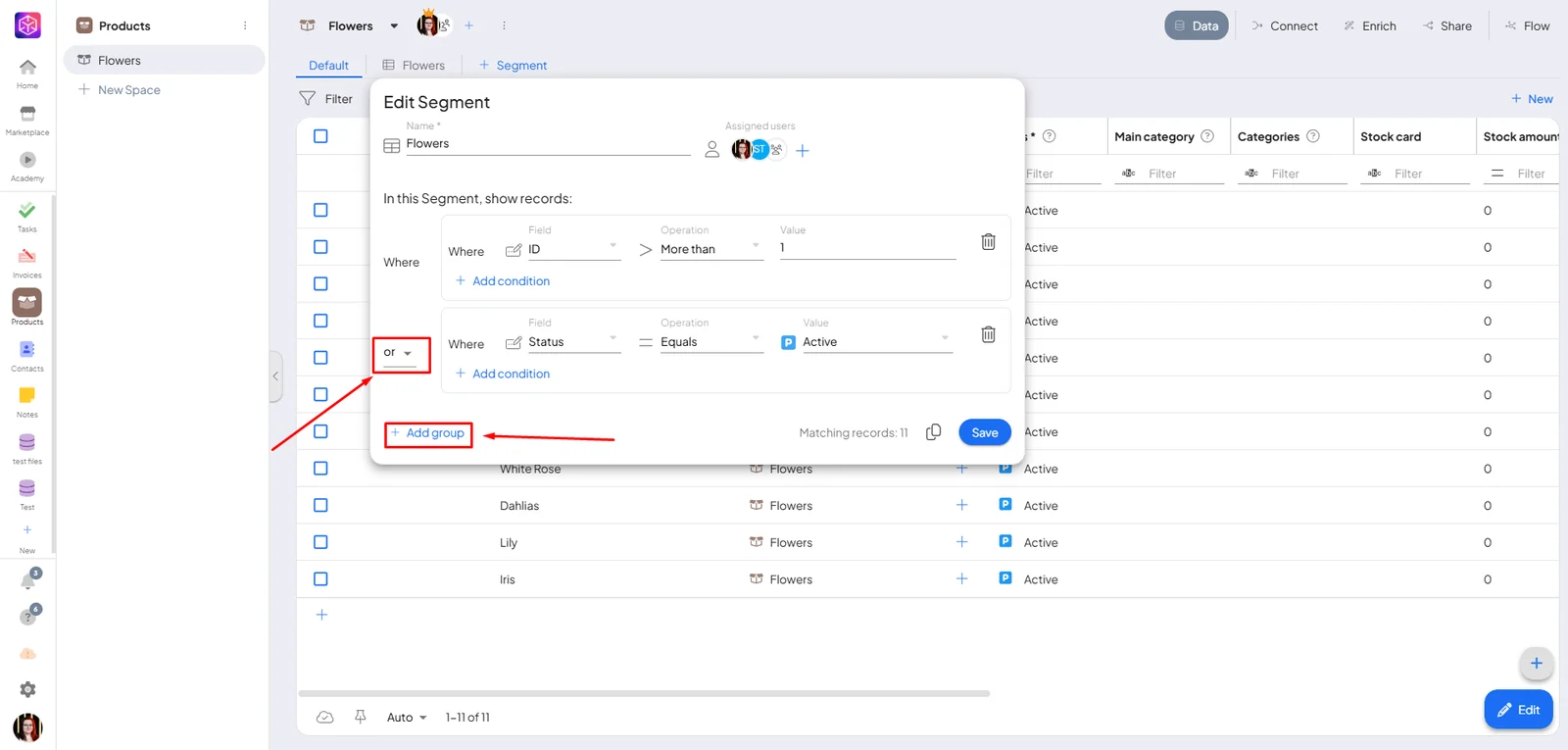
Once saved, the segment appears in the top bar. Clicking it shows only the filtered records.
You can also assign users who will be able to view this segment, making it easy to share relevant data with the right team members.
Segment actions
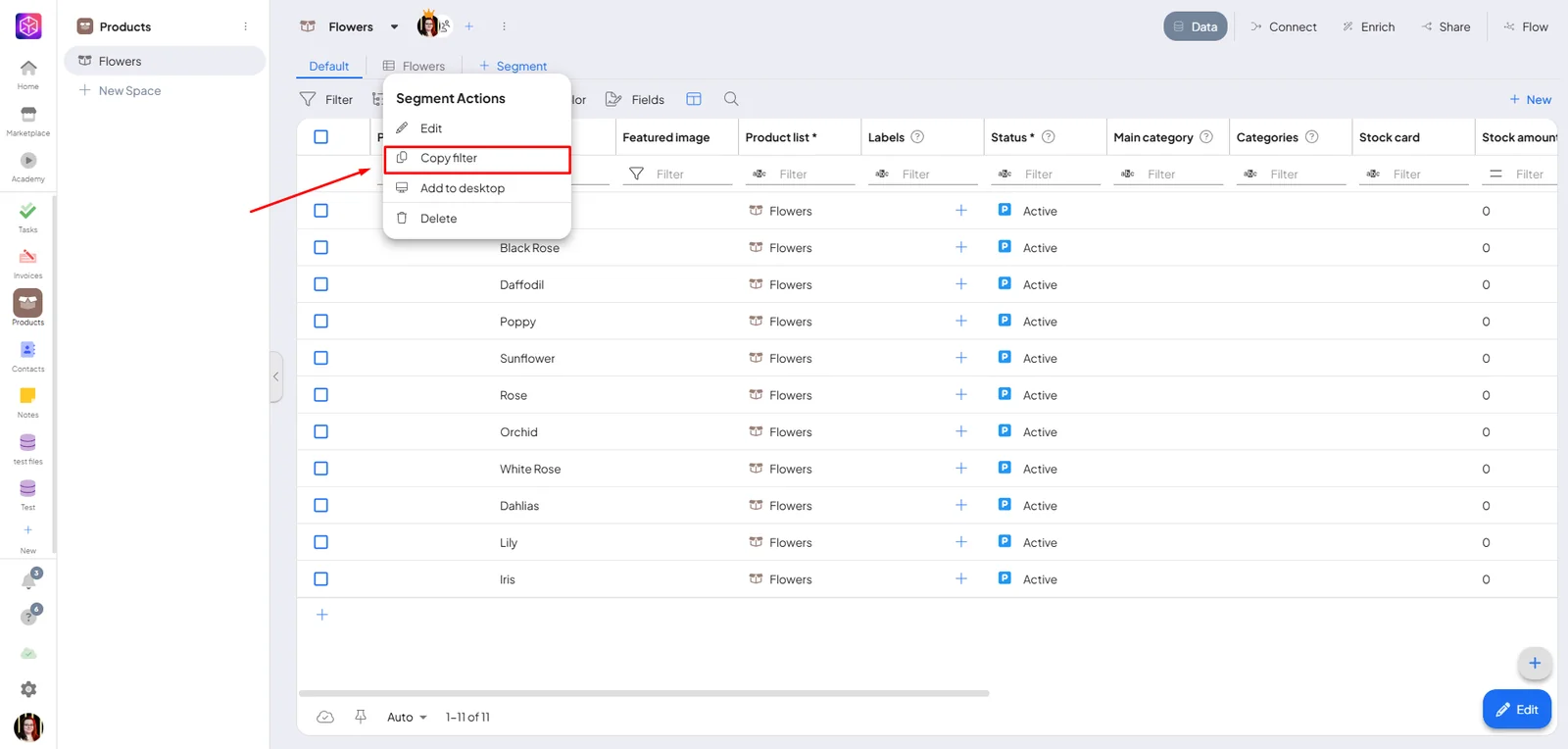
Right-clicking on a segment opens a menu. One useful option here is Copy filter.
This copies the segment's filter rules so you can reuse them elsewhere in Boost.space — for example when filtering records in another view.
Two ways to use a segment
Most people treat a segment as furniture: you build it once and it stays. That is one of its two jobs, and the less interesting one.
A standing queue. A segment whose filter describes work that needs doing becomes a permanent attention list — records with a validation error, items waiting for approval, anything parked in a status a human has to clear. Because the filter is evaluated live, the list maintains itself: fix a record so it no longer matches and it leaves the segment on its own. Watching the count fall to zero is the progress bar. Put the ones people should check every day in their menu so they do not have to remember to look.
A throwaway. A segment can equally exist for an afternoon. "These 40 products need new photos" — make the segment, hand the link to whoever is doing it, delete it when the work is done. Creating one is cheap and there is nothing to clean up afterwards but the segment itself.
Opening a segment puts it in the address bar, so copying the URL shares that exact filtered view — no export, no screenshot, no explaining which filter to set. Whoever opens it needs access to the space and to be assigned the segment; they then land on the same records you were looking at.
Nothing removes an empty segment for you. A segment that has emptied out is exactly what a finished standing queue looks like, so Boost.space cannot tell the difference between done for now and done forever — deleting is a decision you make, not something that happens to you.
Name it after the job, not the filter. Needs photos tells the next person what to do; status = 3 AND image IS NULL makes them work it out. This matters most for the throwaway segments, which are the ones somebody else opens from a link with no context.
The human-in-the-loop pattern
Put those pieces together and you get the shape most Boost.space work with AI ends up taking. Software handles what it can and hands the rest to a person, in a form that person can act on immediately.
- A filter describes the leftovers. Whatever the automation could not decide — missing data, a status only a human can set, anything flagged for review. Save it as a segment.
-
Tell the people who have to act. An
automation emails or notifies them when a record lands in that
state, and
{$entityLink}puts a link to the exact record in the message. No hunting. - Keep the queue in sight. Add the segment to their menu so it is there every time they open the app, rather than something to remember to check.
- The queue empties itself. Each fixed record stops matching the filter and leaves. Nobody marks anything as done — the count falling is the progress.
- Then decide whether it lives. A recurring kind of leftover stays as a standing queue. A one-off gets deleted, by whoever made it.
Nothing here is a feature you switch on. It is a filter, a notification, and a menu entry — the value is in wiring them together, and it works the same whether the records were flagged by an automation, by an agent, or by a person noticing a problem.
