Calculations on columns
Boost.space can calculate summary metrics on a column instantly — no formulas or manual tracking needed.
How to use the data calculation feature
To access this feature, follow these steps:
- Navigate to the module containing your data.
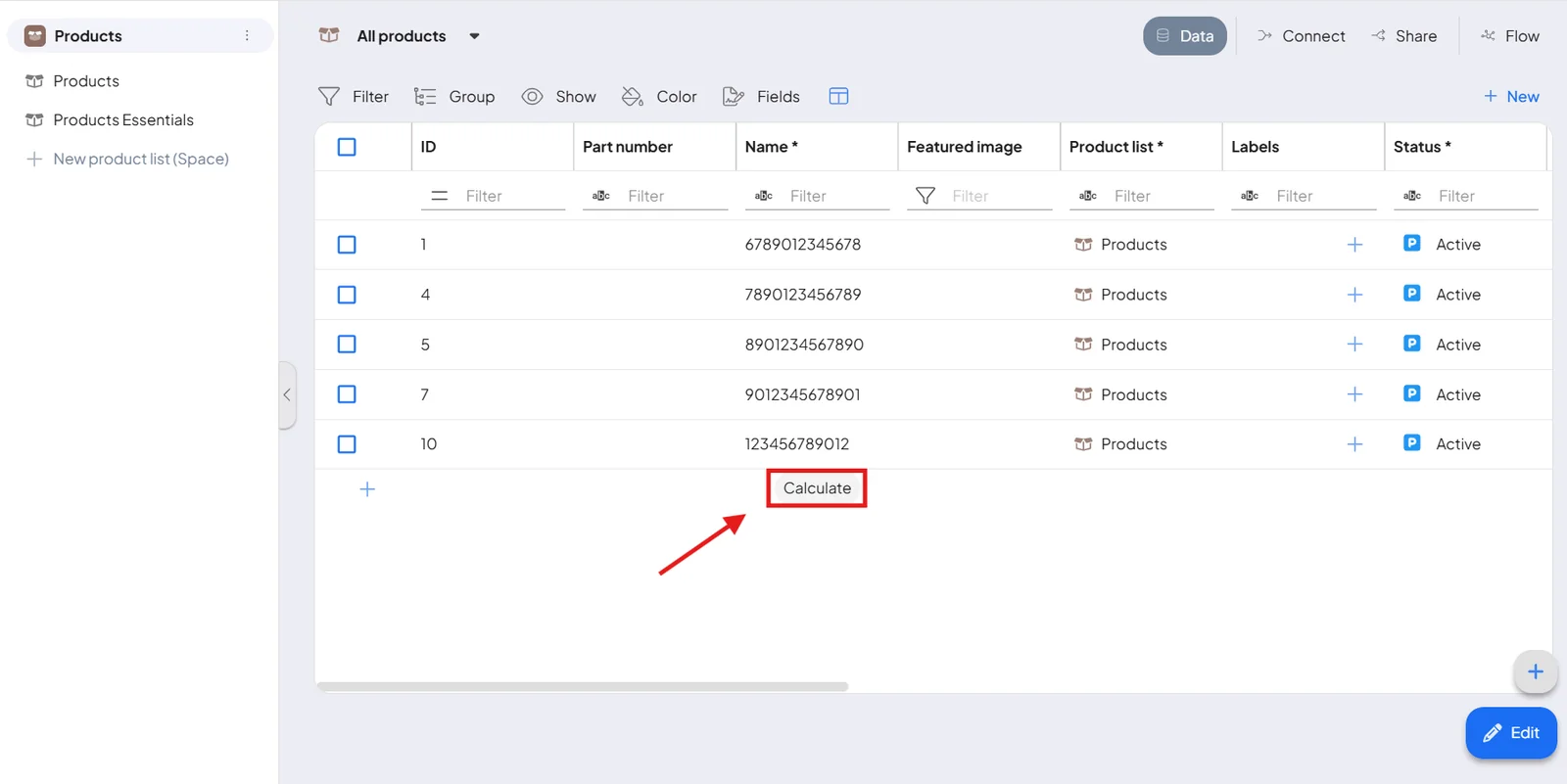
- Scroll all the way to the bottom of your columns.
- Hover over the bottom of a column to reveal the Calculate button, then click it to choose a calculation.
What you can calculate
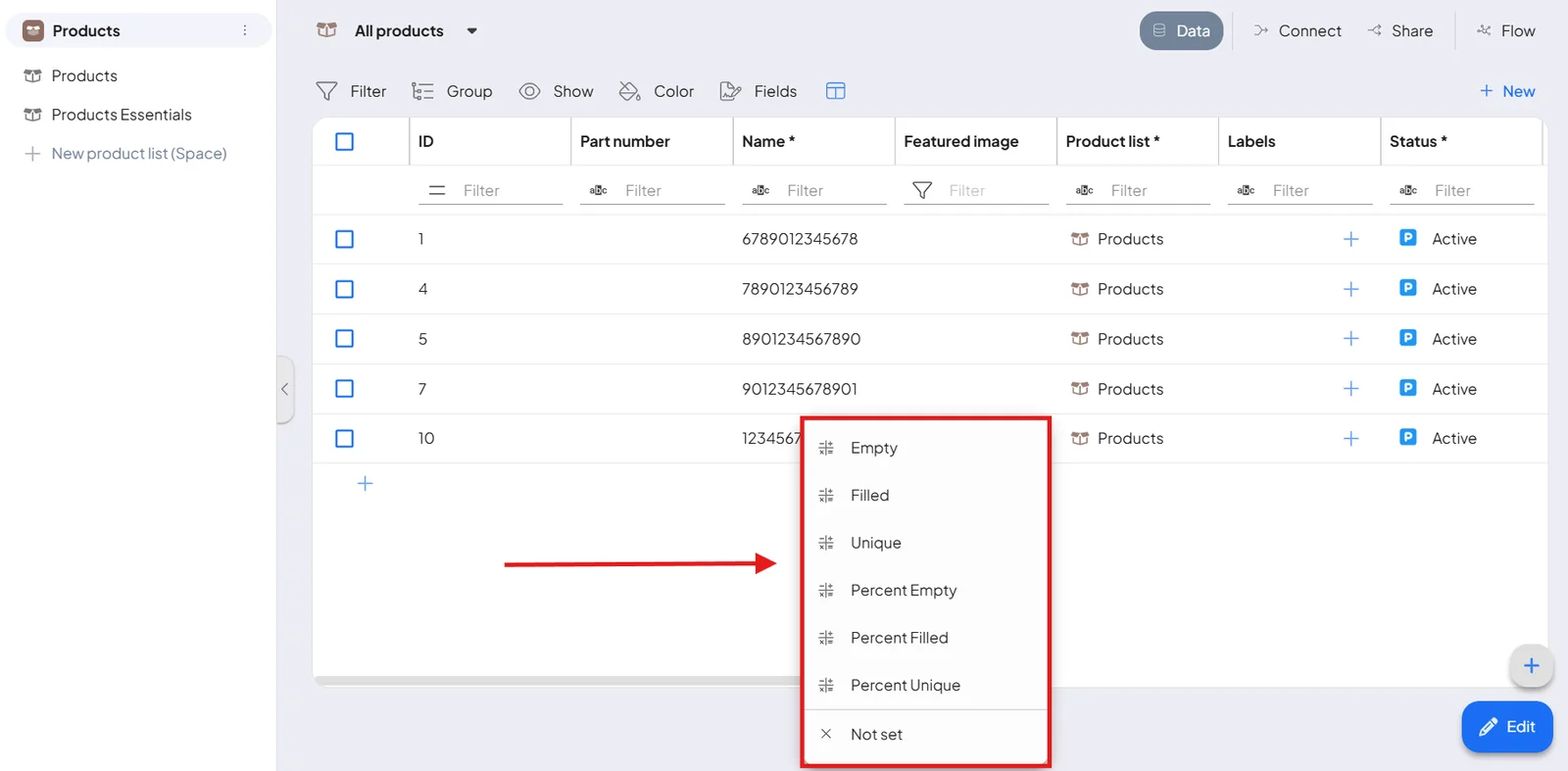
Once you click the Calculate button, you'll have the option to instantly calculate key metrics related to your data. For example:
- Empty Fields: Quickly count how many fields in your data set are empty.
- Filled Fields: See how many fields have been completed with data.
- Unique Records: Determine how many unique records are present in your data set.
- Percentage of Filled Data: Calculate the percentage of data that has been filled out compared to the total number of fields.
These give you an immediate read on your data's completeness and quality.