Home page
Your home page is where you land after signing in — the launchpad for everything you and your agents work with.
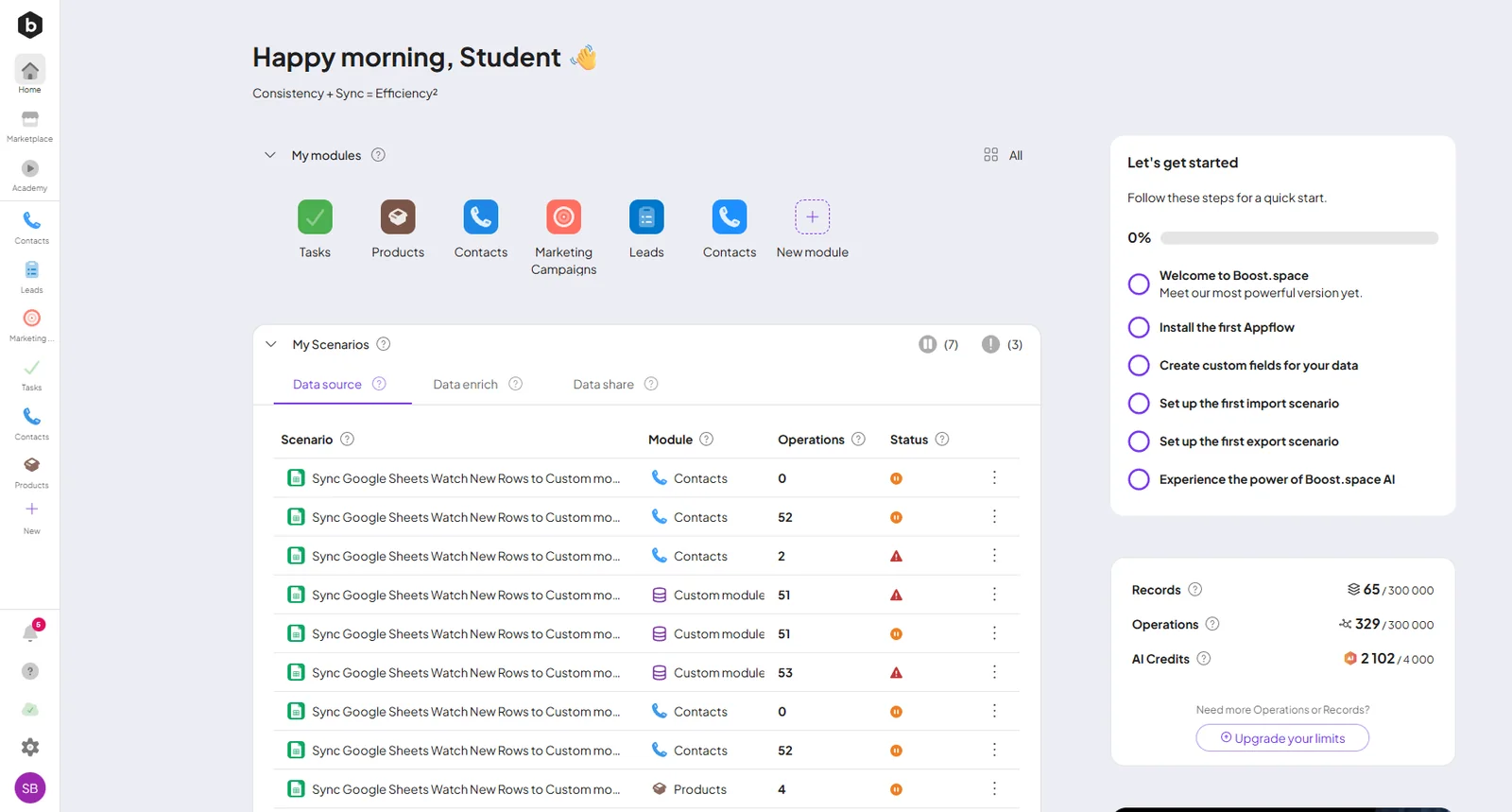
Navigation
The left sidebar holds Home, the Agent button (opens the Agent Chat), the Marketplace, your modules, and New for creating one — with notifications, the Help Center (including Ask AI), System settings, and your avatar at the bottom.
What's on the page
- My modules — every module you've added; open one or create a New module (with AI or manually).
- My Scenarios — your automation at a glance, grouped by direction: Data source (importing), Data enrich, and Data share (exporting) — with each scenario's module, operations used, platform, and status.
- Usage — live counters for Records, Operations, and AI Credits against your plan limits, with a one-click upgrade.
- News — release notes and product updates.
Agents start here too
The Agent button opens the Agent Chat — the built-in agent chat, scoped to one module or all of them. Prefer your own client? The Connect AI button on any module wires up Claude, ChatGPT, Cursor, and more over MCP — see Connect via MCP.
