Create a module
A module is a table you design. The fastest way to get one is Build a module with AI — describe your data and review the result. This guide covers building one manually.
Create the module
-
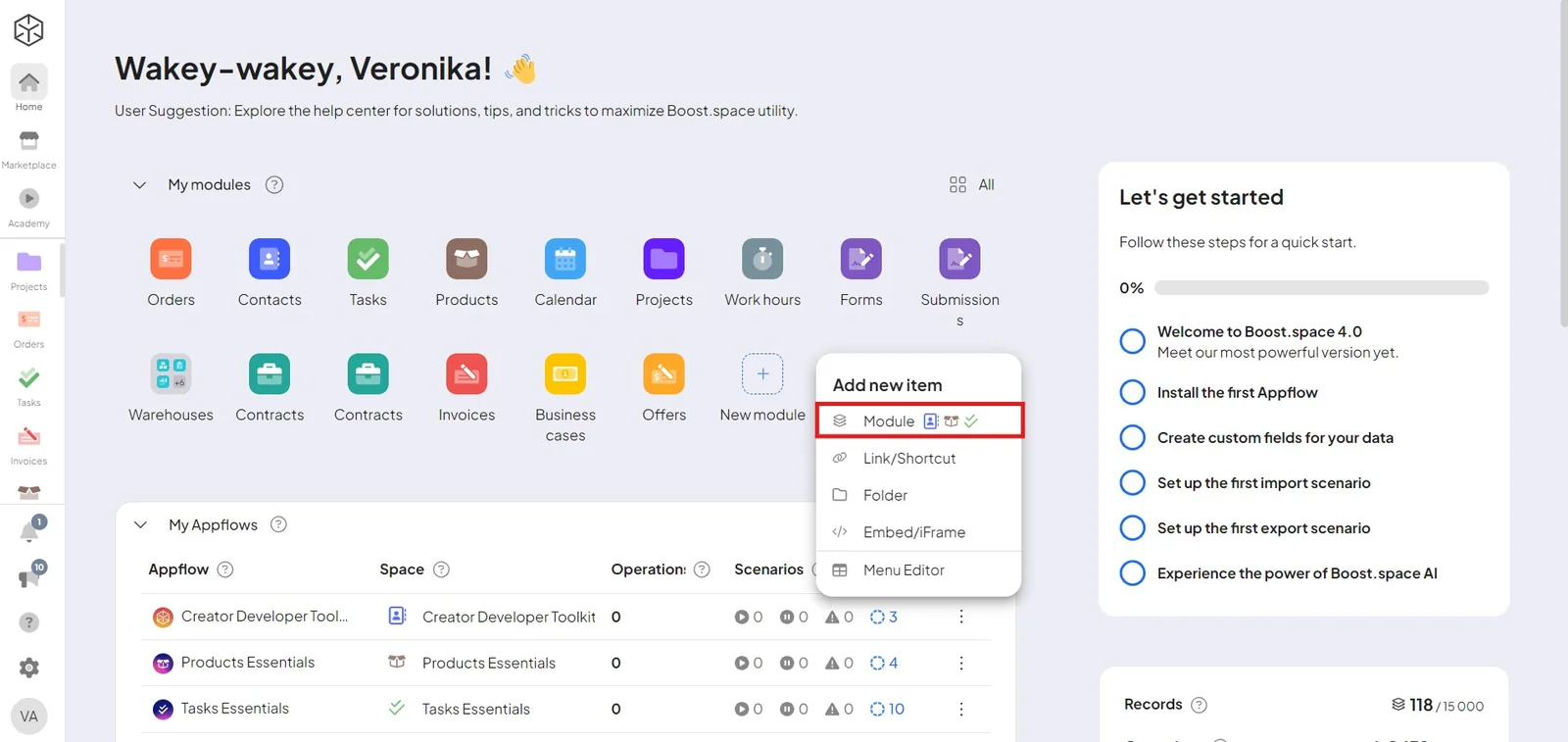
From Home, click the + icon — or go to System settings → Modules → Add module.
-
Choose the menu to place it in, pick Module as the item type, and create it (optionally assign a parent folder).
-
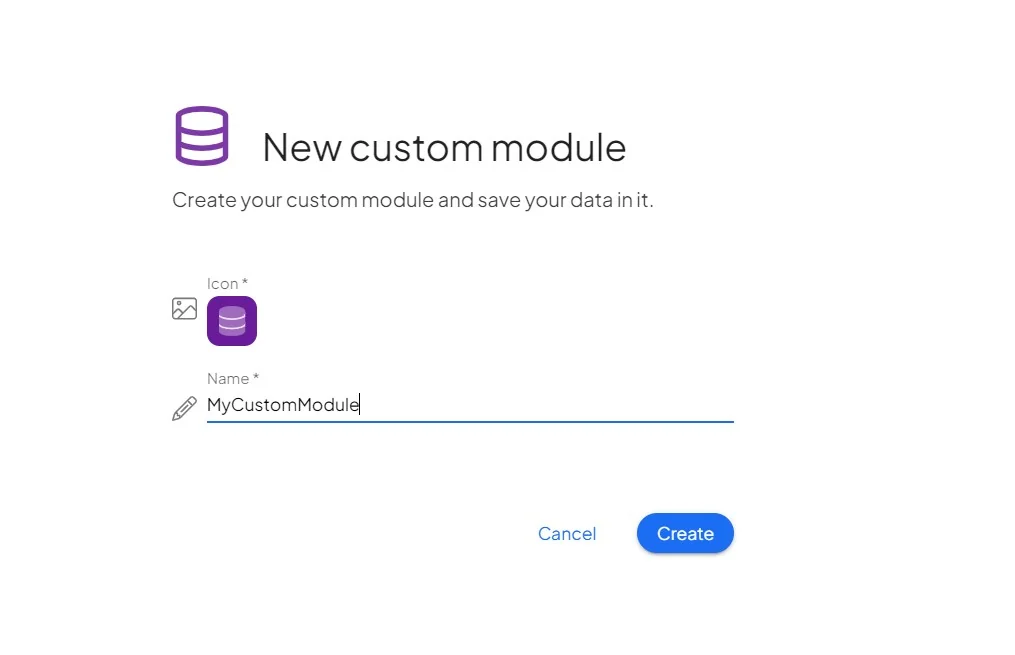
Give it a name, icon, and color.
Set up the first space
-
Create a space with + New space and name it.
-
Choose who to share it with and their roles.
-
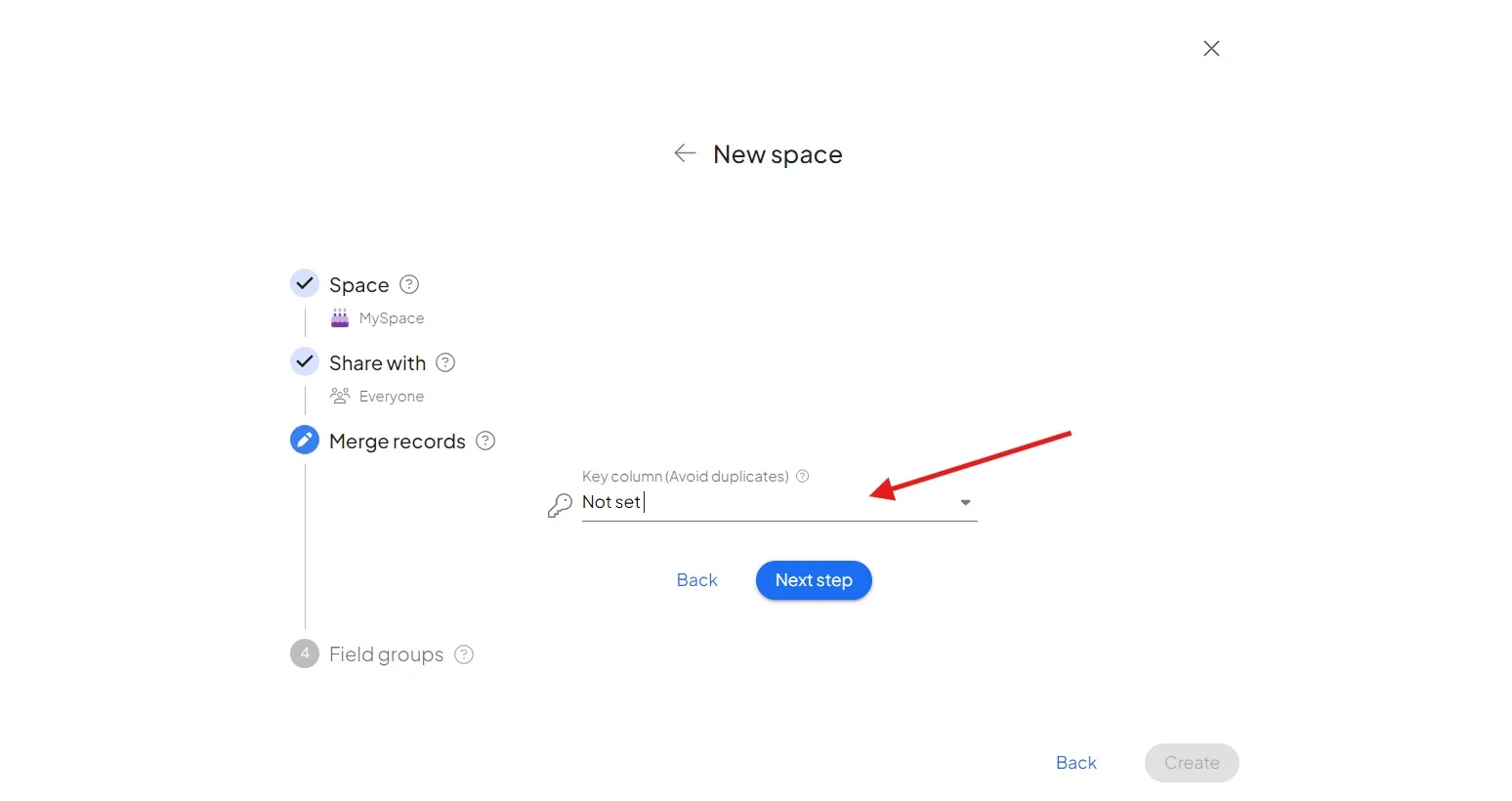
Set the key field — it deduplicates incoming data, so syncs and imports update the matching record instead of creating a copy.
-
Connect field groups, then Finish.
Your module is ready — add records, or refine its fields (you can also generate them with AI).
