API tokens and MCP tokens
Boost.space uses two kinds of tokens: API tokens (for integrations and the REST API) and MCP tokens (for AI agents connecting over MCP). Both authenticate as a user and can never have more rights than that user.
MCP token
An MCP token authorizes an AI agent to connect to your Boost.space
MCP server. The easiest way to create one is the in-app Connect AI
window (see Connect via MCP) — it mints the token and gives you the
connection URL https://mcp.boost.space/v2/{system}/sse a client needs.
- An MCP token acts as the user who created it — it can never do anything that user can't.
- Some clients connect with OAuth instead of a token: you paste only the connection URL and sign in. The access model is the same.
API token
An API token authenticates a user with the REST API and integrations — the token acts as that user's login for programmatic access.
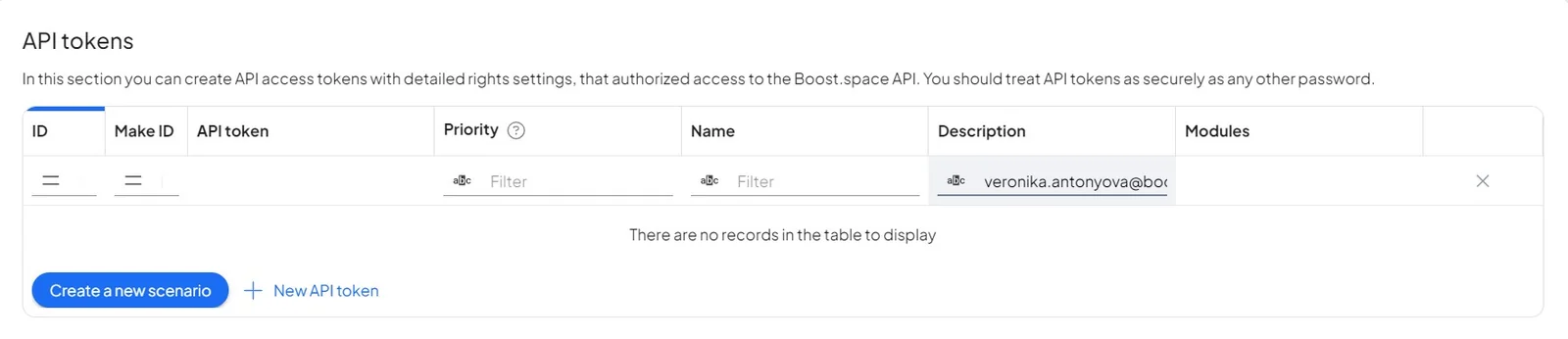
Permissions
When you create an API token, choose a permission type:
- Read — read-only access.
- All — full access, within the user's own rights.
- Custom — pick exactly which modules the token can touch, and whether it can read, create, edit, or delete in each.
Every token is still bounded by the user's own rights — a token can never do more than its owner. To grant different access, create a new token.
Treat any token like a password — anyone who has it can act on your data up to the token's permissions.
Which token do I need?
| Use case | Token |
|---|---|
| Build an integration or call the REST API | API token |
| Connect an AI agent over MCP (Claude, ChatGPT, Cursor, …) | MCP token (or OAuth) |
Next: Connect via MCP · Common MCP clients
