AI data validation
Note: To access this feature, you'll need AI Credits.
Data Validation is an AI function that helps you validate your data effectively within the Boost.space system. This article guides you through using it.
What is data validation?
Data Validation is a process that ensures the data entered into the system meets specific criteria, thus maintaining data quality. By implementing this feature, you can check for accuracy, consistency, and completeness, reducing the likelihood of errors in your applications.
How to use data validation
Using data validation is straightforward:
-
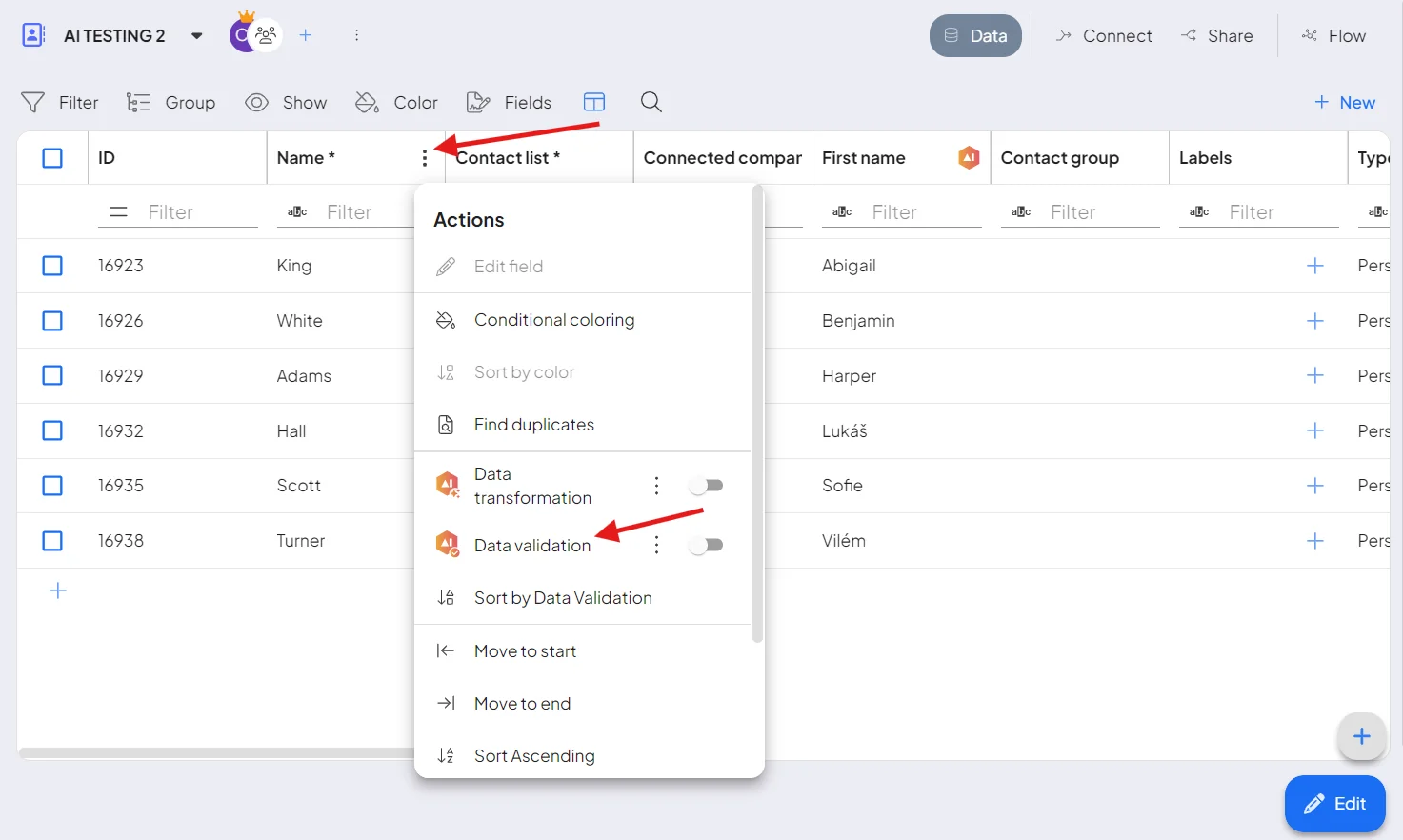
Open the space where you want to use it. Select the column, click the three dots, and choose Data validation.
-
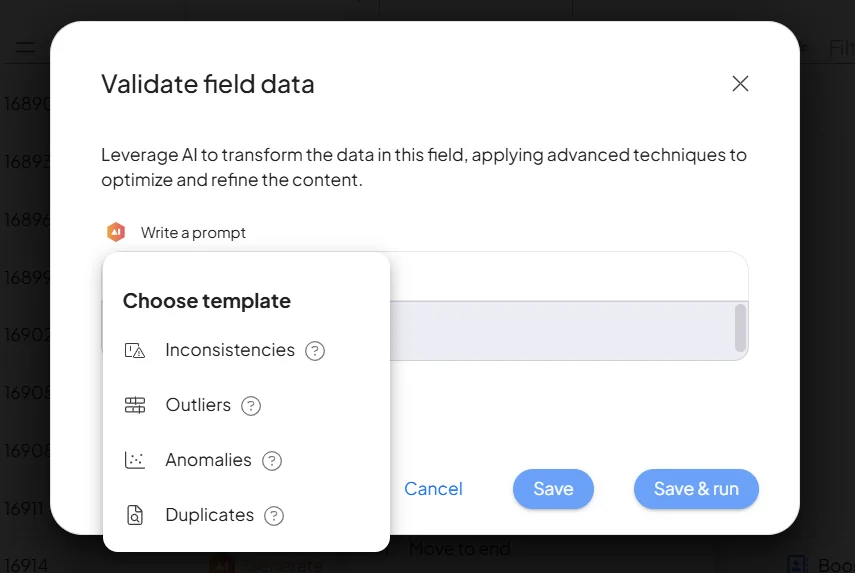
Let's define how your Data Validation will be carried out. You can either choose from our pre-made templates or create your own custom validation. For example, you might enter a command like, "Filter all names that contain an "A". Once you've made your selection, simply click "Save and Run".
-
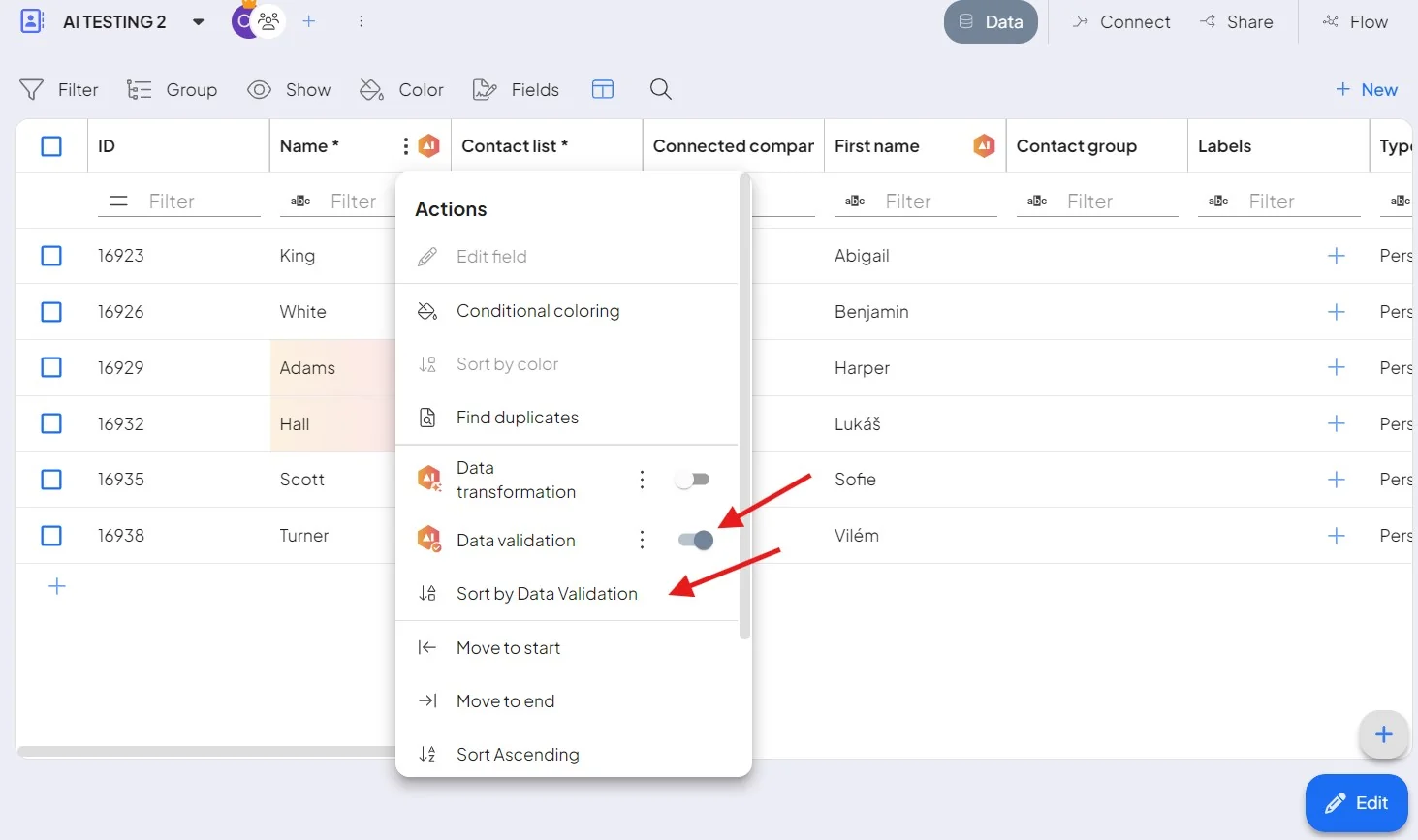
Your template for Data Validation has been saved. Now, it's time to activate it. You can also select the option Sort by Data Validation so that the data matching the validation criteria will appear first in the table.
-
Review the results — each row is checked against your rule, so you can spot and fix the ones that don't pass.
